A visit record with no photos can mean two very different things: the rep skipped the work, or the shop was genuinely shut.
Field teams across Oman meet both cases every week, from baqalas closed for renovation to hypermarket counters mid-refit, and a simple done-or-not-done log cannot tell them apart.
This post explains how a reason-based bypass flow records what really happened, what the rep does on the phone, and what the manager sees afterwards.
It matters most for FMCG, retail and modern trade, consumer durables, and cosmetics and personal care brands running in-store display campaigns.
Why an Empty Visit Record Helps Nobody
Without a reason attached, an unfinished task is only a gap.
The manager asks the rep, the rep says the shop was shut, and neither version can be checked.
The gap also muddies campaign numbers, because a store nobody could work still sits in the target and drags the execution rate down.
The Seven Reasons a Rep Can Record
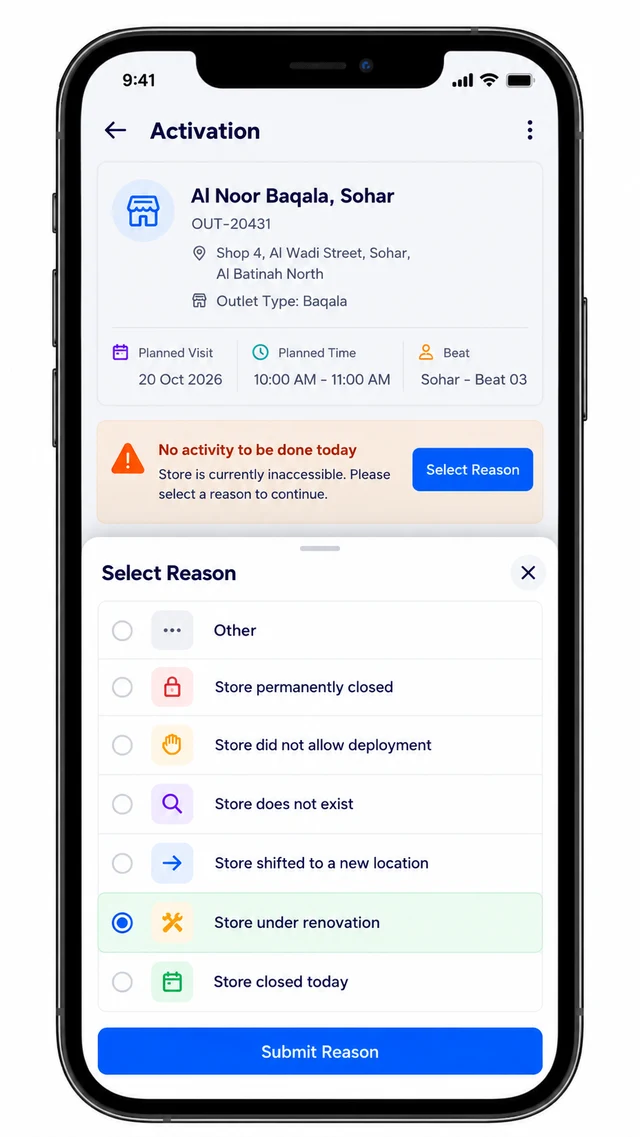
When a task cannot be done, the rep ticks "No activity to be done today", which unlocks a Select Reason control.
The pick-list is fixed, so every entry means one thing.
| Reason picked | What it tells the manager |
|---|---|
| Store closed today | A one-day miss, so the outlet belongs on the next beat |
| Store under renovation | A temporary block, so the outlet needs a later visit |
| Store permanently closed | The outlet is a candidate for removal from the campaign's store list |
| Store shifted to a new location | The outlet master needs the new address |
| Store does not exist | The outlet code itself needs checking |
| Store did not allow deployment | The shop was open but refused the display |
| Other | Anything outside the list, flagged for review |
Permanent closures can then come off a campaign by uploading a delete-store file, so the target stops carrying outlets that no longer trade.
Two Visits on One Beat Day
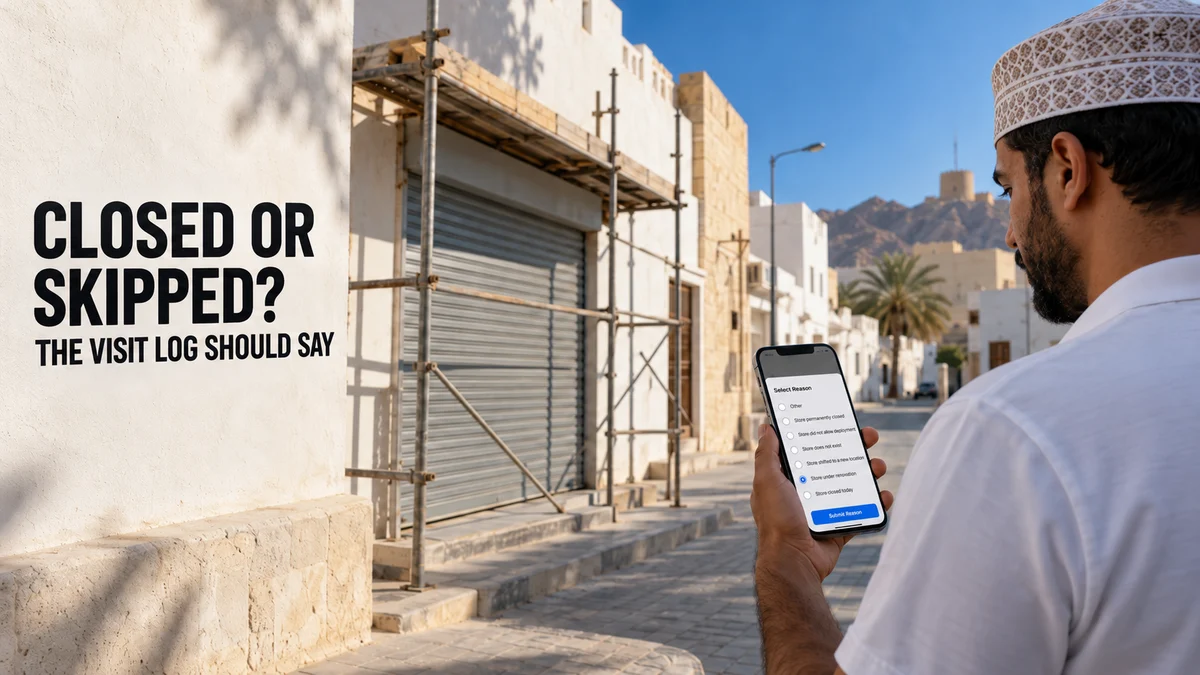
A merchandiser covering Sohar opens the Activation list for a snacks display campaign. The first baqala on her beat has its shutters down for renovation.
She ticks the no-activity box, opens Select Reason, picks "Store under renovation" and submits.
The reason appears as a label on the task and the Finish button turns active.
The visit closes with no photos, but with a clear reason on record instead of a blank.
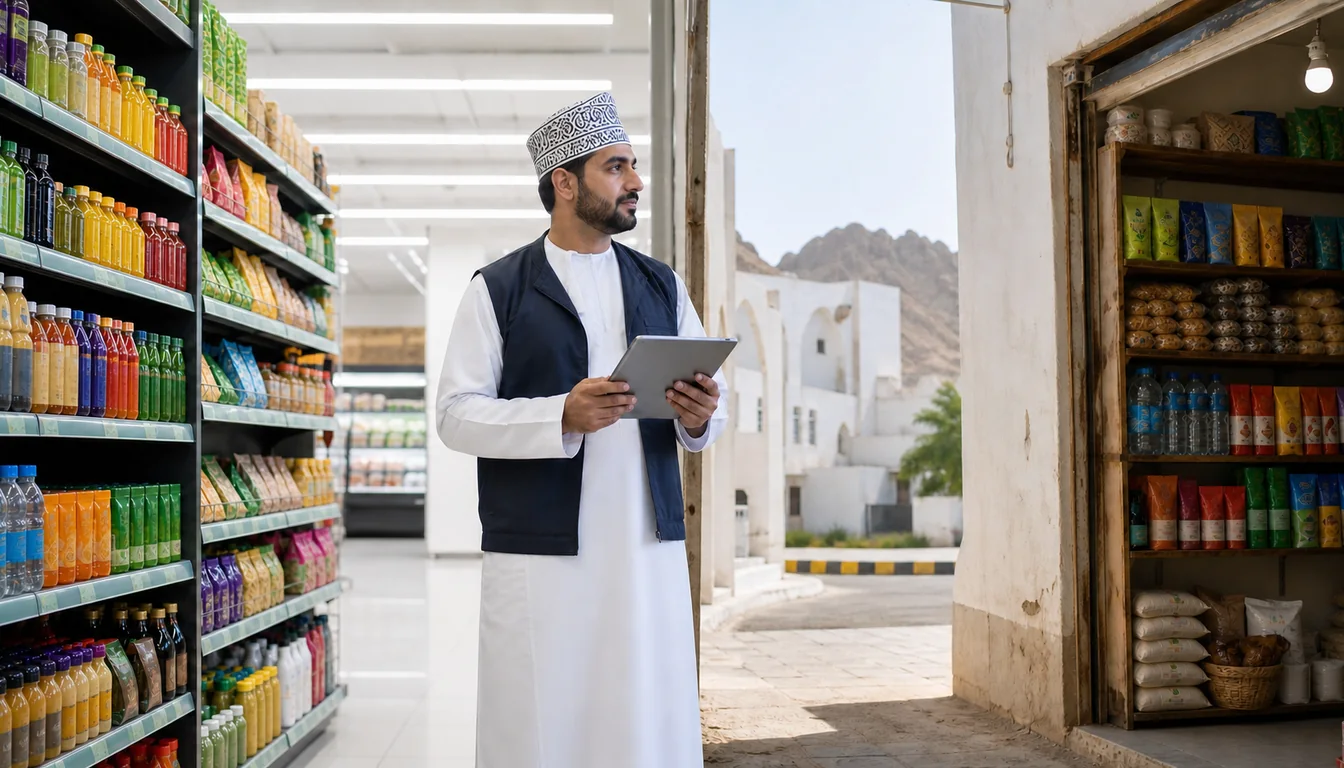
Her second stop, a mini-market in Muscat, is open. The campaign card shows the days remaining and the display types required.
She compares the reference photo, shoots the display, and Submit unlocks only once every required photo is in. The card then turns green with its score.
What the Manager Sees Afterwards
On the portal, the Visual Merchandising menu carries a Reason For No Campaign item, and the Campaign Dashboard shows coverage score and campaign score side by side.
Supervisors follow coverage, POSM status and bypasses across Muscat, Sohar, Salalah, Nizwa, Sur and Duqm on live dashboards.
A missing photo with a reason attached needs no chase. A missing photo with no reason attached is the one worth a question.
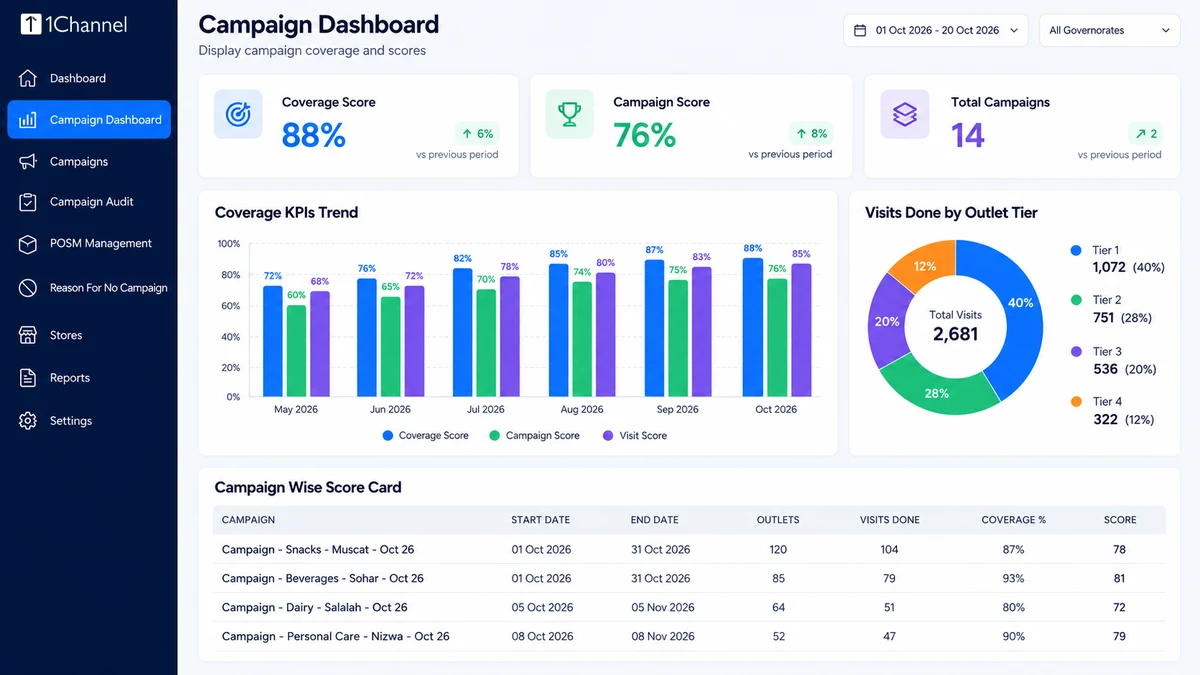
Figures on screen are illustrative; each client's targets and thresholds are configured to its own campaigns.
How 1Channel Records a Closed Store Without Losing the Visit
1Channel's mobile app lets a rep log a bypass reason when a baqala or hypermarket counter is closed, instead of skipping the entry.
Its retail execution software flags closed, relocated or under-construction outlets with a documented reason code, so drive targets stay accurate as the store landscape shifts.
Close Every Visit With the Real Reason
See how bypass reasons, photo proof and live dashboards work together for retail execution teams across Oman.
Explore the Retail Merchandising App →Decision Checklist
- Does every unfinished task need a reason before the visit can close?
- Is the reason list fixed, so each entry means one thing?
- Does a shop that was open but refused a display get its own reason, apart from a shut one?
- Can permanent closures be removed from a campaign's store list?
- Do supervisors see bypasses next to coverage on the same dashboard?
Note: Software screens may vary based on your business structure and configured workflows.