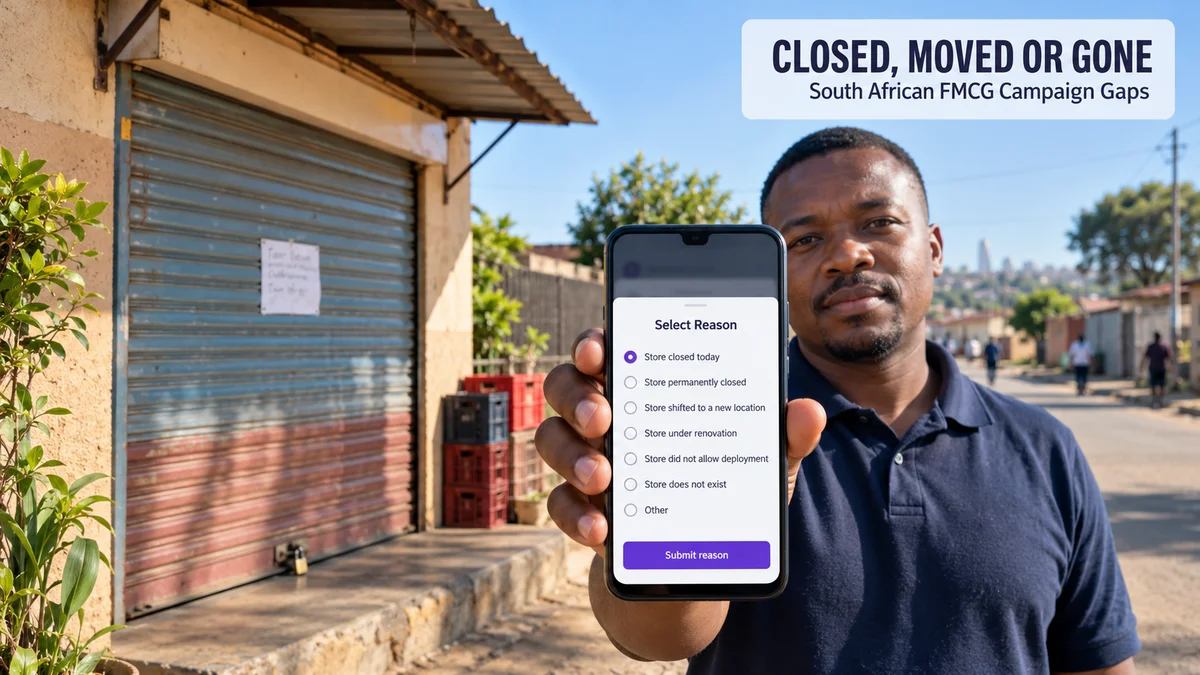
This guide builds a free store coverage sheet in five steps. It shows which stores your merchandisers reached each week, and which ones they quietly missed.
The gap shows up across South Africa's grocery and pharmacy trade, wherever a brand pays for regular shelf visits.
It hits cosmetics and personal care brands hardest. FMCG, pharma and healthcare, and consumer durables teams run into it too.
After the walkthrough, you will see what the sheet reveals, where it stops helping, and what a field app adds.
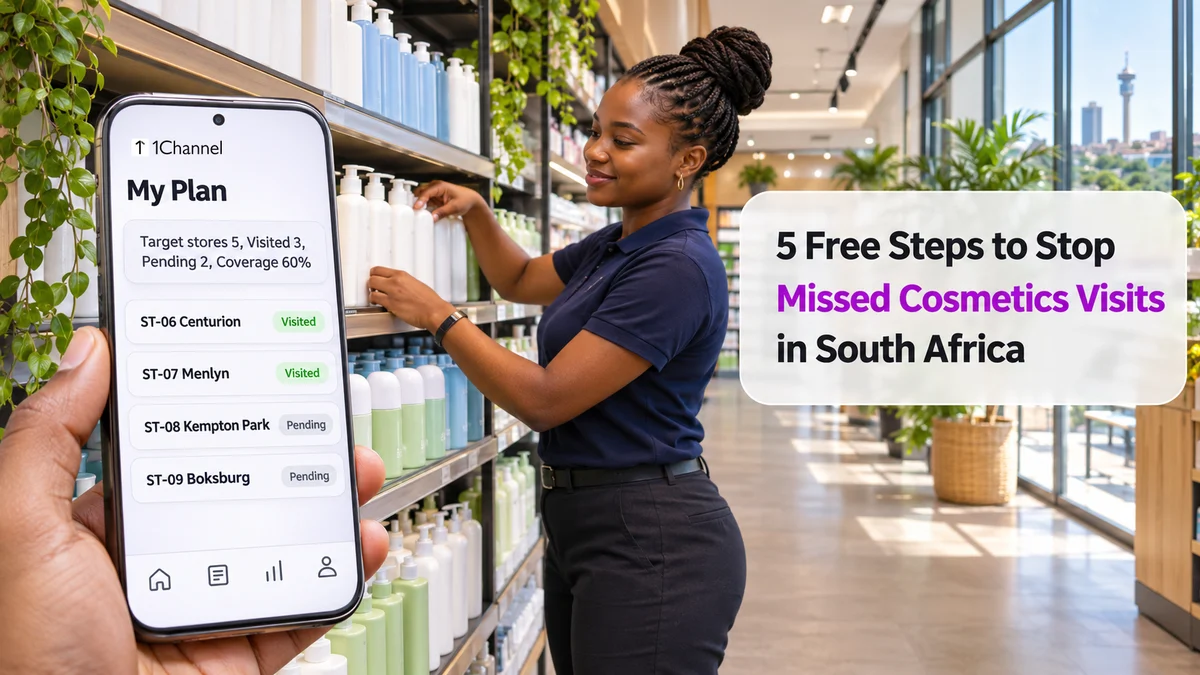
Why Owner-Run Stores Slip Off the Plan
Many South African supermarkets are not run from a head office. SPAR, for example, uses a voluntary trading model in which independent retailers own most of its stores.
So a display agreed with the group does not settle what happens on each shelf. Every owner runs their own floor.
The cosmetics bay only stays faced, priced and stocked if someone keeps visiting it.
That is where visits slip, usually for ordinary reasons:
- The merchandiser runs out of time on a long route
- The store owner asks them to come back later
- A stocktake or delivery blocks the aisle
- The visit moves to another day and is never rebooked
None of these leave a record. The store drops off the week, and nobody notices until its sell-out stalls weeks later.
Before You Open the Sheet
You need four things, and none of them cost money:
- A browser and EtherCalc, a free web spreadsheet with no sign-up or install
- Your store list, with a short code for each store
- A code for each merchandiser instead of their name
- Four weeks of visit results, from chat messages, paper logs or supervisor notes
Use codes rather than names or phone numbers. A sheet created this way opens for anyone who has its link.
Five Free Steps to a Store Coverage Sheet
Step 1: Create a Blank Sheet Without Signing Up
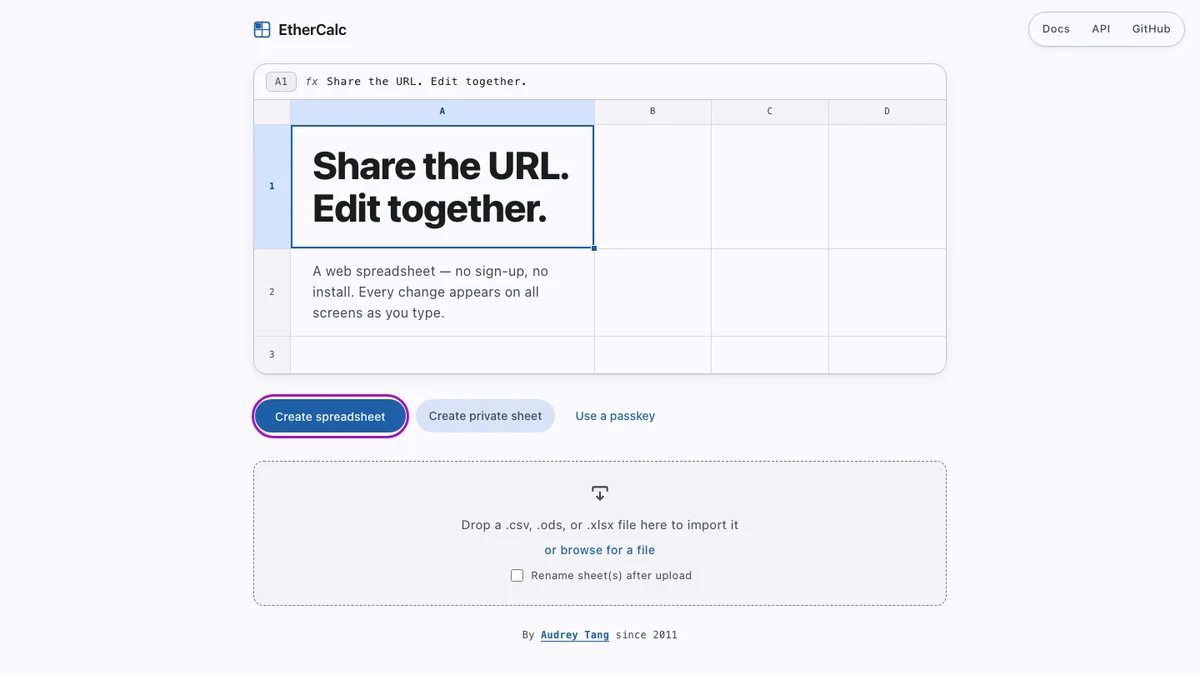
Open ethercalc.net and click Create spreadsheet. A blank sheet opens at its own web address within a few seconds.
Bookmark that address. It is the only way back to the sheet, and it is what you share with supervisors.
Step 2: List Every Store and Its Visit Day
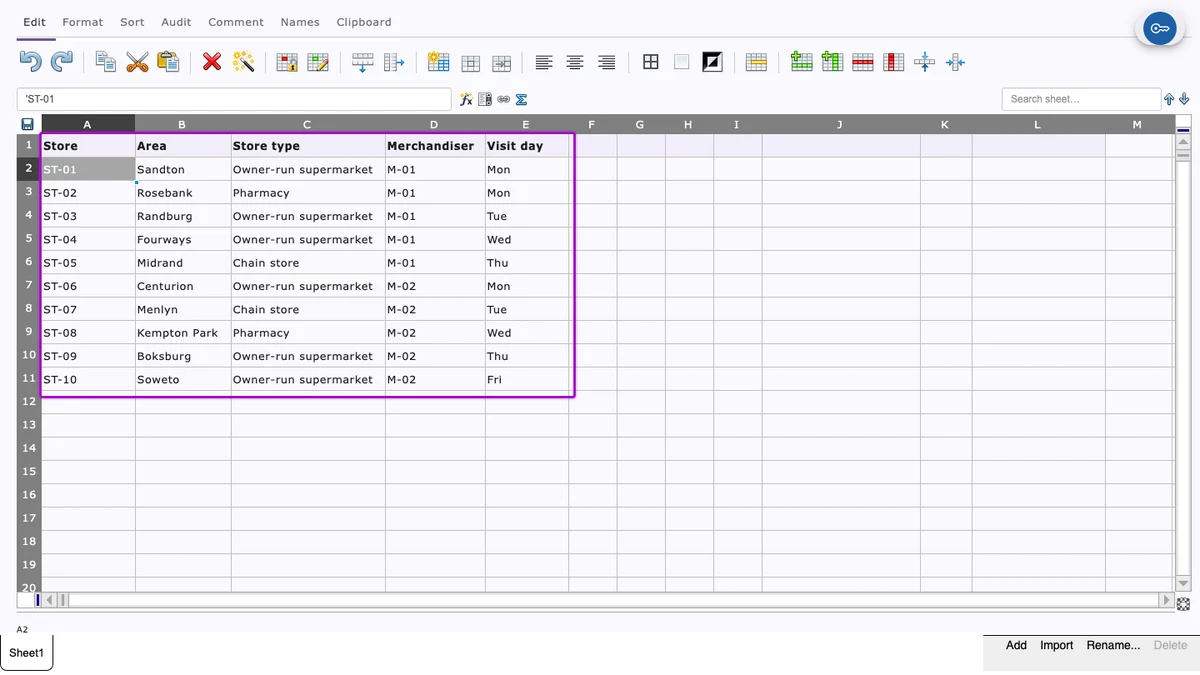
Type five headings in row 1: Store, Area, Store type, Merchandiser and Visit day. Then add one row per store.
The example covers ten Gauteng stores. M-01 works Johannesburg's northern suburbs and Midrand, and M-02 covers Pretoria, the East Rand and Soweto.
Keep the store type column. Owner-run supermarkets, pharmacies and chain stores tend to miss visits for different reasons.
Step 3: Mark Each Week as Visited or Missed
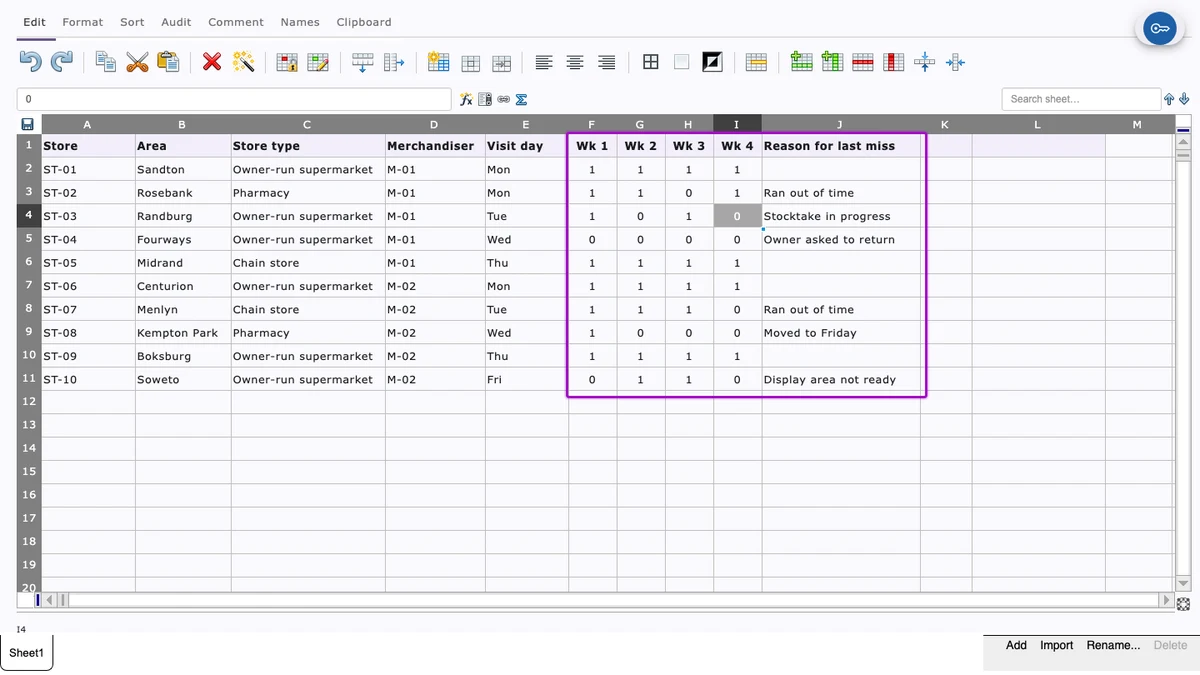
Add Wk 1 to Wk 4 in columns F to I. Enter 1 when the store was serviced that week and 0 when it was not.
Column J holds the reason for the most recent miss, as the merchandiser reported it.
Reuse the same short wording each time, such as Ran out of time, so the reasons can be counted later.
Step 4: Count Visits and Flag Untouched Stores
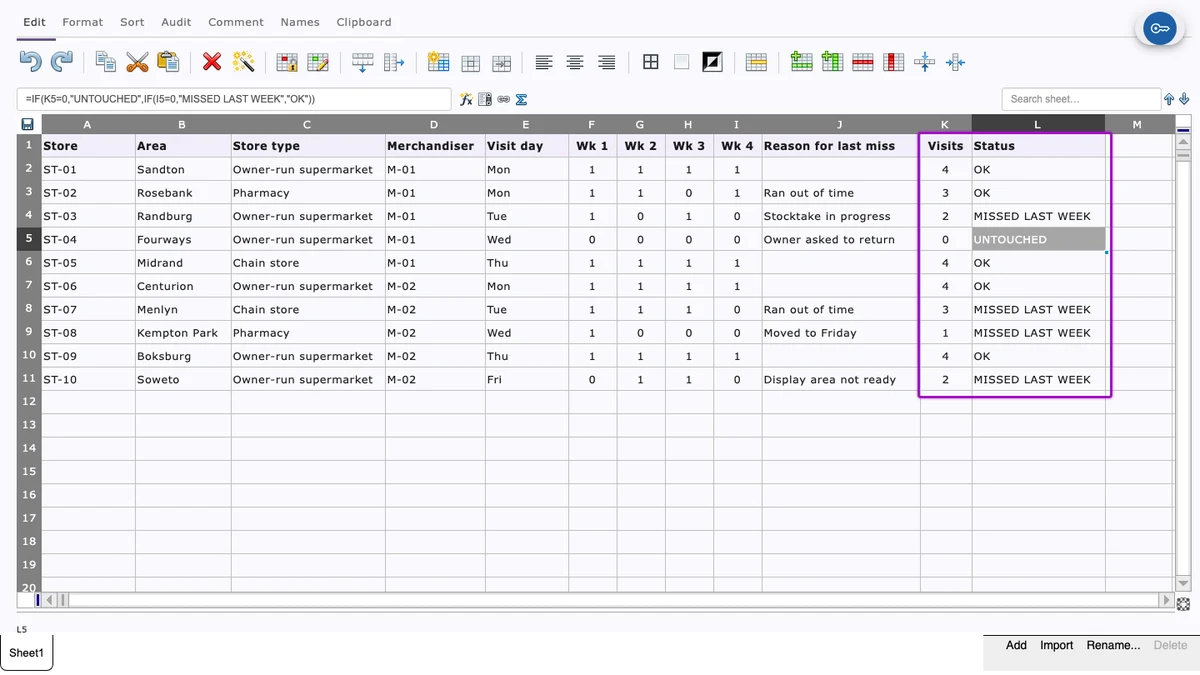
In K2, type =SUM(F2:I2) to count the weeks each store was visited, then copy it down to row 11.
In L2, one IF formula labels each store. It reads UNTOUCHED with no visits at all, MISSED LAST WEEK when week 4 is 0, and OK otherwise:
=IF(K2=0,"UNTOUCHED",IF(I2=0,"MISSED LAST WEEK","OK"))
Here, ST-04 in Fourways shows UNTOUCHED, and four other stores missed their most recent visit.
Step 5: Roll Coverage Up by Merchandiser
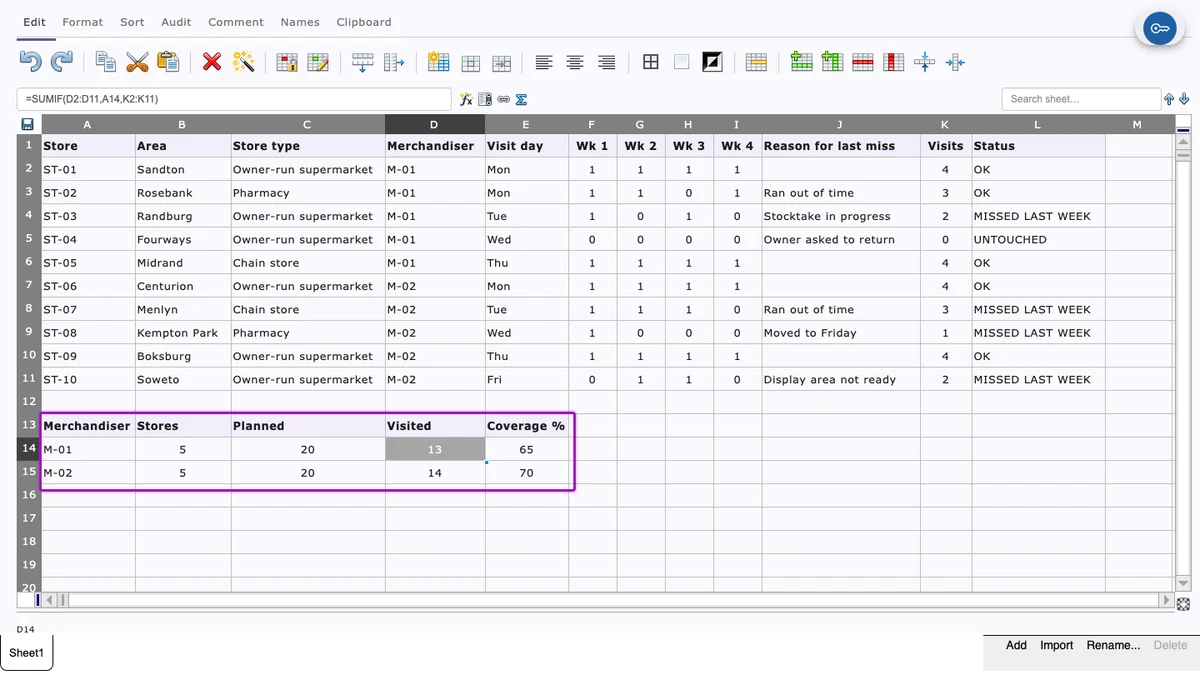
Below the store list, add a small summary with one row per merchandiser. Four formulas fill it:
- Stores:
=COUNTIF(D2:D11,A14)counts the stores assigned to M-01 - Planned:
=B14*4allows one visit per store per week - Visited:
=SUMIF(D2:D11,A14,K2:K11)adds up that merchandiser's visits - Coverage %:
=ROUND(D14/C14*100,0)turns the result into a percentage
M-01 completed 13 of 20 planned visits, or 65%. M-02 completed 14 of 20, or 70%.
What Four Weeks of Coverage Tell You
The sheet turns scattered reports into a short list of decisions:
| Finding | What the sheet shows | Next action |
|---|---|---|
| ST-04, Fourways | 0 of 4 visits, owner asked to return | Agree a fixed visit slot with the owner |
| ST-08, Kempton Park | 1 of 4 visits, moved to Friday | Move the store to Friday on the plan itself |
| ST-02 and ST-07 | Ran out of time on both routes | Check whether those routes hold too many stores |
| M-01 and M-02 | 65% against 70% coverage | Read the reasons before comparing people |
The numbers are only as good as the reports behind them. A 1 cannot show whether the visit was a full service or a two-minute stop.
Where a Shared Sheet Stops Helping
Making misses visible is a real step up from scattered chat messages. The limits grow with every store you add:
- Visits are self-reported. A 1 is typed after the fact, with no proof the merchandiser was inside the store.
- There are no photos. The sheet cannot show what the cosmetics bay looked like after the visit.
- Results arrive late. The sheet is only as current as its last update, often days after the visit.
- The link is open. Anyone with the address can change past weeks, and nothing records who did.
- The store list goes stale. New stores, closures and changed visit days all need hand edits.
- The work is doubled. Merchandisers report in a chat, then a supervisor retypes it into the sheet.
How 1Channel Records Each Store Visit
VisiMax, 1Channel's app for retail maintenance, visual merchandising and store audits, replaces the typed 1 with a recorded visit.
Each part of the sheet has a direct counterpart in the app:
| In the sheet | In VisiMax |
|---|---|
| Visit day column | Daily plans built on the phone, with a beat-plan adherence report |
| 1 or 0 typed later | Geofenced check-in that counts a visit only from inside the store, with a store photo |
| Reason for last miss | No check-in today with reasons, and skipped stores with reasons |
| Coverage % formula | Coverage targets per person, tracked live |
| UNTOUCHED flag | A report of stores nobody reached this month, by region and channel |
| Hand-edited store list | Add-store requests from the field, bulk uploads and GPS correction |
The app works offline, so a visit captured where signal is weak syncs later instead of being lost.
It also runs in multiple languages, configured to each client's requirement.
Turn Planned Store Visits Into Proven Ones
See how 1Channel plans each merchandiser's day, confirms visits inside the store and shows coverage for every person.
Explore the Retail Merchandising App →Common Mistakes to Avoid
- Logging visits from memory at month-end instead of on the day
- Comparing merchandisers on coverage alone without reading the miss reasons
- Leaving an untouched store on the plan for another month without calling the owner
- Putting names or phone numbers in a sheet anyone with the link can open
- Writing the same reason five different ways, which makes it impossible to count
Note: Since the manual method was only tested once, consult a technical expert before running bulk operations.