A campaign coverage figure tells a brand how many outlets a merchandiser reached. It rarely says why the other outlets on the list were never activated.
That question comes up in FMCG, consumer durables and electronics, cosmetics and personal care, and modern trade programs running across South Africa's township and suburban outlets.
Small independent stores change status often. A store list uploaded at campaign launch can be out of date by the time a merchandiser reaches the door.
This post covers where unexplained coverage gaps come from and how the cloud platform records a reason on the visit itself.
It also shows how store lists get cleaned before the next wave.
Where Unexplained Coverage Gaps Come From
When an outlet cannot be activated, the usual result is silence. No photo, no submission, and nothing recorded against that visit.
At month end the coverage number drops, and the brand team cannot tell a skipped outlet apart from one with its shutter down.
That difference costs real money. Tent cards and standees get reprinted for stores that no longer trade, and merchandisers get blamed for doors that were never open.
| What the merchandiser found | What a blank visit looks like | What it should lead to |
|---|---|---|
| Store closed today | Missed outlet | A revisit before the campaign ends |
| Store permanently closed | Missed outlet | Removal from the store list |
| Store shifted to a new location | Missed outlet | A corrected outlet record |
| Store under renovation | Missed outlet | POSM held until reopening |
| Store did not allow deployment | Missed outlet | A conversation with the account owner |
| Store does not exist | Missed outlet | A master data correction |
Recording a Reason Instead of a Blank
On the mobile app's Activation list, a "No activity to be done today" checkbox sits below the campaign cards for that outlet.
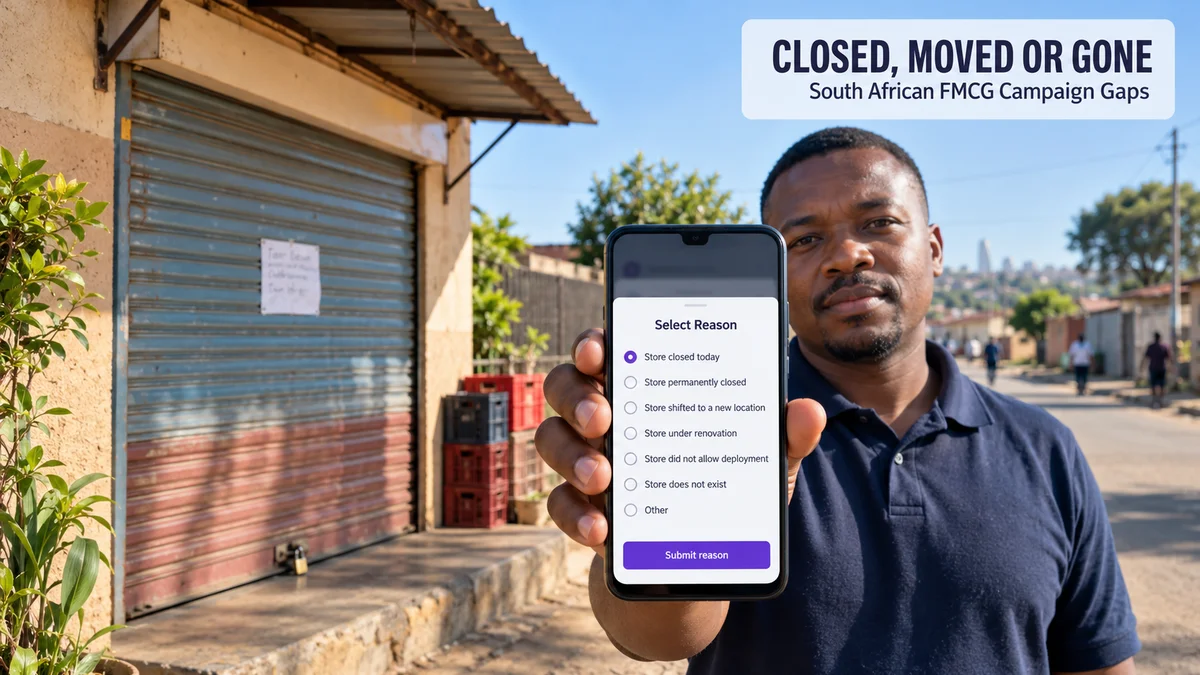
Ticking it enables a Select Reason control, which opens a bottom sheet with a fixed list of options:
- Store closed today
- Store permanently closed
- Store shifted to a new location
- Store under renovation
- Store did not allow deployment
- Store does not exist
- Other
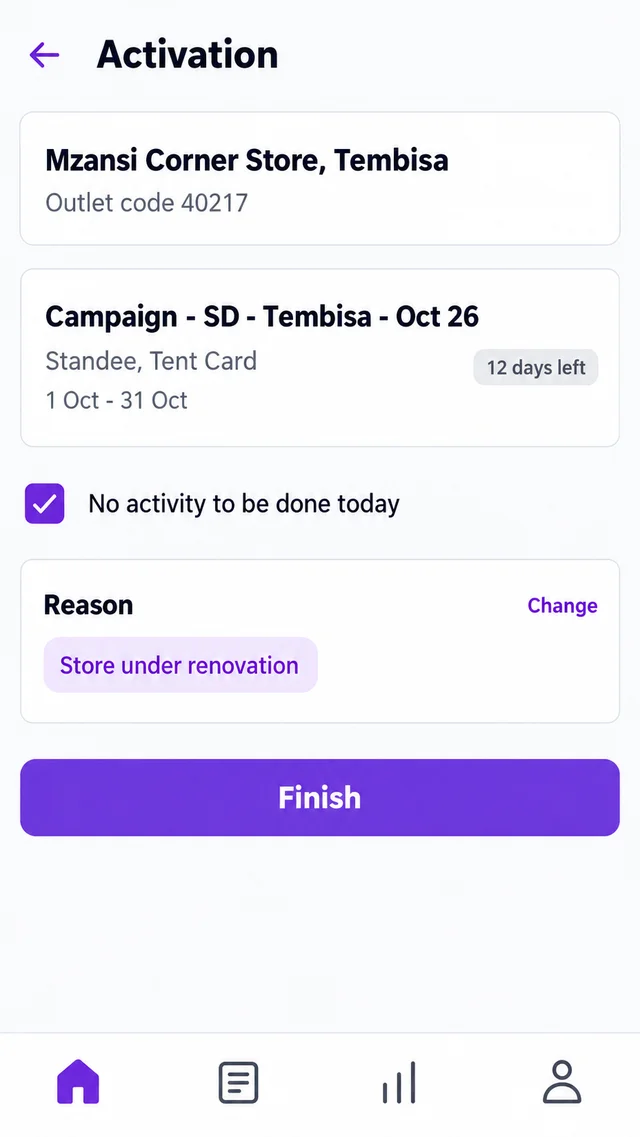
After the reason is submitted, it appears as a label on the task screen. Finish then becomes active, closing the task without a photo submission.
The same option is available on other photo-based task screens, such as shelf visibility checks, so one closed door does not leave several tasks hanging.
Keeping the Campaign Store List Accurate
Each campaign is built from an uploaded store list, a plain-text file of store codes, alongside a matching POSM list.
Any code that does not match the outlet master lands automatically in a read-only Invalid Store Codes field.
A mistyped code is caught at setup instead of in the field.
When outlets turn out to be permanently closed or never existed, a Delete Store upload removes those codes from the running campaign in one step.
For a store marked as shifted, View Outlet Info on the phone shows the outlet's details.
Its Geo Profile tab carries a View map link, which helps confirm where the store went.
Two Campaigns, Two Kinds of Missed Outlet
A Gauteng soft-drinks launch. A brand runs a 420-outlet POSM campaign across Soweto and Tembisa, with about R160,000 committed to tent cards and standees.
Thirty-eight outlets come back with reasons instead of photos: 21 closed today, 9 under renovation, 6 permanently closed and 2 that do not exist.
The team books revisits for the 21, holds stock for the 9, and removes the remaining 8 through a Delete Store upload before the second wave goes out.
A Western Cape personal-care rollout. A cosmetics distributor activates outlets in Khayelitsha and Mitchells Plain, and 14 visits are closed as "Store shifted to a new location".
Merchandisers check each outlet's Geo Profile, the outlet master is corrected, and the next campaign's store list is uploaded with the right addresses instead of the old ones.
How 1Channel Turns Missed Visits Into Usable Data
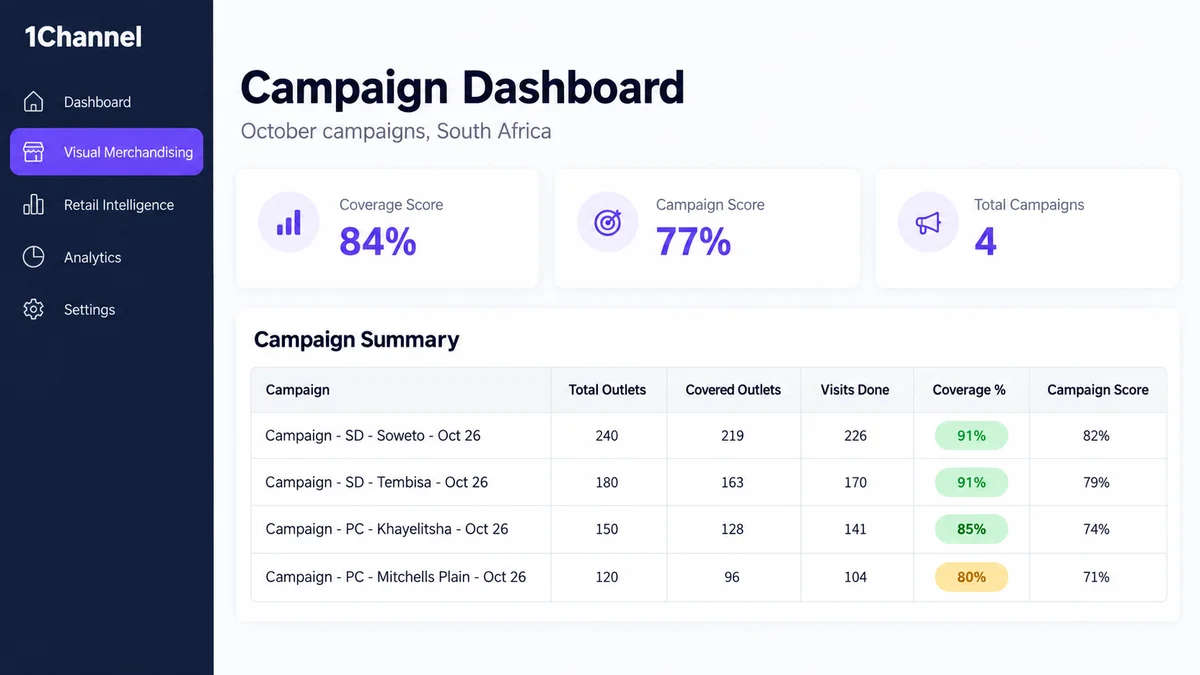
1Channel's merchandising campaign module keeps the reason, the store list and the Campaign Dashboard in one cloud system.
A missed outlet is recorded as a fact rather than a gap.
Automated checks on uploaded codes and a one-step Delete Store upload mean each campaign wave starts from outlets that actually exist and trade.
Know Why Every Outlet Was Missed
See how 1Channel records no-activity reasons on each visit and keeps campaign store lists clean from launch to the final wave.
Explore Merchandising Campaign Management →Implementation Snapshot
- Upload the store list and POSM list, then clear every entry in Invalid Store Codes before launch.
- Brief merchandisers to use "No activity to be done today" with a reason, never to leave a visit blank.
- Review reasons weekly while the campaign runs and book revisits for "Store closed today" outlets.
- Remove permanently closed and non-existent outlets through a Delete Store upload.
- Correct shifted outlets in the master before the next wave's store list goes out.
Note: Software screens may vary based on your business structure and configured workflows.