Managing inventory efficiently is the backbone of any successful distribution business, particularly across industries such as pharma & healthcare, agriculture & agro chemicals, and automotive & auto components.
When stock levels are mismanaged, capital gets locked up in excess items, or sales are lost due to stockouts.
To maintain an optimal flow, distributors must follow rigid inventory control practices that balance availability with cost.
Based on robust Distribution Management System (DMS) functionalities, here are the core rules every distributor should implement to maintain structural efficiency and accurate stock tracking.
1. Implement Stringent Real-Time Tracking & Warehouse Auditing
You cannot manage what you do not accurately count. Distributors must separate their inventory view into distinct, clear logical statuses across all storage locations to avoid selling commitments they cannot fulfil.
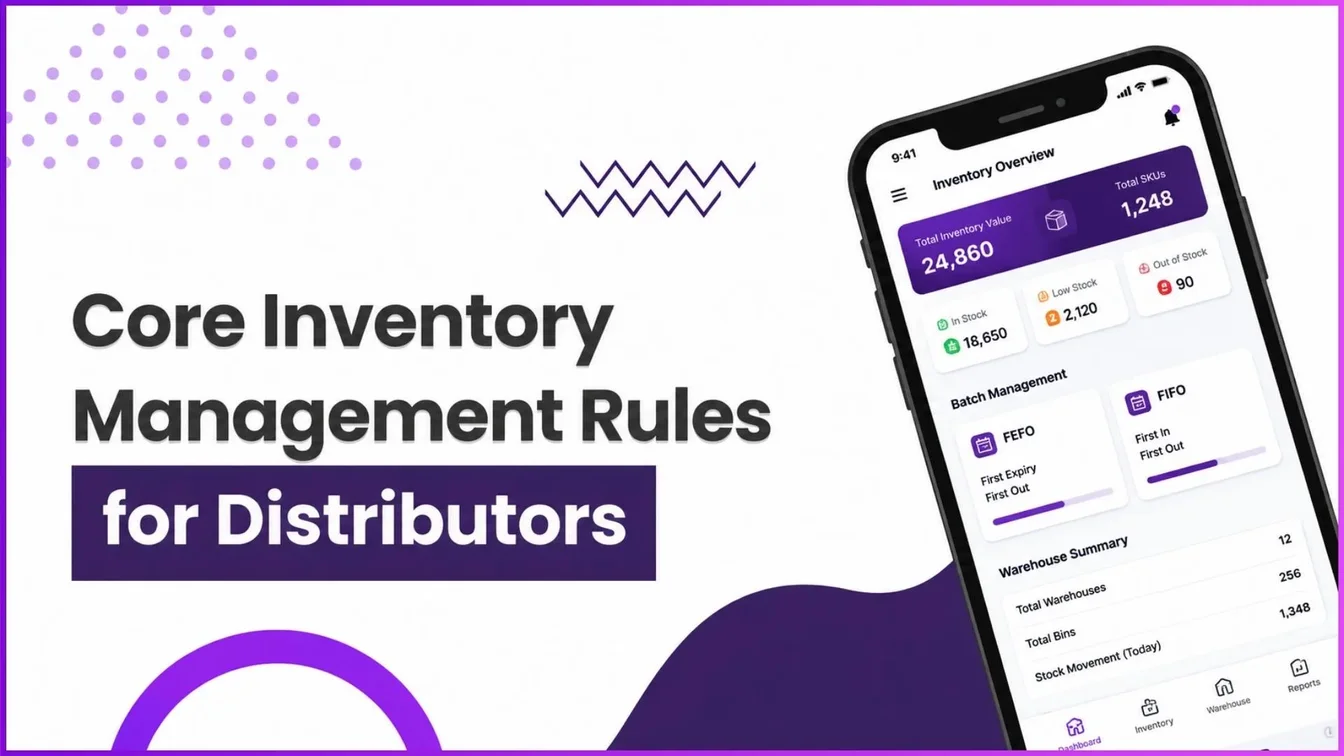
Stock should be meticulously tracked under classifications such as Available, Reserved, Returns, Quality Hold, and Damaged.
Example
A distributor looking at their dashboard might see a Total Sellable Stock of 77,273 units across 2 warehouses. However, if 500 units are placed under Quality Hold or marked as Damaged after a return audit, the system automatically subtracts them from the "Available" pool. This prevents sales representatives from booking new retailer orders against unsellable products.
2. Leverage Automated Batch Selection (FIFO vs. FEFO)
Manually selecting items during order fulfilment leads to human error, product degradation, and expired stock losses.
Distributors dealing with perishable products, electronics, or batch-coded items must rely on automated allocation modes embedded within their system configuration:
- FIFO (First In First Out): Automatically dispatches the oldest manufactured batch first.
- FEFO (First Expiry First Out): Allocates items with the earliest expiration date first.
Example
When a distributor processes a large retail order for a tracking-sensitive item like Fastrack Fragrance (100 ml), the automated order wizard evaluates the active batches. Instead of relying on warehouse staff to guess, the system uses FEFO to auto-select the batch expiring in 30 days over the batch expiring in 90 days, effectively eliminating waste.
3. Establish Multi-Level Workflow Automations for Inter-Warehouse Transfers
Stock imbalances frequently occur across different storage zones. When inventory moves between facilities, immediate digital recording is mandatory so system tracking perfectly mirrors physical reality.
Furthermore, setting up approval nodes for high-value stock movements ensures security and operational accountability.
Example
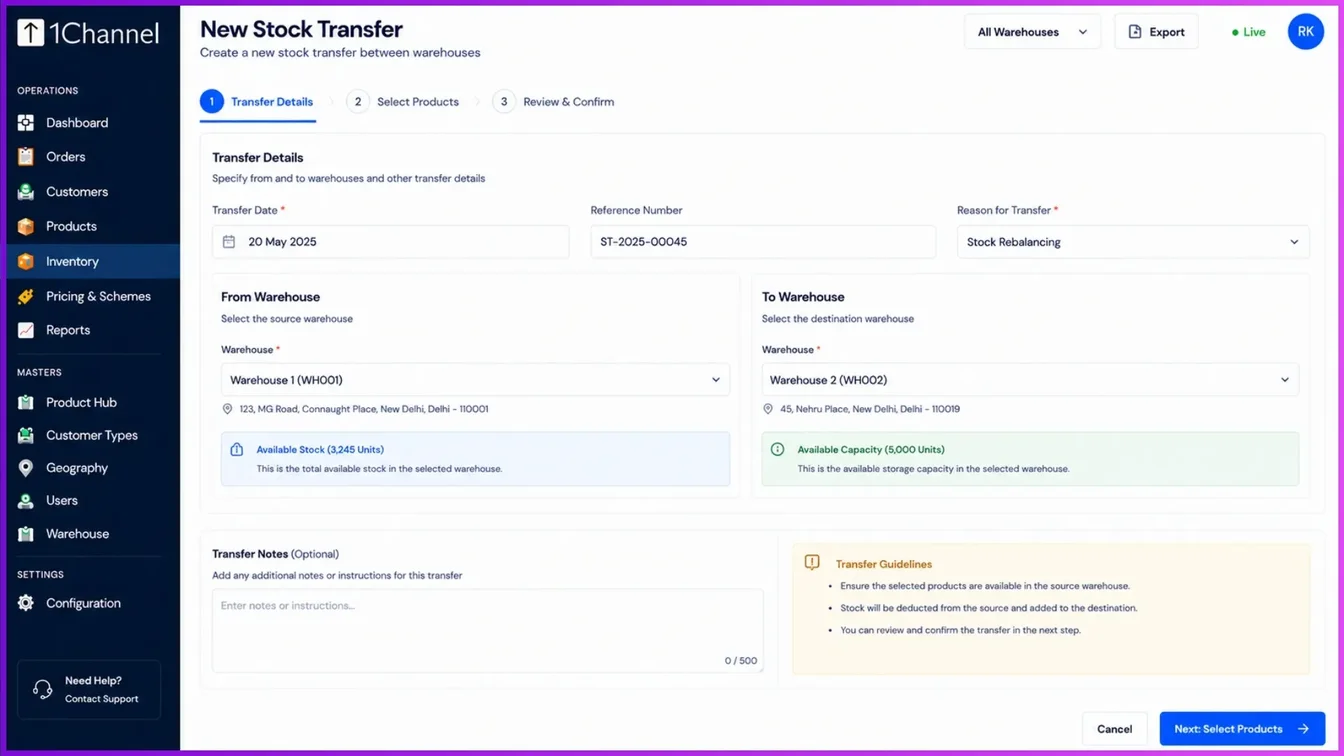
If an order is formally accepted in Warehouse A, but the physical stock must be shipped from Warehouse B, a distributor initiates a New Stock Transfer. By deploying a digital workflow, the transfer can require a manager's digital sign-off before the units are instantly moved between warehouses on the system, keeping stock counts aligned during transit.
Streamline Operations with 1Channel DMS
Optimizing these inventory principles requires an integrated digital ecosystem. 1Channel DMS provides distributors with a comprehensive command centre featuring real-time stock-level dashboards, automated FIFO/FEFO batch allocation rules, and visual workflow builders for seamless multi-level transaction approvals.
With features like automated stock replenishment thresholds and embedded AI-driven chat reporting, 1Channel eliminates guesswork, helping distribution networks maximize fulfilment rates while minimizing capital wastage.
Explore 1Channel Inventory & Stock Management Software
See how 1Channel's Inventory & Stock Management Software tracks sellable stock, automates FIFO/FEFO batch allocation, and manages warehouse transfers in real time.
Explore Inventory Management →Points to Remember
- Classify Stock States: Always separate sellable units from quality hold, damaged, or returned inventory.
- Automate to Alleviate Waste: Use FEFO auto-allocation to prevent inventory from expiring on the warehouse shelves.
- Audit Document Trails: Ensure Goods Receipt Notes (GRN) and returns are reconciled immediately to maintain accurate financial accounting.
Conclusion
Adhering to core inventory management rules prevents severe supply chain disruptions.
By accurately segmenting stock conditions, letting intelligent routing logic determine batch selection, and enforcing systematic transfer workflows, distributors can significantly lower overhead costs.
Embracing modern distribution management software makes executing these rules second nature, transforming your warehouse from a costly bottleneck into a high-velocity profit centre.
Frequently Asked Questions (FAQs)
Q: What should I do if my system shows stock is available, but it is physically damaged?
You should immediately update the item's status from "Available" to Damaged or Quality Hold in your inventory overview. This instantly removes it from your sellable count and prevents sales reps from booking orders against it.
Q: How can I prevent inventory from expiring on my warehouse shelves?
Switch your system's batch selection setting to FEFO (Earliest Expiry First Out). This logic ensures that the system automatically allocates and dispatches the oldest expiring products first during order creation.
Q: Can I accept an incoming stock shipment if the received quantity doesn't match the invoice?
Yes. Modern compliance practices suggest accepting the full invoice quantity first to maintain smooth data flow, and then processing the discrepancy later through an approved return and credit note.
Q: How do I handle stock that needs to be shipped from a different warehouse than where the order was accepted?
You must log a New Stock Transfer in your system to physically and digitally move the inventory between the warehouses, ensuring your tracking numbers match physical reality.
Q: Can the system automatically reorder stock when it runs low, or does it always require manual approval?
It can do both. You can configure your stock replenishment settings to Auto Approve (orders are placed instantly when stock hits a threshold) or With Approval (orders are created as pending for manager sign-off).
Note: Software screens may vary based on your business structure and configured workflows.