In retail merchandising and visual audit operations across industries such as FMCG, consumer electronics, beauty & cosmetics, pharmaceuticals, and apparel, maintaining high data accuracy is essential. Field force executives collect visual data from outlets, but the responsibility of ensuring quality falls on supervisors.
This blog explores how supervisors monitor Level 1 (L1) auditors, track daily productivity, and leverage analytical dashboards to maintain high audit standard scores.
The Auditor Tracking Framework
Supervisors utilize an advanced, multi-tiered hierarchy to observe field execution and audit accuracy simultaneously.
The tracking framework focuses on tracking core performance metrics across different regions, cities, and individual workforce accounts.
Core Audit Parameters Assessed
- Total Audits Completed: The raw volume of compliance evaluations performed.
- Average Audit Time: The exact duration spent assessing a single retail outlet to determine operational speed.
- Points Achieved: Quantitative scoring values assigned to flawless compliance entries.
- Target vs. Achievement: Comparative matching of historical goals against daily outputs.
- Quality Score Percentage: Final automated score calculated after comparing L1 entries with higher-level validations.
Visualizing App Interface & Data Placements
To understand how tracking operates in real-time, the system balances field force data collection against the administrative supervisor panels.
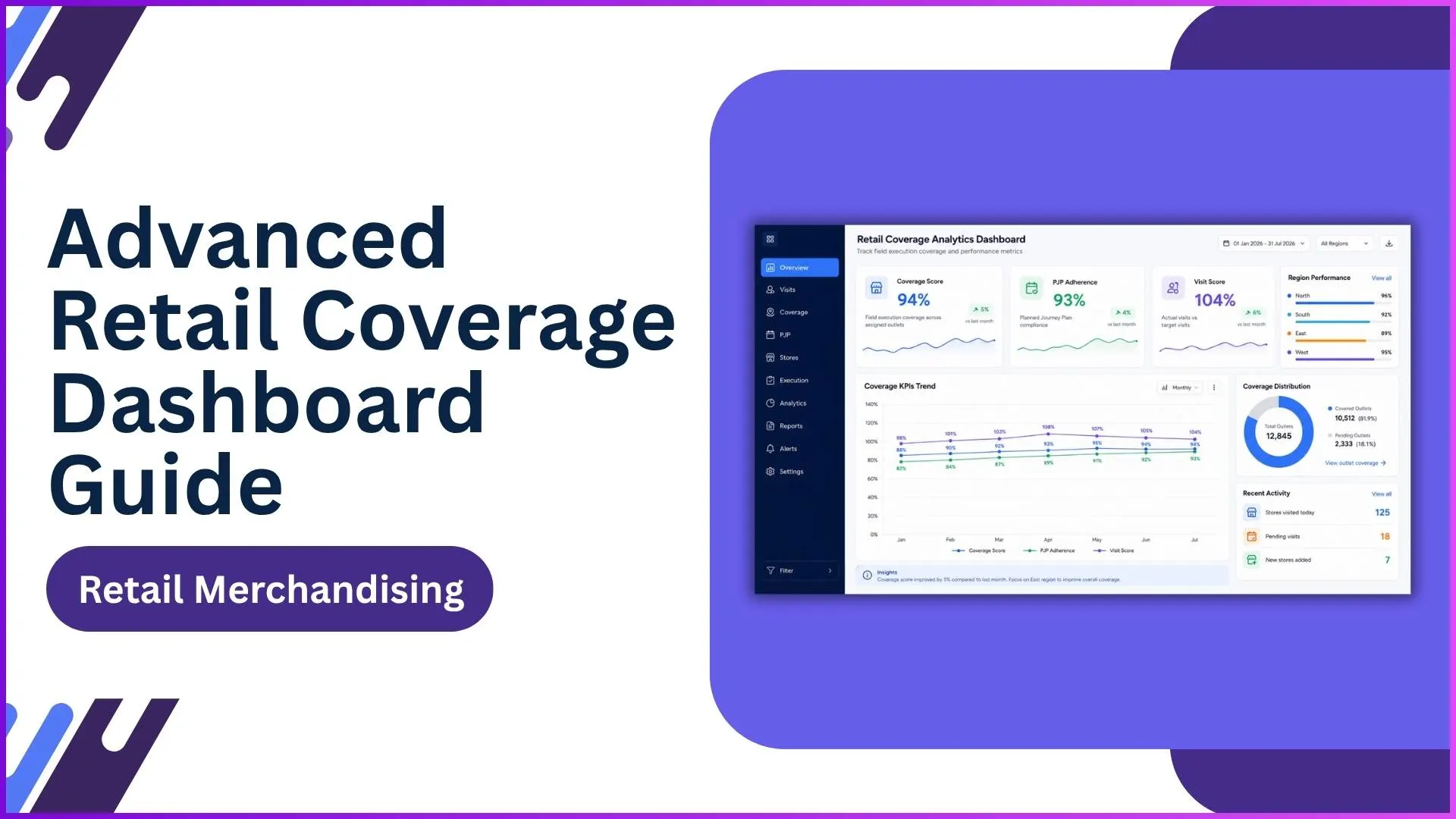
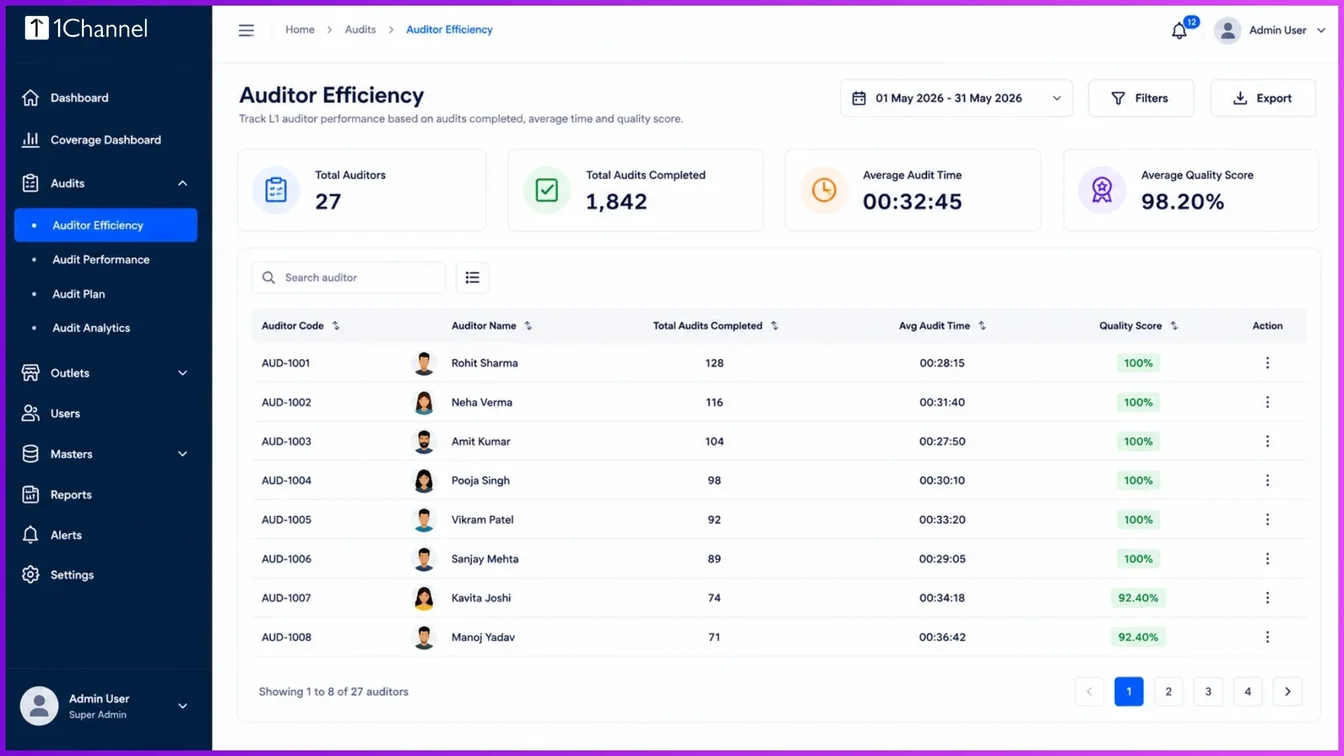
1. Auditor Efficiency Overview
This interface serves as the primary evaluation dashboard for field operations, helping management track individual L1 auditor outputs.
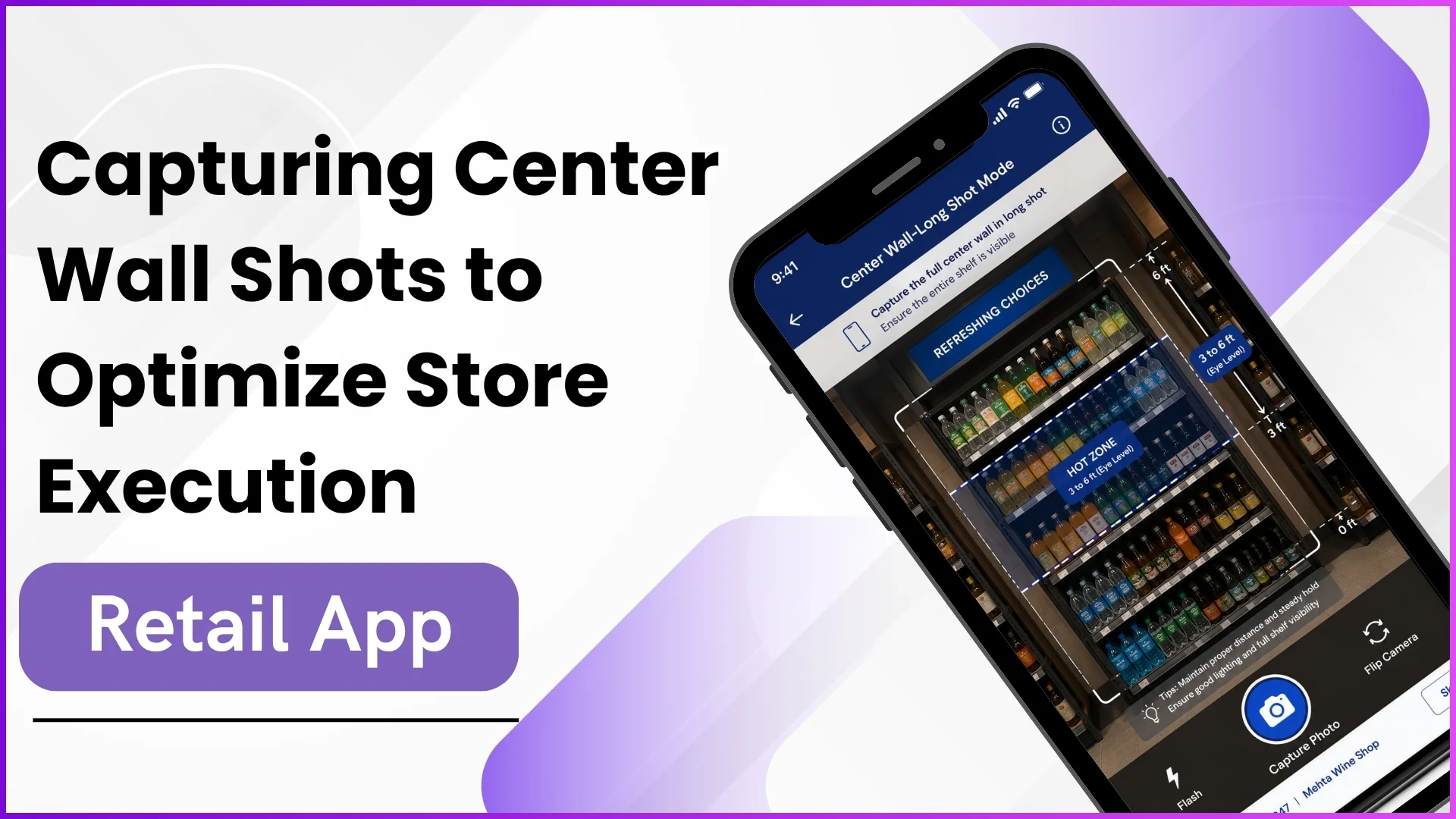
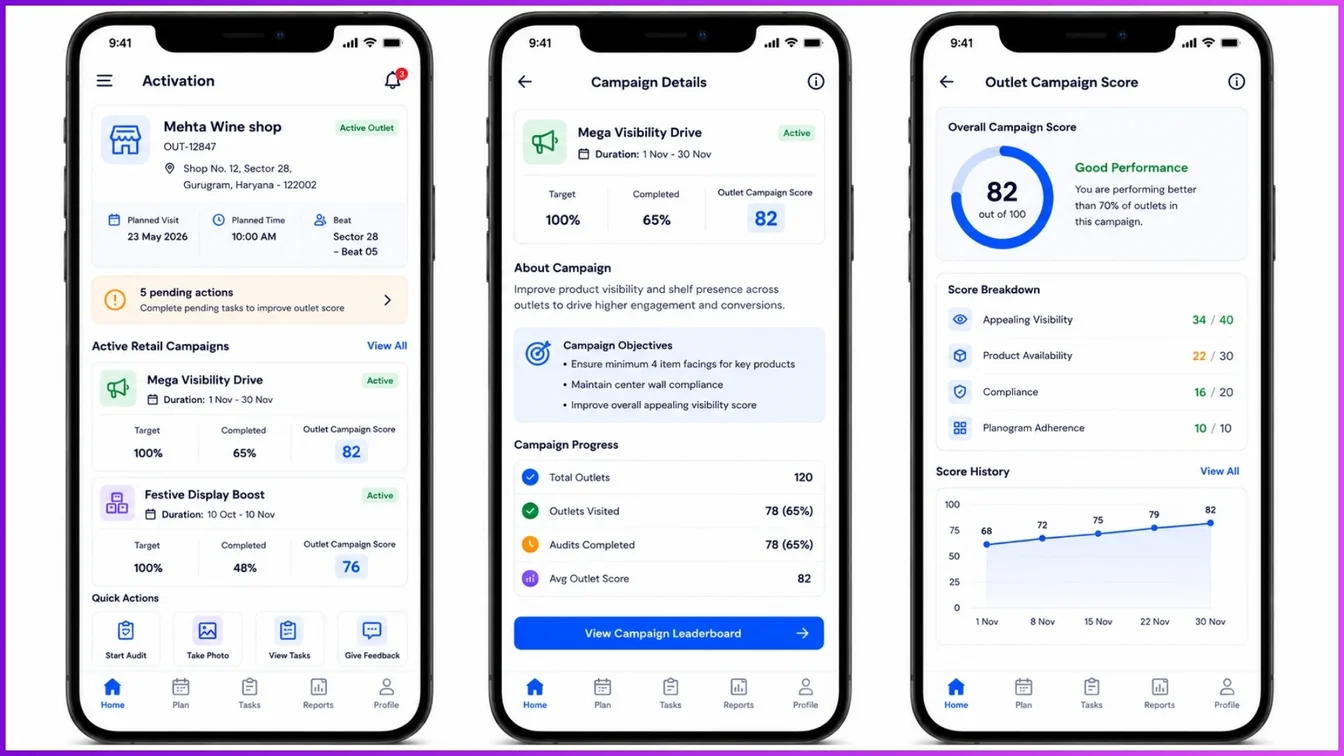
2. Field Force Activation Screen
This screen shows what the field force executive handles on the mobile interface, which supervisors subsequently monitor for progress.
Tracking Daily Productivity and TAT
Supervisors track field metrics through the Auditor Wise Daily Productivity Report. This report measures operational times down to the second, documenting exactly when an auditor starts and finishes their day.
Total Productivity Hours = (Audit End Time - Audit Start Time) - Break Time
For instance, an L1 auditor might show an Audit Start Time of 10:17:24 AM and an End Time of 05:00:44 PM, clocking a total productivity duration of 05:22:04 with a documented break time of 01:21:16. This level of tracking allows supervisors to see if an auditor completed their daily targets (e.g., performing 112 audits and achieving 5,187 points in a single shift).
Additionally, Supervisor TAT (Turnaround Time) Efficiency parameters track how quickly higher-tier validations are finished, ensuring that checked files move through the review pool within the expected 4-to-5-day turnaround limit.
Multi-Level Quality Summaries (L1, L2, and L3)
The audit workflow operates through structured layers to avoid errors:
- L1 Audit: Initial field reporting completed by the executive.
- L2 Audit: Secondary quality check applied over the L1 data pool.
- L3 Audit: The supervisor evaluation layer that reviews mismatched flags.
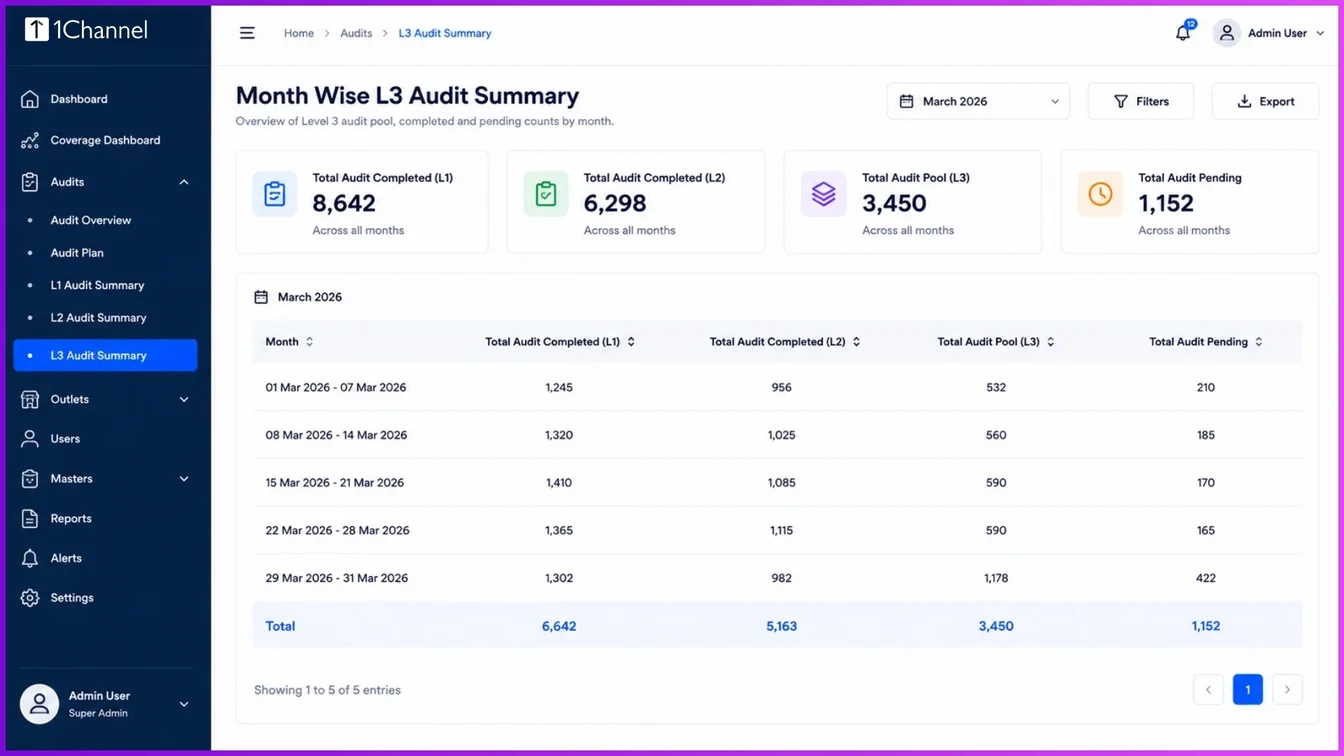
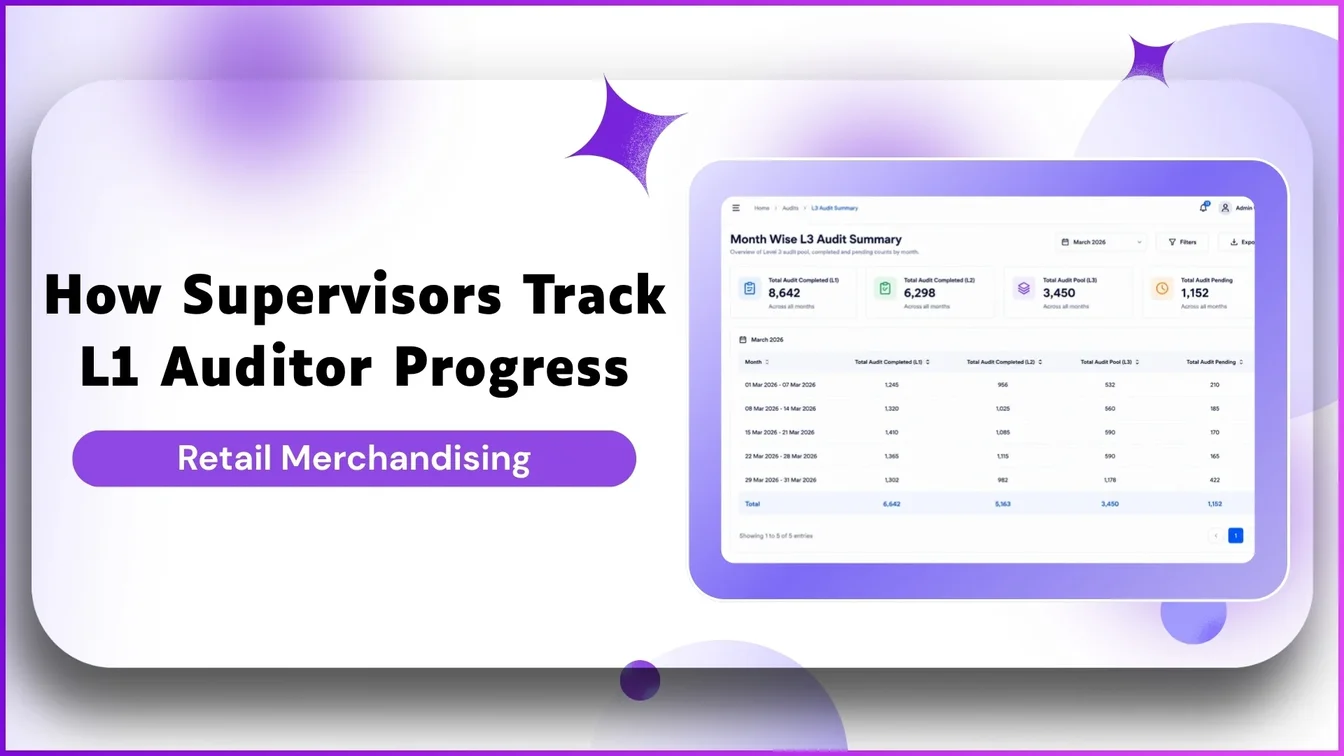
Month Wise Audit Summary
This tracking panel highlights the progression of audits through the three evaluation levels.
Supervisors identify discrepancies by looking at the Audit Quality Report. If an L1 auditor inputs a specific norm variance and an L2 auditor alters that value, the system creates an L3 review file. The system automatically computes final quality scores based on these checks, flagging issues like a 6% or 8% error variance.
Analysing Performance via the Advanced Dashboard
The supervisor portal features an Advanced Dashboard that aggregates multiple retail visibility maps.
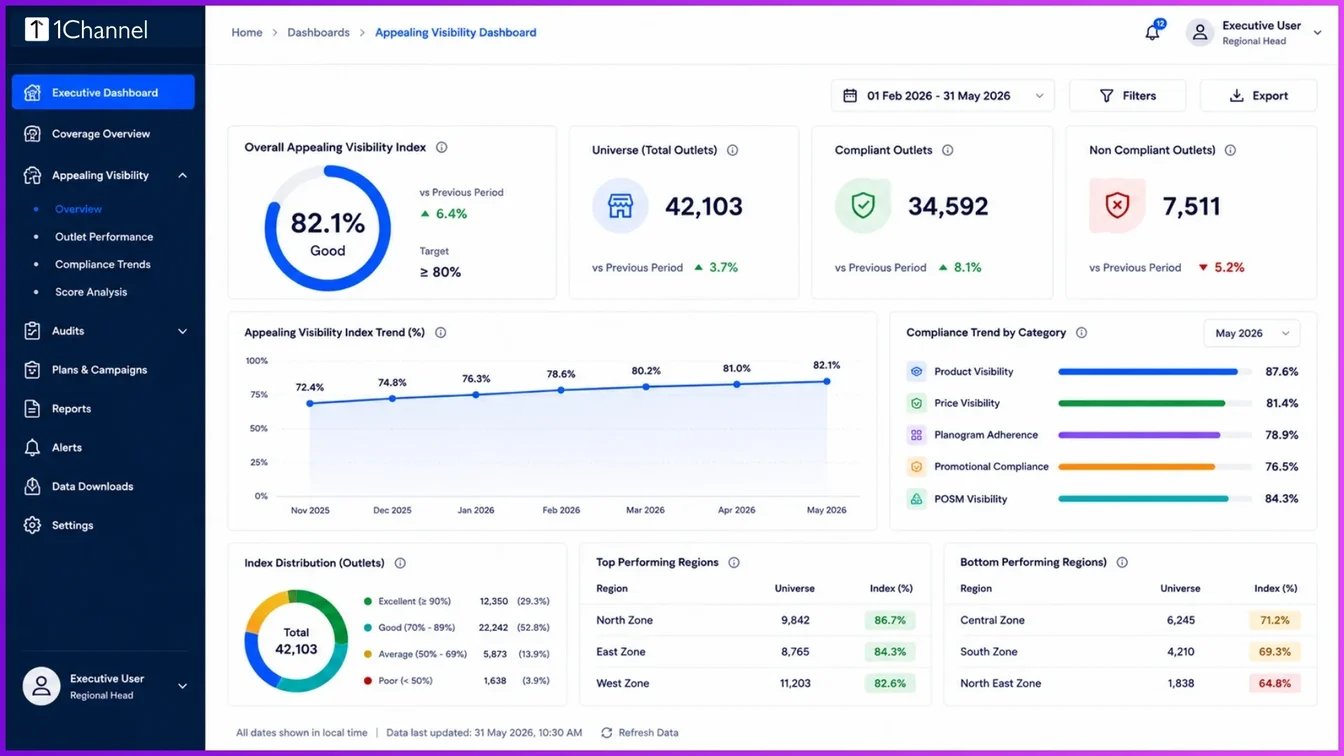
Appealing Visibility Universe Tracking
This analytical graph shows general execution health across different territories.
Supervisors toggle multi-dimensional filters such as: Zone, Region, State, Channel, and Product to check store compliance. The system organizes outlet types by investment classification, separating premium locations like Galaxy and Constellation from standard tiers like Star and Comet.
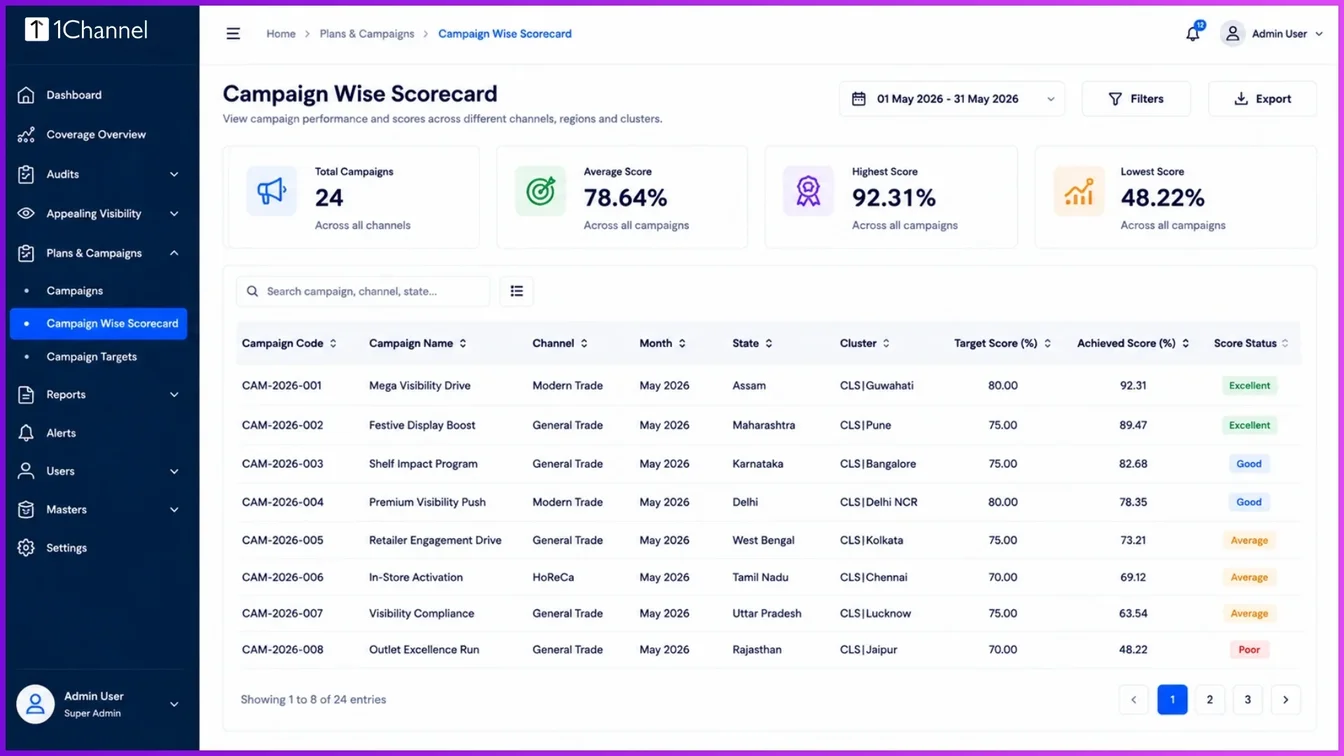
Detailed Campaign Wise Scorecard
This report allows supervisors to audit specific campaign parameters and track performance indicators by region.
Maximizing Field Efficiency with 1Channel
To simplify tracking workflows, the 1Channel retail merchandising platform offers an alternative to manual data sorting. Instead of requiring supervisors to adjust dates or hunt for specific store lists, the platform features a streamlined, single-click activation panel.
Selecting "Start AV Audit" automatically surfaces pending evaluations from the compliance pool. By integrating your operational parameters within 1Channel > Visual Merchandising > Supervisor Audit Dashboard, supervisors can review photos side-by-side, assess errors, check active time logs, and update quality indexes from a central interface.
Explore 1Channel Visual Merchandising & POSM Management
See how 1Channel's Visual Merchandising and POSM Management software gives supervisors a single-click audit dashboard to track L1 auditor progress, review compliance photos, and monitor quality scores in real time.
Explore Visual Merchandising →Frequently Asked Questions (FAQs)
How is the Auditor Quality Score calculated?
The system automatically determines the score by matching L1 actual field captures against L2 checks and supervisor L3 answers. Any variation in compliance figures updates the auditor’s quality profile.
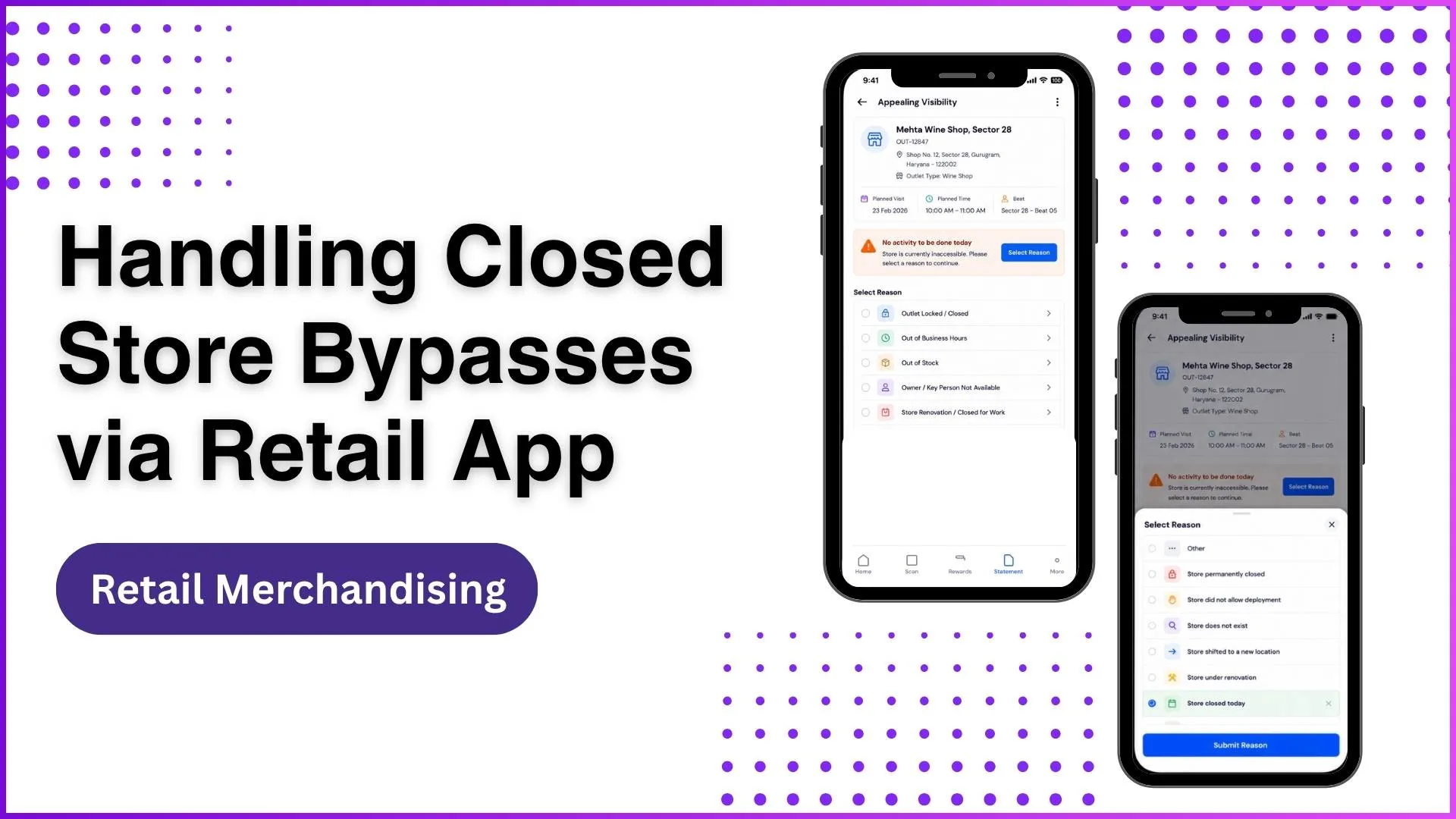
What happens if a retail store is closed during an audit check?
If an executive encounters an outlet that is under renovation or permanently closed, they use a negative workflow bypass loop.
They select a reason such as: "Store permanently closed" or "Store did not allow deployment" and submit it to clear the pending task without logging an incorrect safety failure.
Can supervisors track the exact hours field workers spend on breaks?
Yes. The platform logs the precise timestamp from the application check-in to check-out.
By reviewing the Auditor Wise Daily Productivity Report, supervisors can check the Total Productivity Hours alongside the exact logged break times.
Conclusion
Tracking L1 auditor progress requires balancing field productivity with data quality checks. By using structured multi-level reviews and advanced tracking tools, supervisors can catch reporting errors early, optimize operational turnaround times, and maintain reliable field execution insights.
Note: Software screens may vary based on your business structure and configured workflows.