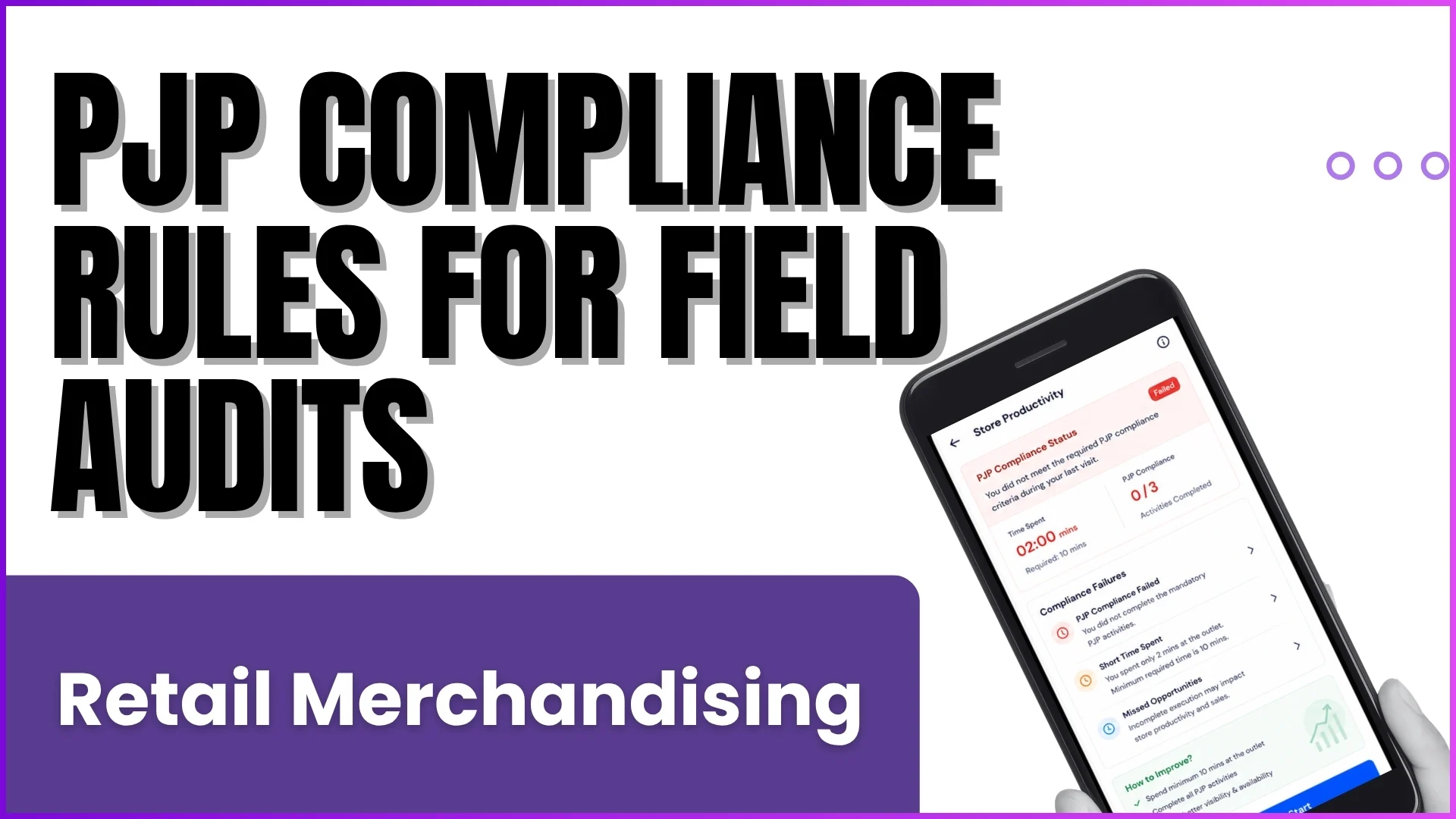
In the highly competitive retail environment, visual execution dictates brand performance. Maintaining perfect visibility on store shelves requires strict adherence to corporate display norms. A foundational element of this field strategy is effectively capturing center wall shots within your mobile retail application.
The layout of modern retail counters is typically evaluated across three primary spaces: the left wall, the right wall, and the most critical focal point: the center wall.
By mastering center wall photo capture, field force executives and managers ensure that premium product placements and marketing initiatives align perfectly with operational benchmarks.
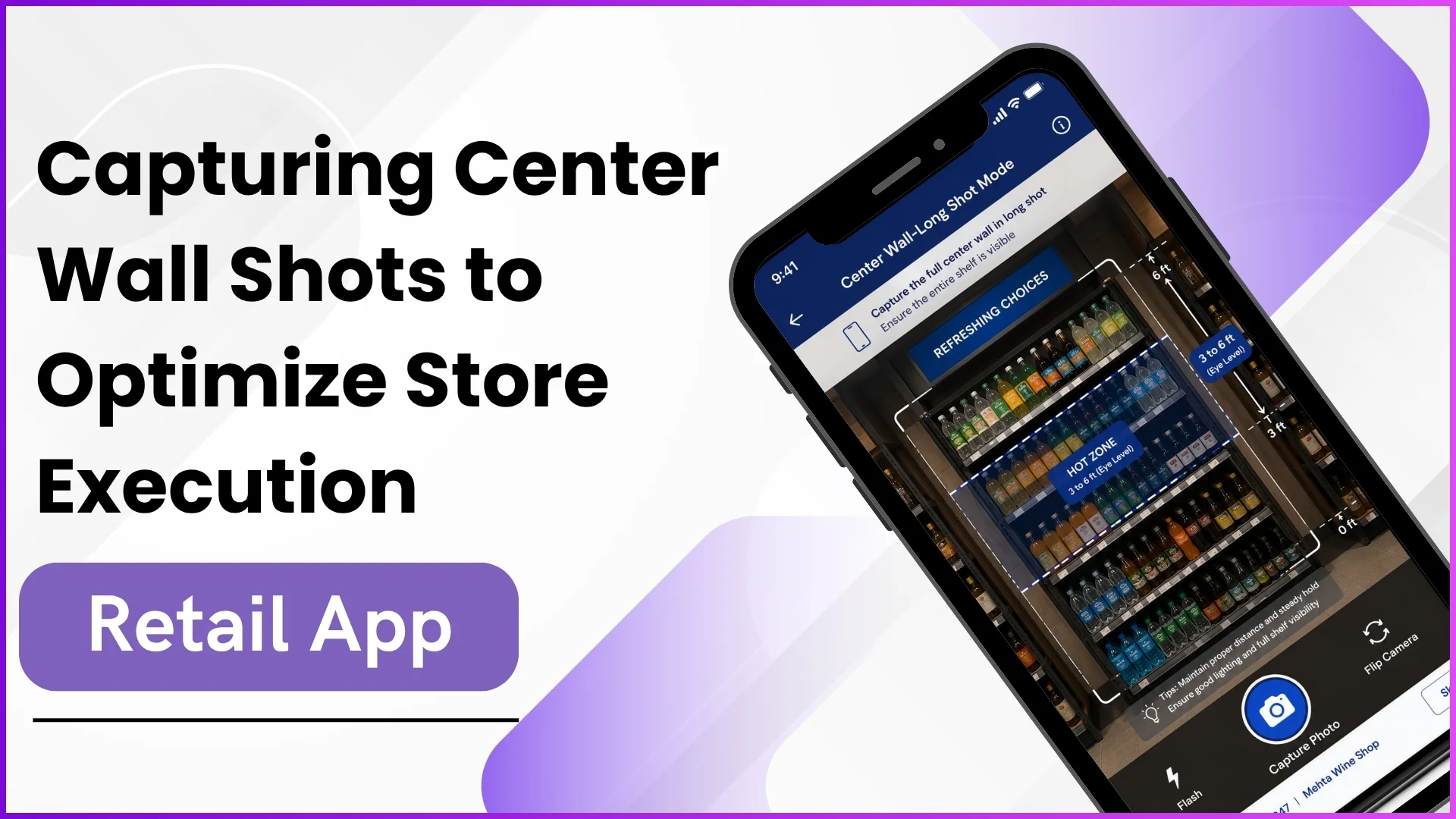
How It Works: Center Wall Capture in Action
Executing a center wall audit within the retail app is designed to be highly structured yet intuitive for the field force executive. The software standardizes this workflow using a specific sequence of entry parameters, automated field actions, and multiple verification levels to validate compliance.
1. Navigating to Appealing Visibility
Upon checking into an assigned outlet (such as an Off-Trade store layout), the field force executive selects the Appealing Visibility module from the application dashboard. This module serves as the primary tracking hub for standard shelf merchandising and visual compliance.
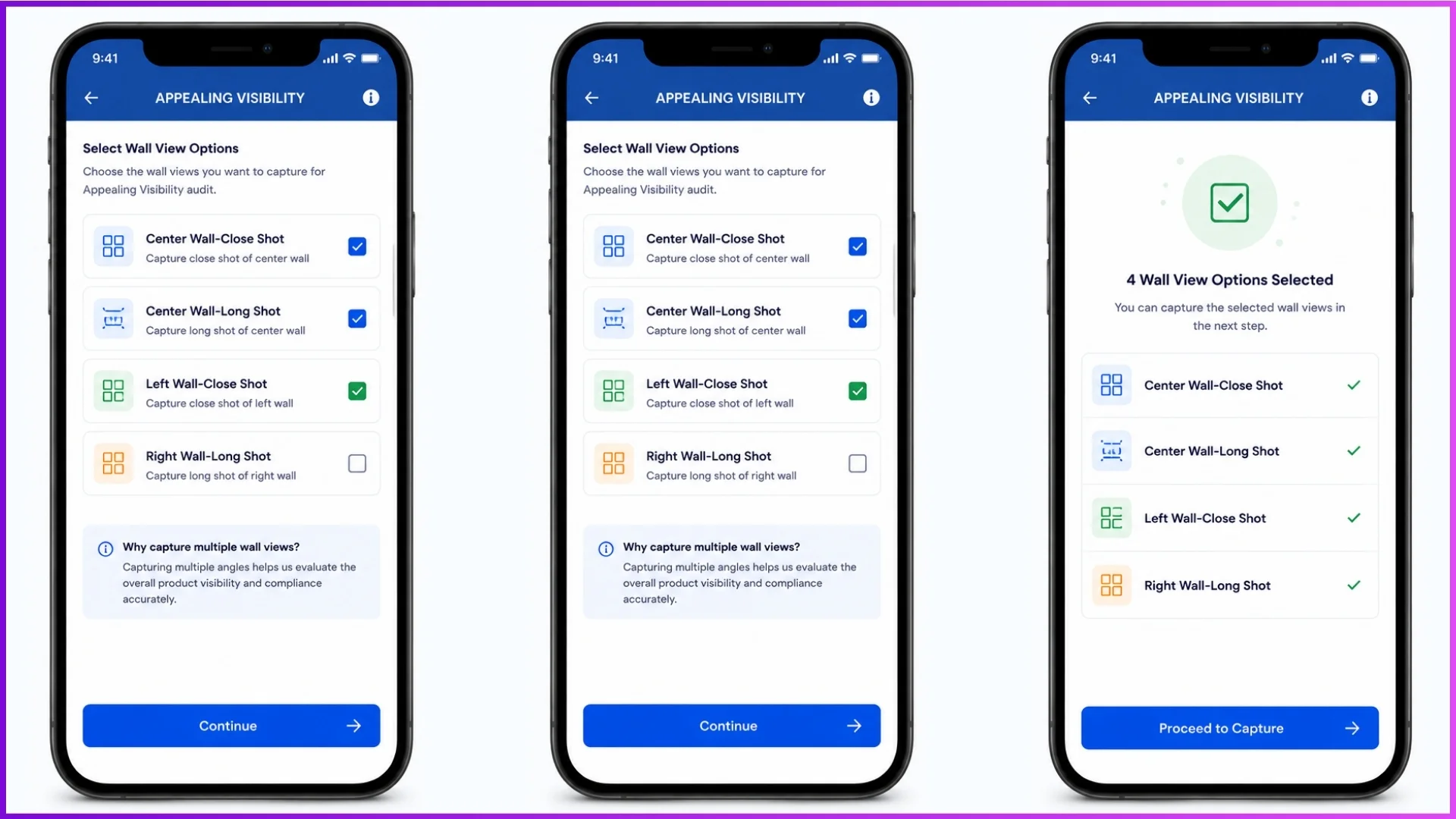
2. Standardizing the Capture via Multi-Angle Shots
To give managers a complete, clear view of the display, the app offers dedicated photo-capture slots tailored to the store’s footprint. Under the Center Wall task list, the executive must capture two distinct types of images:
- Center Wall-Close Shot: Focuses closely on the product layers to verify specific brand facings, product tags, and shelf arrangements.
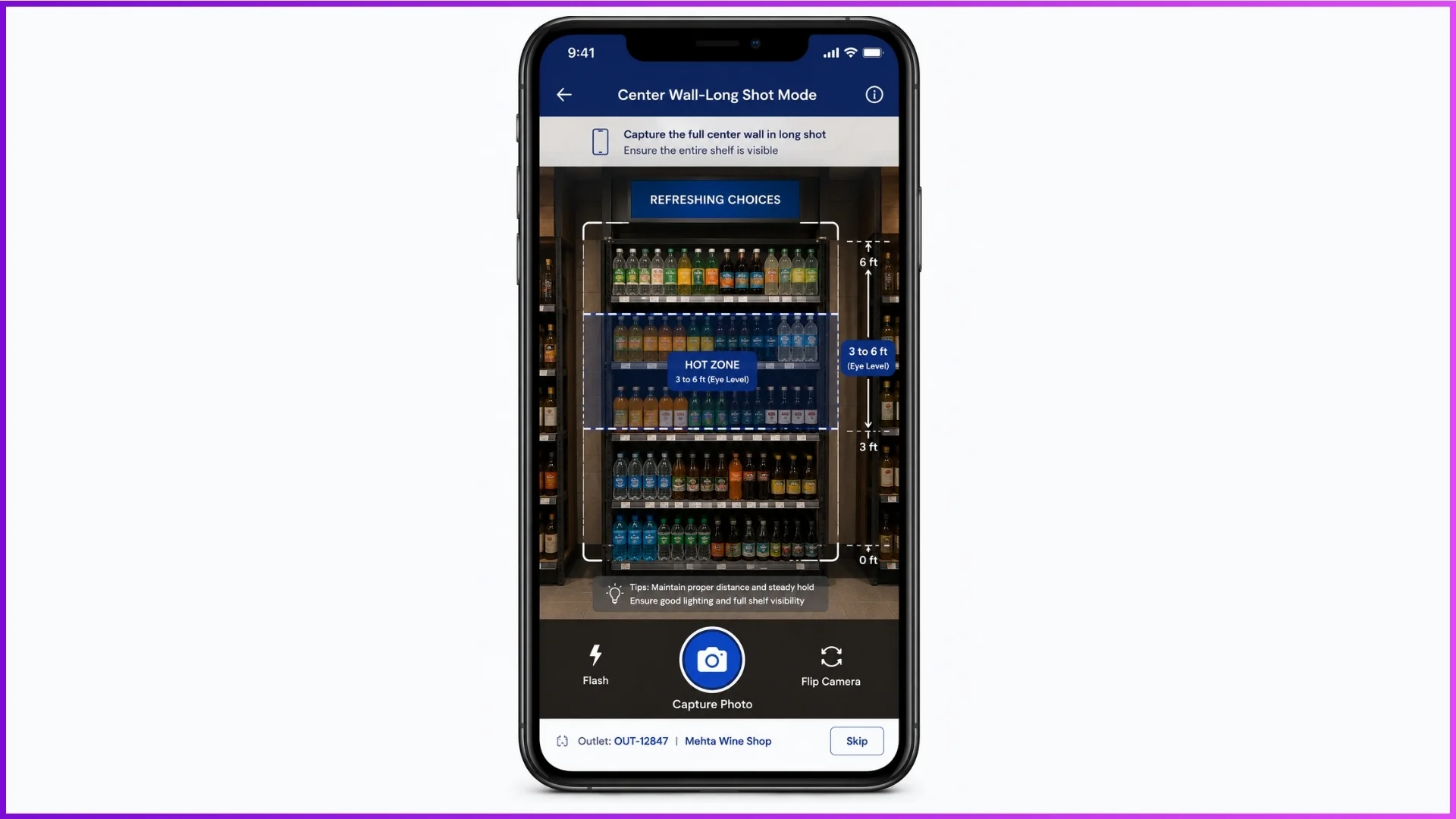
- Center Wall-Long Shot: Provides an expansive, high-level view of the entire counter to contextualize product positioning within the consumer’s primary line of sight.
3. Evaluating Core Audit Parameters
Once the shots are uploaded, the application triggers a comprehensive evaluation framework. The system records the Visit Date and cross-references the live display against established brand family guidelines using three core parameters:
- Facing Norms: Checks if the count of visible bottles or packages equals or exceeds the minimum benchmark set for that specific store size. Scoring behaves as a binary system, meeting the norm yields a positive score, while falling below it leads to a negative evaluation.
- Hot Zone Placement: Validates that products sit within the ideal viewing window: typically between 3 to 6 feet, which represents the primary eye level for the average customer.
- Togetherness Check: Ensures that multiple SKUs within a single brand family follow a strict premium-to-standard hierarchy from left to right.
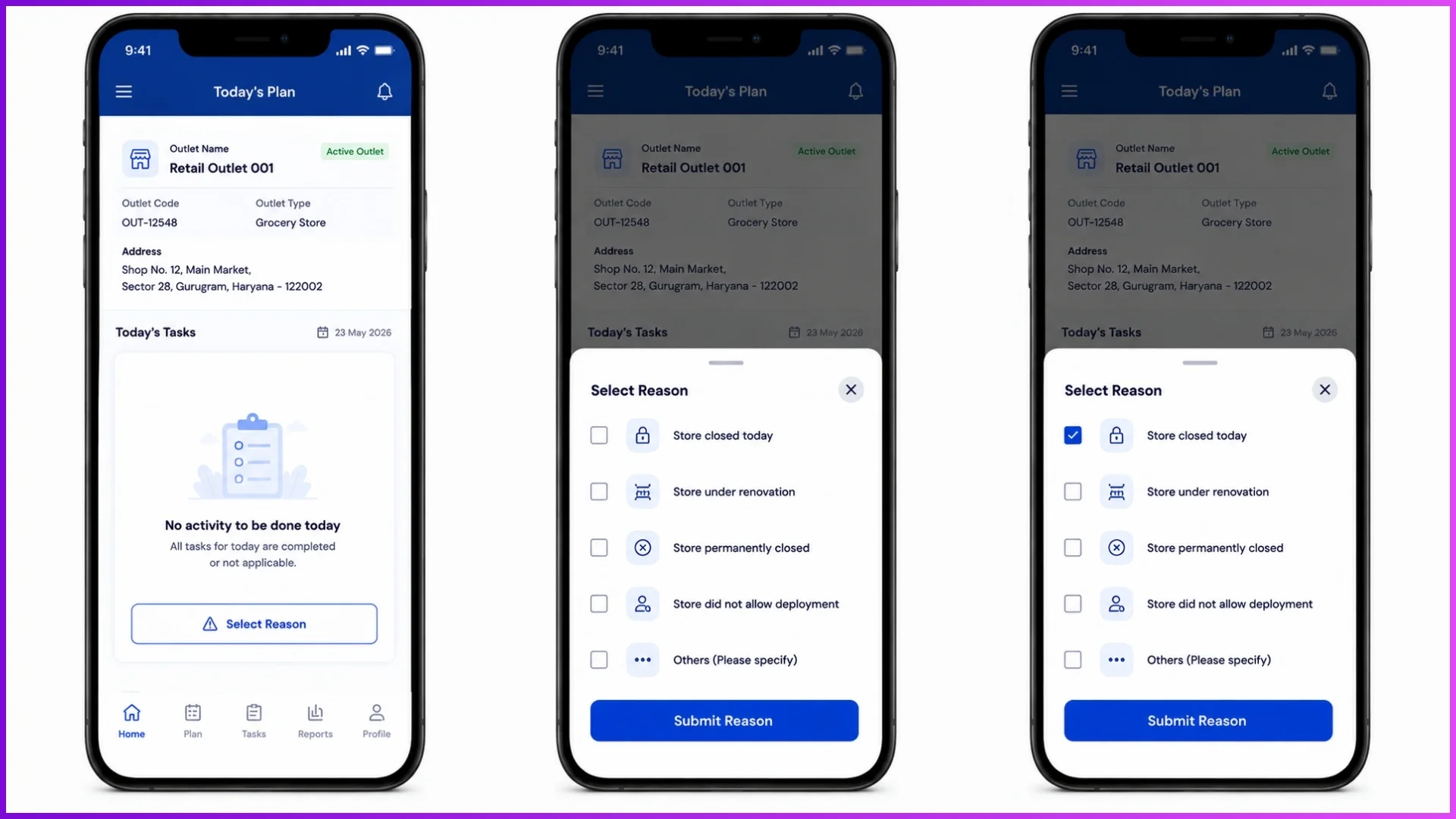
4. Bypassing with Negative Workflows
If a center wall shot cannot be captured due to real-world disruptions, executives can utilize a structured reasoning bypass workflow. Instead of submitting photos, the user flags a verified reason such as: Store closed today, Store permanently closed, Store under renovation, or Store did not allow deployment, and submits it to conclude the task neutrally.
Strategic Value of Center Wall Metrics
A perfect center wall arrangement directly enhances a store’s Appealing Visibility Index, a crucial metric tracked on the administrative web portal.
When auditors complete Level 1 (L1) and Level 2 (L2) evaluations, the system updates comprehensive backend dashboards, computing performance indicators such as the Average Audit Time, Points Achieved, and the final Monthly Quality Score.
Discrepancies between field entries and supervisor checks automatically flag Level 3 (L3) supervisor audits to seamlessly resolve score mismatches.
Streamlining Visual Merchandising with 1Channel
Managing diverse store campaigns across hundreds of locations requires a centralized command center. 1Channel provides a powerful retail merchandising portal that brings complete structural hierarchy to field operations.
Navigating through 1Channel > Visual Merchandising, administrators gain absolute authority over POSM Management, master campaigns, and field targets.
From configuring specific POSM categories (like Display or Soft POSM) and types (such as Banners, Buntings, or Shelves) to monitoring active regional timelines, 1Channel acts as the single source of truth.
The platform features advanced automation modules, like the AV Audit Dashboard, which eliminates manual search times for field supervisors by instantly serving active audit pools with a single click.
With detailed Coverage Dashboards and downloadable Appealing Visibility Index Reports, 1Channel equips retail brands with the automated tools required to drive real-time execution consistency and maximize point-of-sale visibility.
Explore 1Channel Visual Merchandising & POSM Management
See how 1Channel's Visual Merchandising and POSM Management software helps retail brands track center wall displays, manage POSM campaigns, and monitor real-time store execution with configurable dashboards and audit reports.
Explore Visual Merchandising →Conclusion
Capturing definitive center wall shots is more than a simple compliance check, it is a core business practice that protects your retail investment.
By implementing structured close and long shots, brands transform standard mobile photography into actionable audit data, ensuring every product occupies its rightful place in the customer’s spotlight.
Frequently Asked Questions
Q1: What is a center wall shot?
It is a photo taken within the retail app to audit the primary, eye-level product display area at a store counter.
Q2: What is the difference between a close shot and a long shot?
A close shot verifies specific brand facings and tags up close, while a long shot captures the entire display to check overall positioning.
Q3: How are center wall displays evaluated?
They are scored based on minimum facing counts, proper hot-zone placement (3 to 6 feet high), and the correct premium-to-standard brand layout.
Q4: What if I cannot take a photo because the store is closed?
You can use the app’s negative workflow to select a pre-defined reason, like Store closed today—and submit the task without a photo.
Q5: Where do managers track these audit scores?
Managers view real-time scores, audit times, and coverage performance via the 1Channel Visual Merchandising web portal dashboards.
Note: Software screens may vary based on your business structure and configured workflows.