In retail merchandising, ensuring that marketing assets are correctly deployed and visible is crucial for driving sales, particularly across retail and modern trade environments where brands compete for attention at the point of purchase.
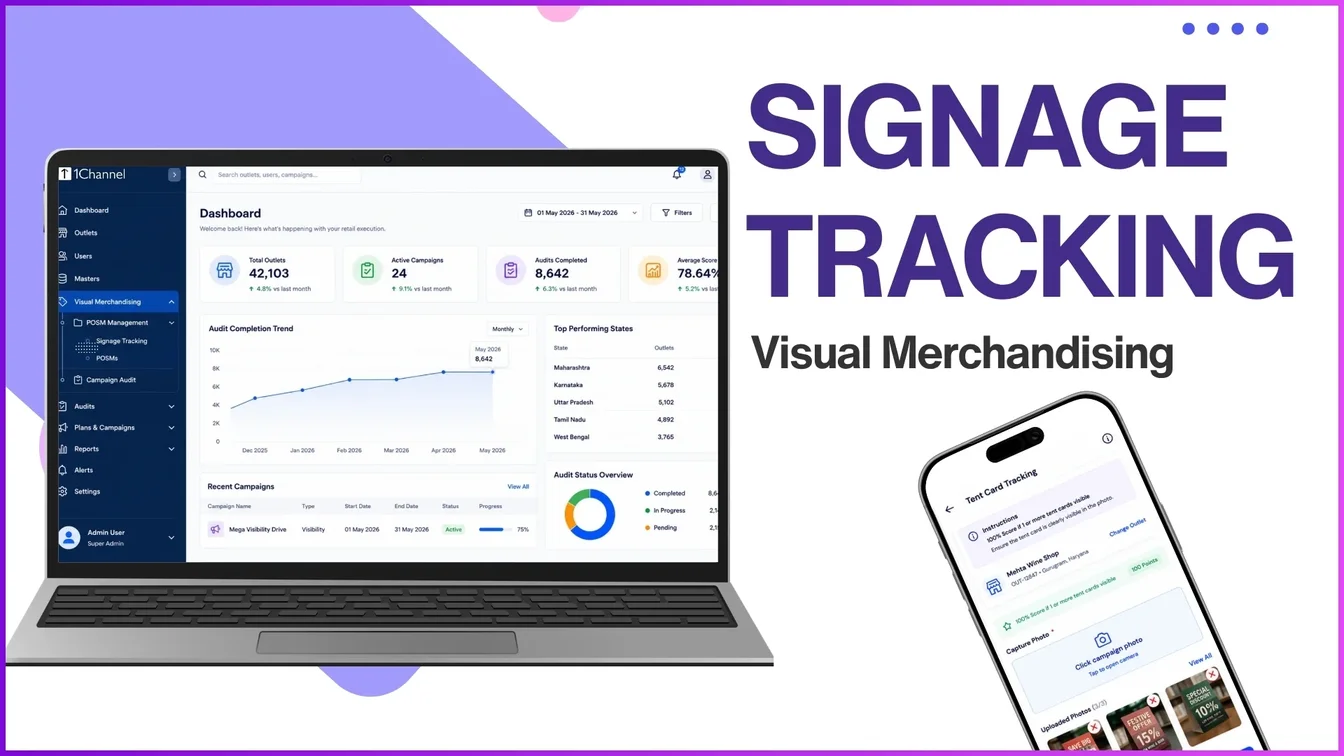
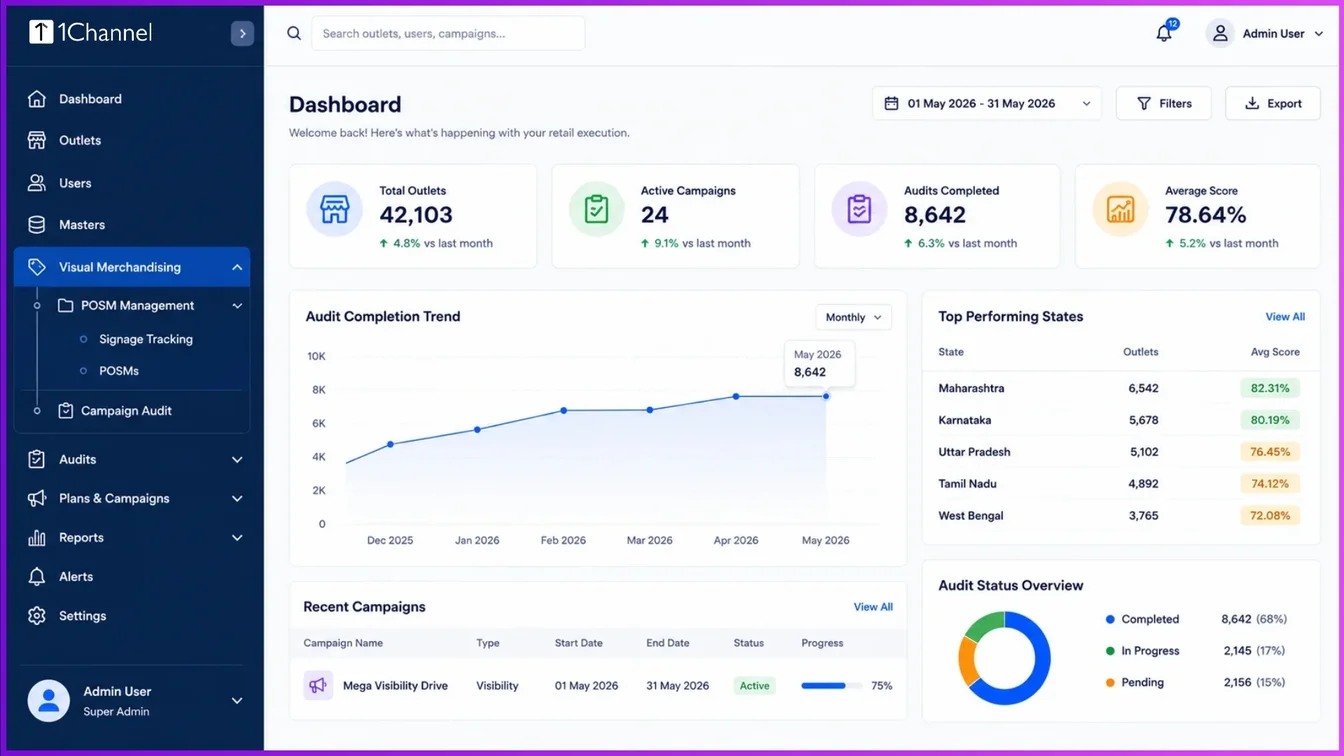
Signage tracking, located under the visual merchandising module's Point of Sale Material (POSM) management hierarchy, plays a central role in this process. By tracking promotional signage systematically, businesses can verify whether their field marketing investments are translating into real-world store compliance.
The Core of POSM Management and Signage Types
Signage tracking relies on a well-defined structure of categories and types to identify what assets are placed in the market.
POSM categories are typically segmented into areas like product displays, soft POSM, or competitive tracking. Within these categories, field teams track a diverse range of signage types, including:
- Banners, posters, and buntings
- Shelf strips and shelf-in-shelf units
- Specialized assets like digital signage, counter-top units, flanges, and flex lit signs
Each asset is assigned a unique POSM code, type, and product association within the admin portal to keep an accurate registry of available store materials.
Campaign Execution and Validation Rules
To drive specific initiatives or product launches, signage tracking is deployed via structured marketing campaigns.
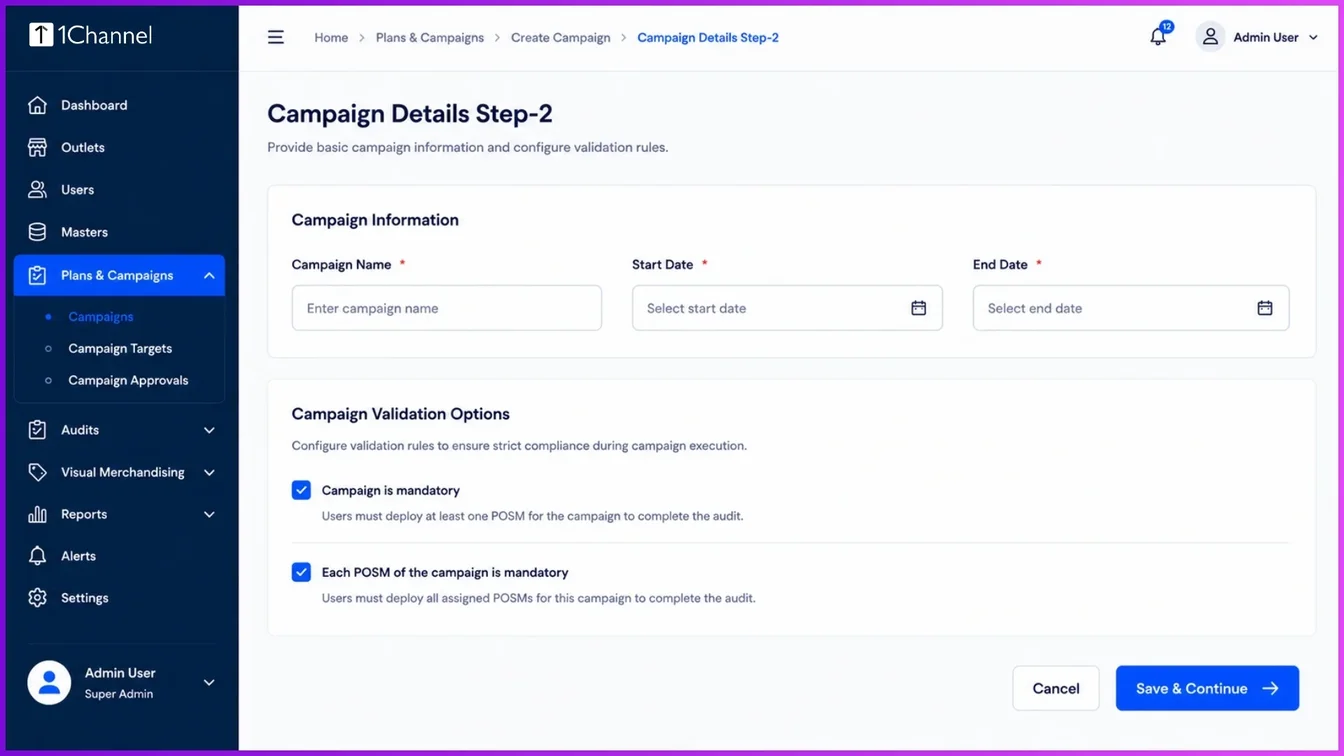
When establishing a campaign, admins configure crucial details such as the campaign name, client campaign code, start and end dates, and color-coding requirements.
A critical element of tracking is campaign validation. System configurations ensure compliance through strict parameters:
- Making the entire campaign mandatory for the outlet.
- Requiring each individual POSM item within the campaign to be fully deployed.
- Making each POSM mandatory only if at least one initial piece of material has been deployed.
Once configured, store and POSM lists are uploaded, and active campaigns are pushed directly to the field force's mobile application.
Field Force Execution and Picture of Success
When field executives check into an outlet, they navigate to the activation tab to view active tasks.
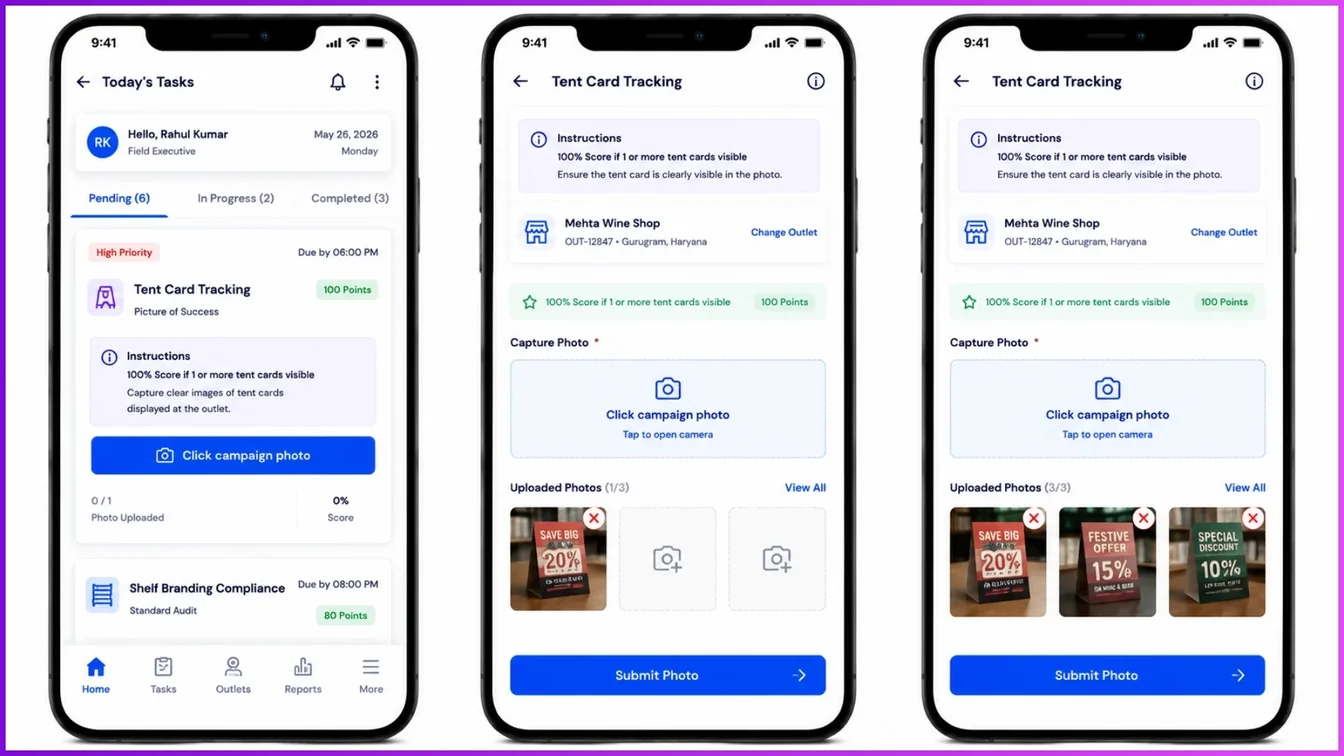
Executives are presented with specific parameter guidelines, such as ensuring a tent card or standee is clearly visible.
The tracking workflow follows a rigorous "Picture of Success" evaluation:
Positive Workflow
Field representatives must capture real-time photo proof of the deployed signage. For instance, a criteria might require a 100% score if one or more tent cards or standees are visible, and a 0% score otherwise. Representatives upload these thumbnails directly before final submission.
Negative/Bypass Workflow
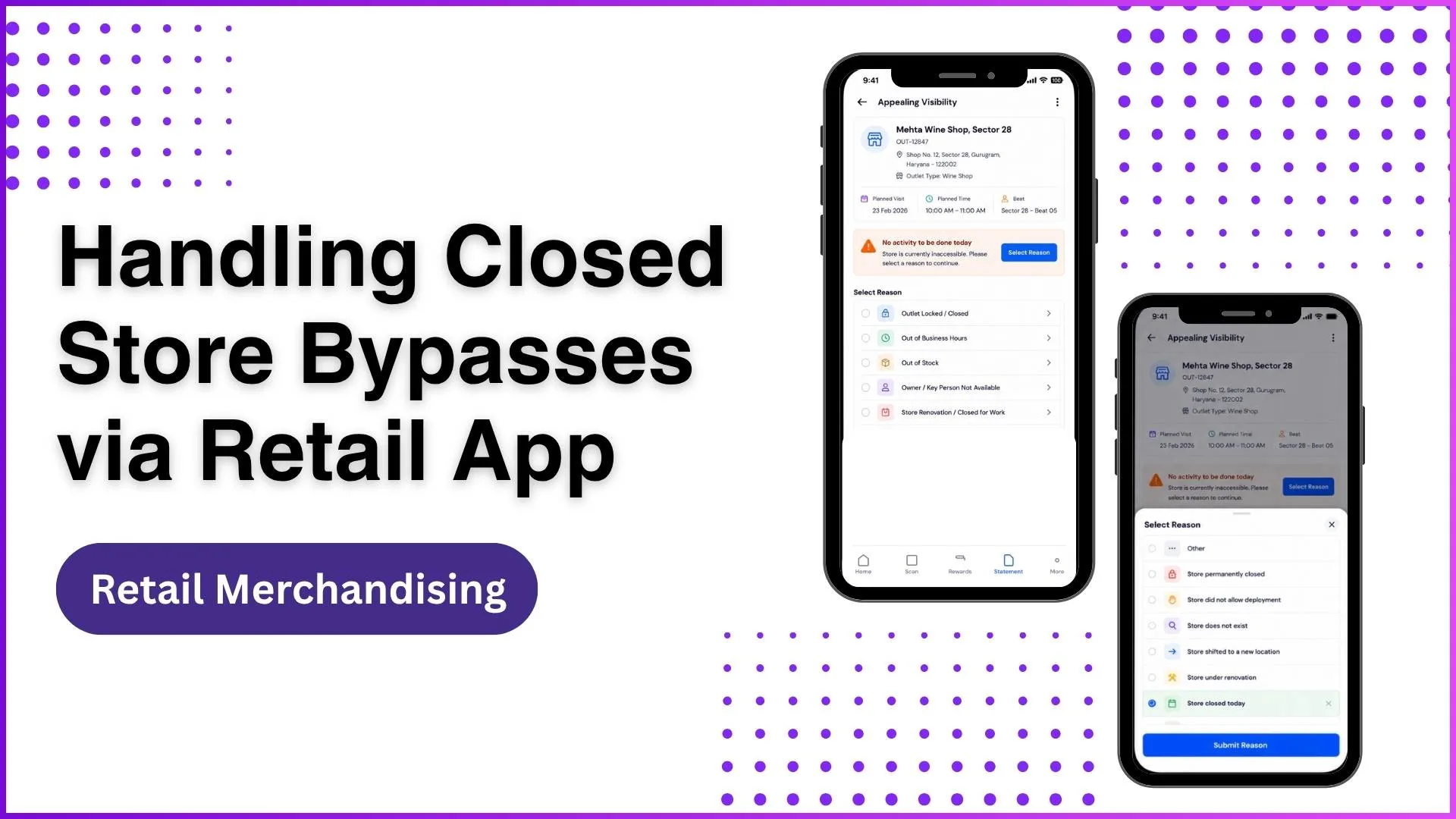
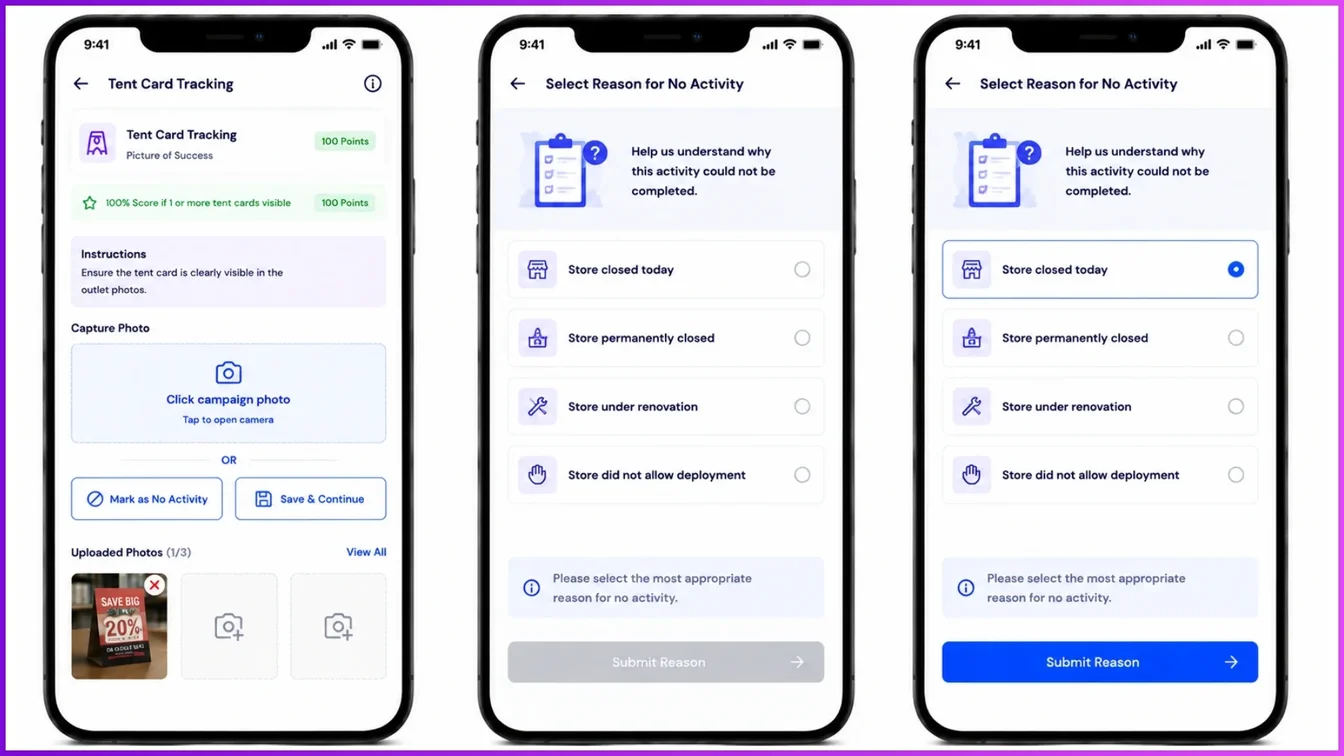
If an activity cannot be completed, a reasoning bypass workflow is triggered. Executives select predefined reasons, such as the store being closed today, permanently closed, under renovation, or refusing deployment, allowing managers to understand compliance gaps.
Multi-Level Audits and Exception Handling
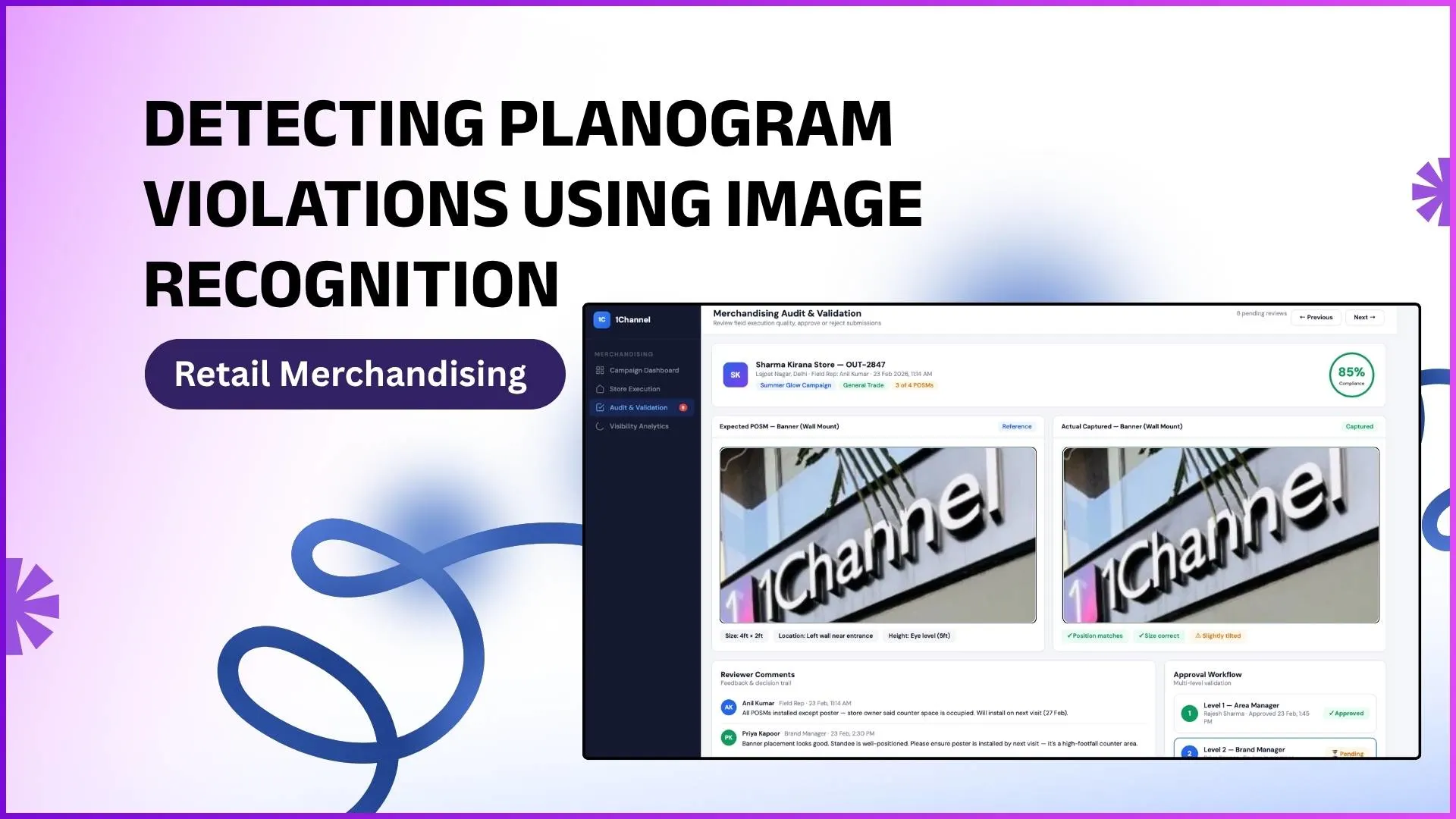
To ensure the absolute accuracy of field reporting, captured data goes through a multi-level quality check system involving L1, L2, and L3 supervisor roles.
For example, if a field executive records a deployment, an auditor verifies the compliance score by evaluating parameters like hot zone placement (eye-level visibility between 3 to 6 feet) and asset togetherness.
Furthermore, signage tracking supports exception handling. If a premium asset like a glow signboard or digital display is damaged, hanging loose, or has non-functional lights, field teams can log these details.
These exceptions are immediately flagged to senior management for urgent maintenance or replacement.
Boosting Retail Execution with 1Channel
To seamlessly unify all these visual merchandising workflows, businesses utilize a centralized platform like 1Channel.
The 1Channel system enables complete automation across the entire cycle, from initial POSM registration and self-service campaign scheduling by marketing managers to automated field notifications and multi-level supervisor dashboards.
By tracking coverage scores, audit times, and quality trends, 1Channel eliminates manual dependency, slashes operational lead times, and gives brands complete autonomy over their retail execution.
Explore 1Channel Visual Merchandising & POSM Management
See how 1Channel's Visual Merchandising and POSM Management software tracks signage deployment, validates campaigns, and manages multi-level audits from a single platform.
Explore Visual Merchandising →Conclusion
Signage tracking bridges the gap between marketing strategy and real-world execution. By utilizing rigid validation rules, field verification workflows, and multi-tier auditing, businesses can protect their asset investments and secure a flawless presentation at the retail shelf.
Frequently Asked Questions (FAQs)
1. What is POSM in the context of signage tracking?
POSM stands for Point of Sale Material. In signage tracking, it refers to the physical marketing assets such as banners, shelf strips, posters, and digital displays, deployed at retail outlets to drive product visibility and promotions.
2. How do campaign validation rules ensure store compliance?
Administrators can configure strict parameters in the system to guarantee execution. For instance, a campaign can be marked as entirely mandatory for a store, or individual POSM items can be set as mandatory before the field executive can complete the task.
3. What happens if a field executive cannot deploy a sign because a store is closed?
If an activity cannot be completed, the system triggers a negative or bypass workflow. The executive can select a predefined reason from a menu, such as the store being closed, under renovation, or refusing the deployment, ensuring management has clear visibility into compliance gaps.
4. How does the "Picture of Success" workflow operate in the field?
Field executives must upload real-time photo proof of the deployed signage through their mobile application. The system evaluates these uploads against specific parameters (e.g., verifying if a tent card is visible) to automatically assign compliance scores.
5. How are damaged or non-functional premium signs handled?
The tracking system includes an exception handling workflow. If a high-value asset, like a digital display or glow signboard, is damaged or malfunctioning, field teams log the issue so it can be immediately flagged to management for maintenance or replacement
Note: Software screens may vary based on your business structure and configured workflows.