Field sales execution depends on one thing above everything else, proof that store visits are actually happening on the ground.
A robust store visit tracking system gives sales leaders complete visibility into which outlets were visited, when they were visited, and whether the visit happened at the correct location. With GPS validation, geo-tagged outlets, and beat-wise scheduling, every visit becomes verifiable and performance-driven.
In this blog, we explain the key screens of the Store Visit Tracking module and how each screen helps field teams, managers, and admins maintain visit accuracy with GPS-backed proof.
Why Store Visit Tracking Matters in Field Sales
For distributed field teams, manual visit reporting often leads to inaccurate data, missed outlets, and weak territory coverage.
Store visit tracking solves this by combining:
- Outlet master visibility
- Live distance-based outlet discovery
- GPS proof of visit
- Geo-fence validation
- Beat and territory mapping
- Visit schedule tracking
- New outlet onboarding
This ensures that every field rep's movement is measurable and every store touchpoint is properly recorded.
Transform Store Visit Management with GPS Accuracy
1Channel Store Management Software provides comprehensive outlet tracking with geo-fenced validation, beat-wise scheduling, live distance tracking, outlet grading, territory mapping, and photo-verified visits to ensure every store interaction is authentic and measurable.
Explore Store Management Software →1. Outlet Master List Screen
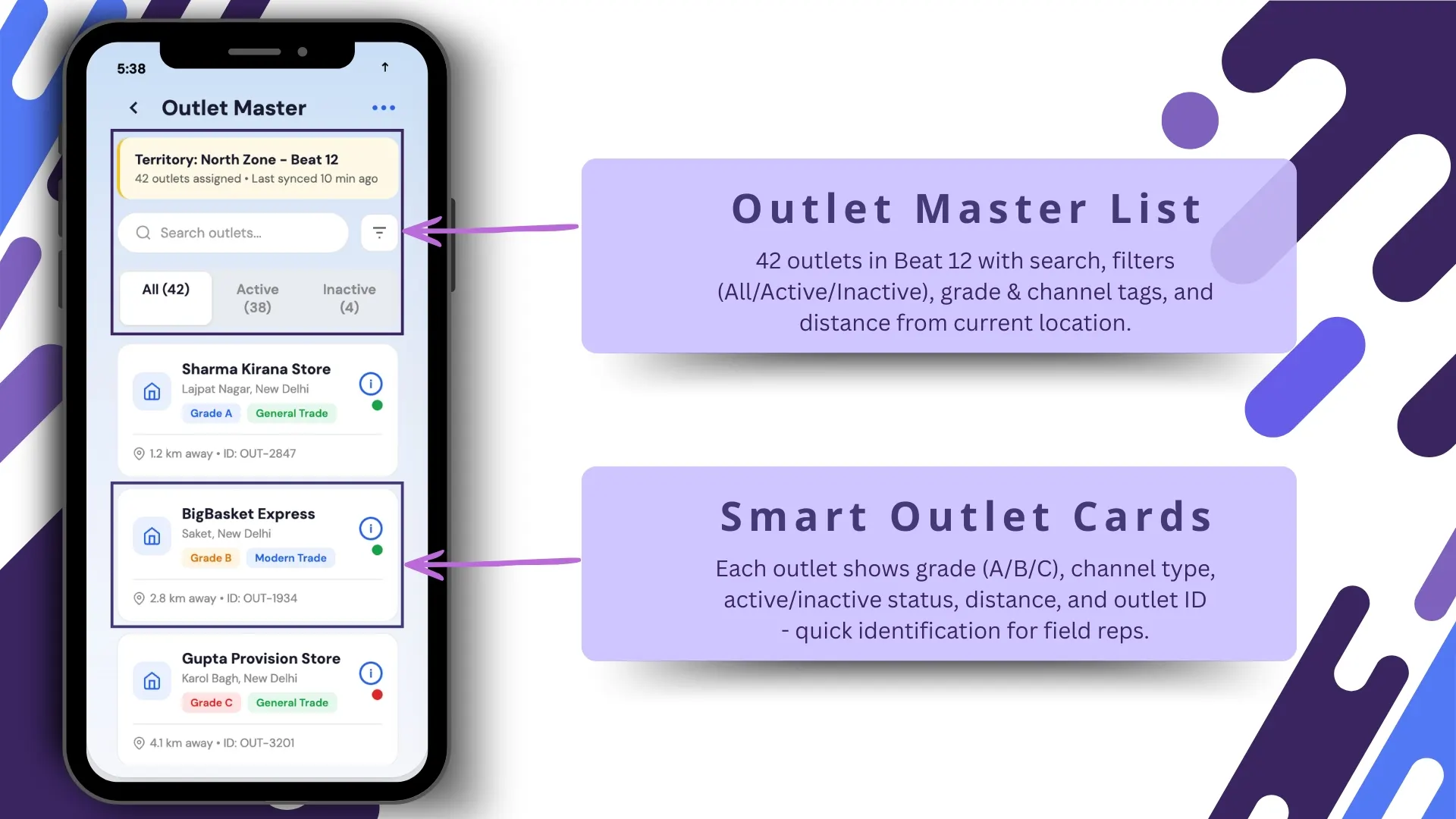
The first screen gives field reps access to their complete outlet universe for the assigned beat.
This screen shows:
- 42 outlets in Beat 12
- Search functionality
- Quick filters: All / Active / Inactive
- Grade tags
- Channel labels
- Distance from current location
This makes it easy for the rep to identify nearby outlets and prioritize store visits efficiently.
The distance visibility is especially useful during route execution, helping users optimize daily travel and reduce time loss between visits.
2. Smart Outlet Cards for Quick Identification
Each outlet is displayed in a smart card format for fast decision-making.
Every card includes:
- Outlet grade (A / B / C)
- Channel type
- Active or inactive status
- Outlet ID
- Current distance
This helps reps instantly understand store importance before entering.
For example:
- Grade A = high-value outlet
- Grade B = mid-volume store
- Grade C = routine coverage store
This classification improves beat productivity and prioritization.
3. Complete Outlet Profile Screen
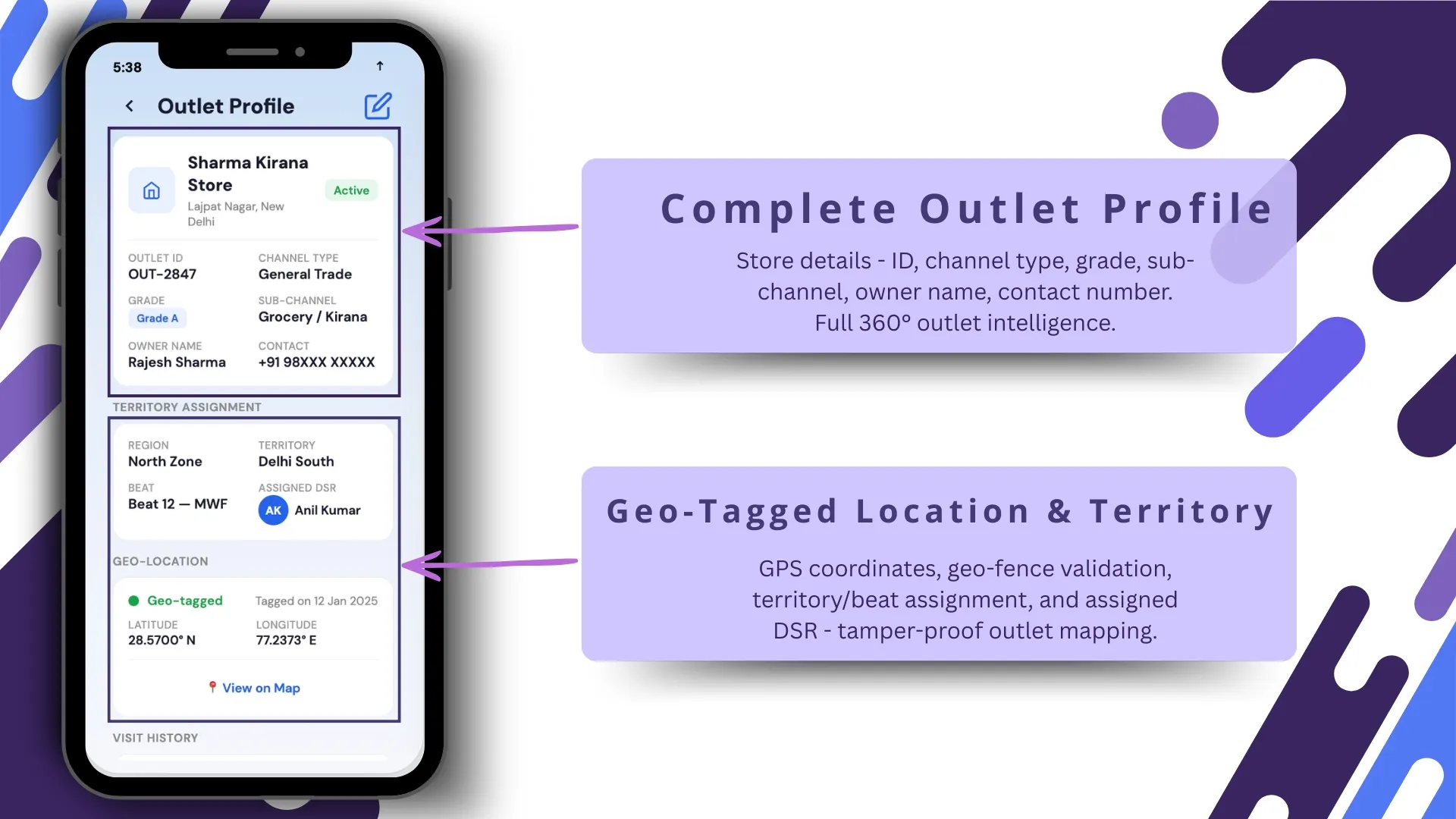
Once a rep taps an outlet card, the detailed outlet profile opens.
This screen provides full store intelligence, including:
- Outlet ID
- Channel type
- Grade
- Sub-channel
- Owner name
- Contact number
This 360° outlet view ensures that the rep has all required information before starting the visit.
It reduces dependency on manual notes and helps standardize store information across the field team.
4. Geo-Tagged Location & Territory Validation
This is one of the most critical screens in the visit tracking flow.
The screen validates:
- GPS coordinates
- Geo-fence status
- Territory assignment
- Beat mapping
- Assigned DSR / field rep
This creates a tamper-proof outlet mapping structure where visits are allowed only inside the defined geo-fenced radius.
The uploaded document specifically supports this through activity geofencing and store GPS configuration, ensuring activities happen only within the store boundary.
This becomes the GPS proof layer for every store visit.
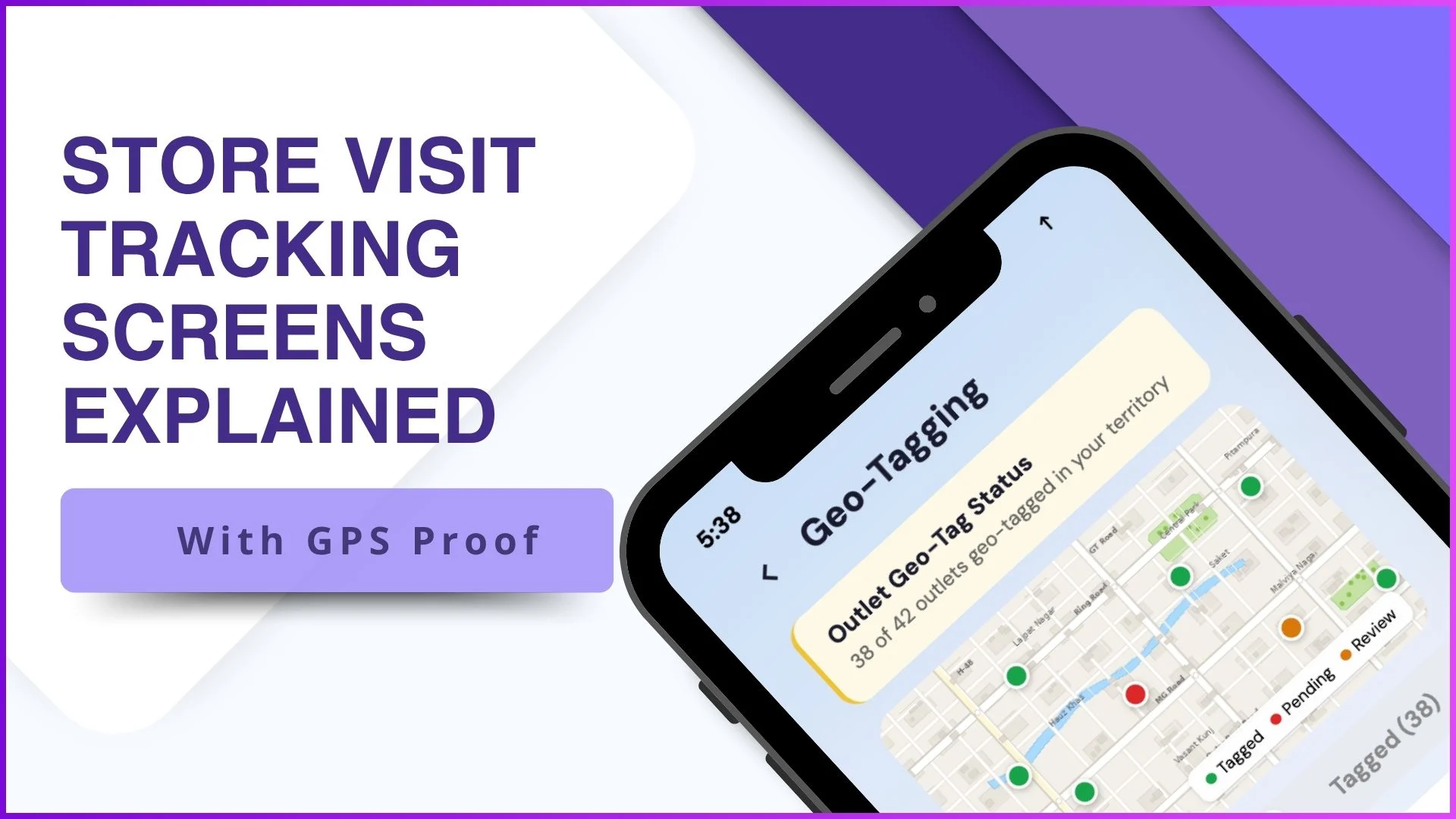
5. Geo-Tagging Screen with Live Map View
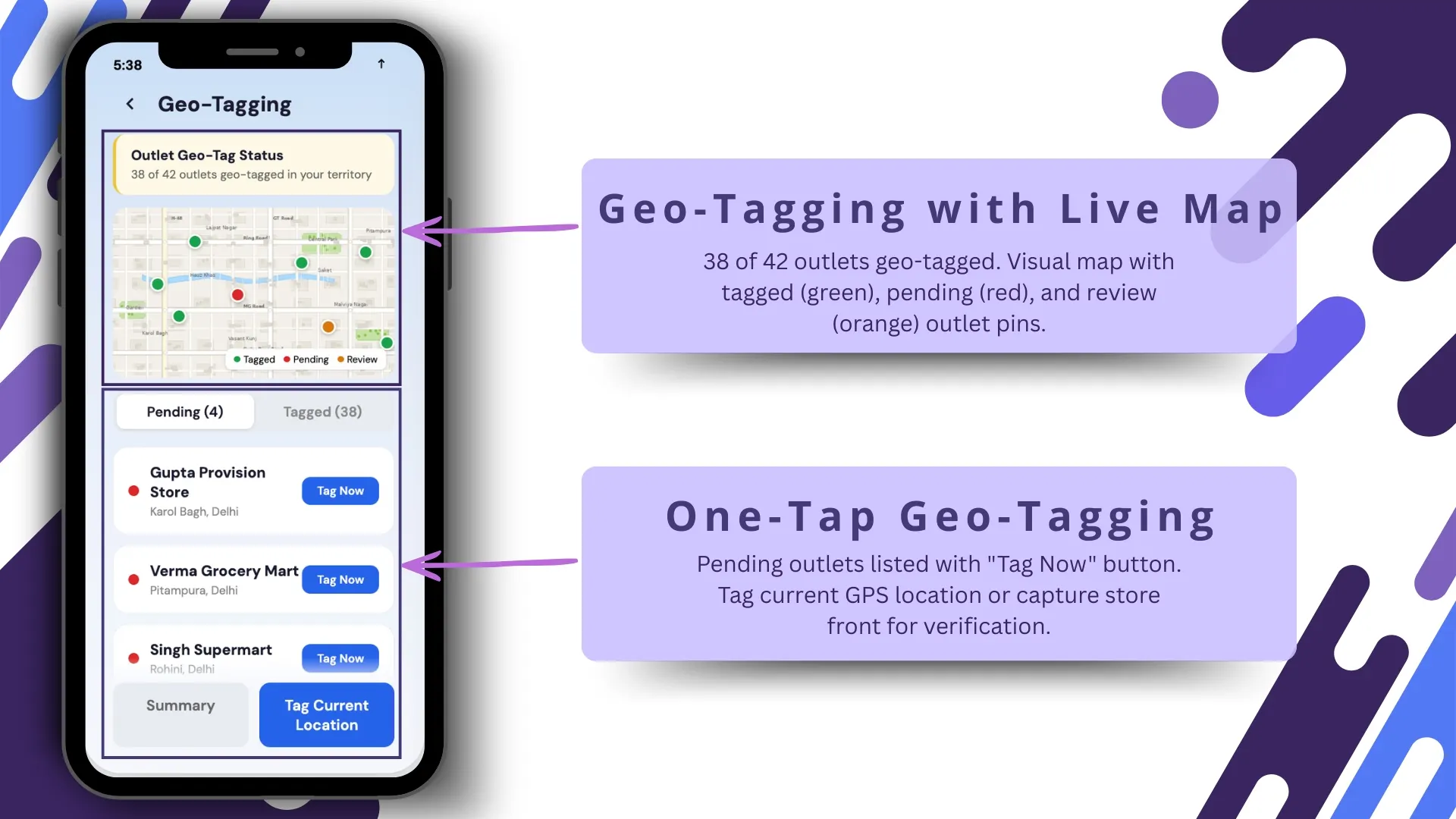
The live map screen provides a visual tracking layer for outlet status.
Example status shown:
- 38 tagged outlets
- 4 pending outlets
Pin color logic:
- Green: tagged
- Red: pending
- Orange: under review
This map-driven interface helps managers quickly understand location compliance across the territory.
It also helps identify stores that still need physical location verification.
This feature directly aligns with the system's Store GPS and Geo Attributes capabilities.
6. One-Tap Geo-Tagging Screen
Pending outlets can be geo-tagged directly from the mobile app.
The screen includes:
- Pending outlet list
- Tag Now button
- Current GPS capture
- Store front photo capture
This allows the rep to instantly register the store's live location during the visit.
The photo layer acts as an additional proof mechanism along with GPS coordinates.
This aligns with the platform's Store Image Report and Store GPS information functionality.
7. Outlet Grade & Classification Dashboard
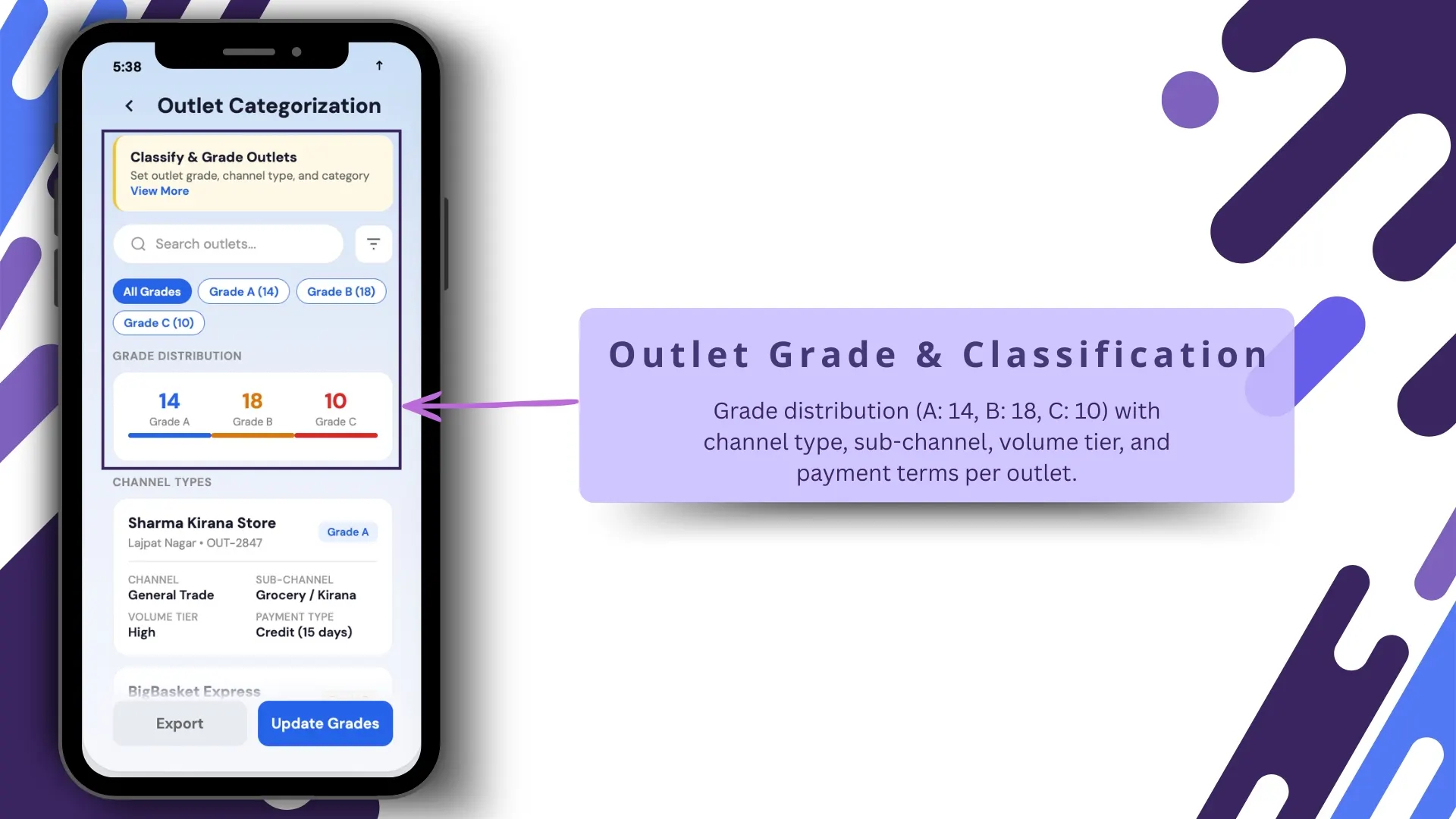
This screen helps visualize outlet segmentation.
Example breakdown:
- Grade A: 14
- Grade B: 18
- Grade C: 10
Along with grade, the screen includes:
- Channel type
- Sub-channel
- Volume tier
- Payment terms
This helps management understand store quality and sales potential at a glance.
It also supports smarter beat planning and route optimization.
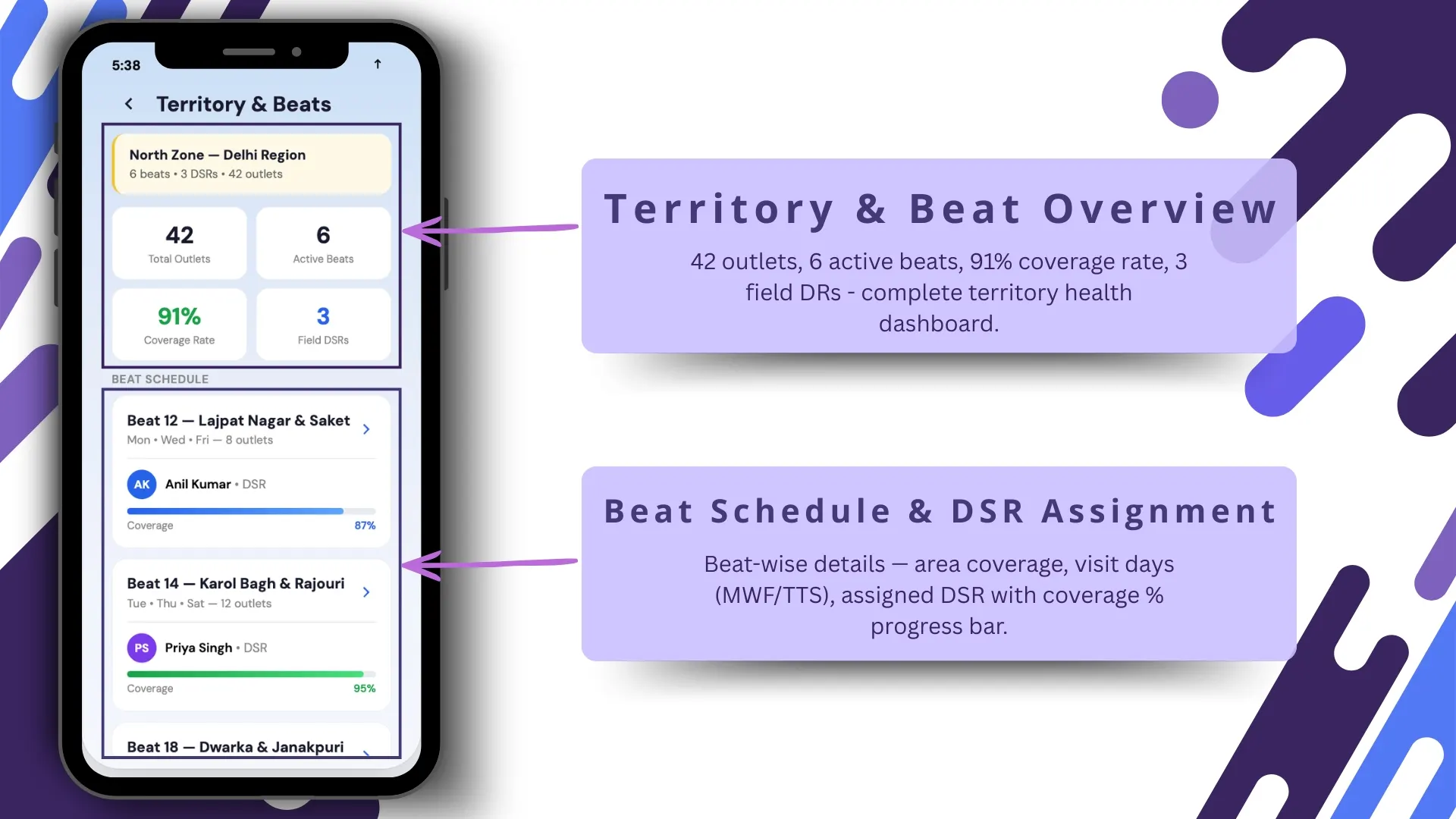
8. Territory & Beat Overview Dashboard
This screen provides a complete health snapshot of the territory.
Example metrics:
- 42 outlets
- 6 active beats
- 91% coverage
- 3 field DRs
This acts like a territory performance dashboard for regional managers.
It helps answer:
- Are beats properly covered?
- Which territories are underperforming?
- Is the team following visit plans?
This connects strongly with the Beat Compliance Report and Market Visit Plan workflows in the uploaded document.
9. Beat Schedule & DSR Assignment Screen
This is the execution planning screen for daily store visits.
It includes:
- Beat-wise coverage
- Area name
- Visit days (MWF / TTS)
- Assigned DSR
- Progress percentage bar
This helps reps clearly understand:
- where to go
- on which day
- how much coverage is pending
The uploaded document clearly references weekday market visit planning and beat-wise visit control.
This screen is highly useful for route discipline.
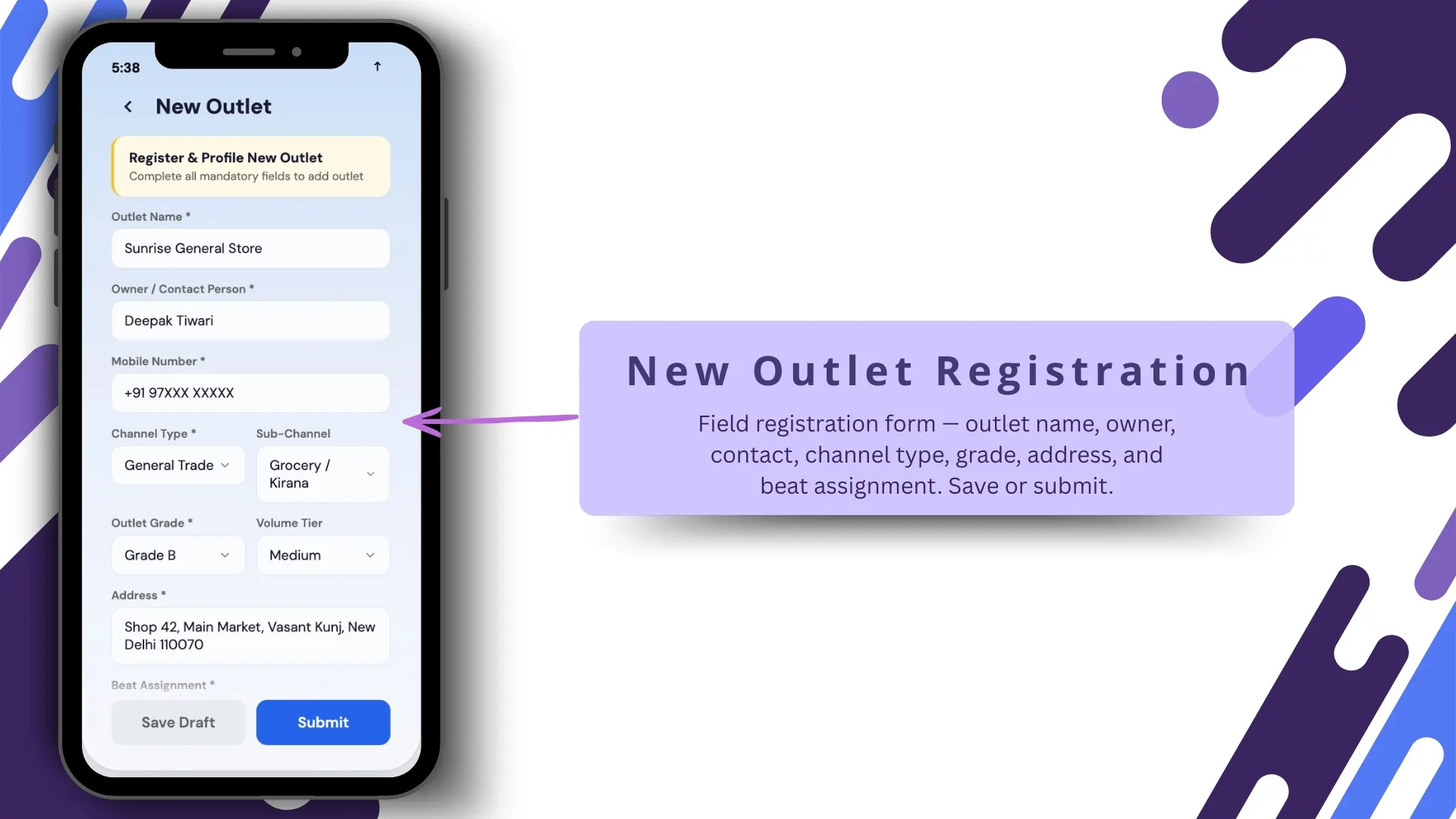
10. New Outlet Registration Screen
New outlets can be registered directly from the field.
The screen includes:
- Outlet name
- Owner name
- Contact details
- Channel type
- Grade
- Address
- Beat assignment
- Save / Submit buttons
This allows the sales team to continuously expand the outlet universe without backend delays.
It ensures that new stores immediately enter the beat plan and GPS tracking workflow.
This directly supports the platform's Store Master and Assign Stores capabilities.
Note: Software screens may vary based on your business structure and configured workflows.
How GPS Proof Improves Visit Authenticity
GPS proof is not just about location.
It ensures:
- no fake store visits
- no remote check-ins
- no off-route activity
- real-time beat compliance
The geo-fencing layer ensures that actions like check-in, tagging, or visit submission happen only within the approved outlet boundary.
This makes field reporting trustworthy for leadership teams.
Why 1Channel SFA Makes Store Visit Tracking More Reliable
With 1Channel SFA's Store Visit Tracking solution, businesses can move beyond manual visit reporting and get real GPS-backed proof of field execution.
The platform helps teams with:
- live beat coverage
- geo-fenced outlet visits
- map-based outlet tracking
- new outlet onboarding
- store visit reporting
- territory intelligence dashboards
This helps brands improve field force productivity, reduce false reporting, and maximize outlet coverage with confidence.
Track Every Store Visit with GPS Precision
1Channel Sales Force Automation provides complete store visit management with GPS validation, geo-fenced check-ins, outlet master management, beat compliance tracking, live distance-based routing, photo verification, and territory-wise visit dashboards to ensure authentic and measurable field execution.
Explore Sales Force Automation →FAQs
How does GPS proof work in store visit tracking?
GPS proof captures the live latitude and longitude of the field rep at the time of the store visit and validates it against the outlet's geo-fenced location.
Can managers track beat coverage?
Yes, managers can track coverage percentage, active beats, assigned reps, and pending outlets through the territory dashboard.
Is outlet geo-tagging possible from mobile?
Yes, pending outlets can be geo-tagged directly from the mobile app using current GPS location and store front photo capture.
Can new stores be added from the field?
Yes, reps can register new outlets directly through the mobile app with complete store details and beat assignment.
Does the system prevent fake visits?
Yes, geo-fencing ensures visits and activities are performed only inside the approved store radius.