Image Recognition Insights & Resources
Expert perspectives on computer vision, shelf compliance, and AI validation in retail
1Channel's AI image recognition uses computer vision to check every shelf and promotional photo a rep captures during a store visit, confirming what's actually on display against what should be there.
Reps follow a guided shot list (center, left, and right wall) and shelf image recognition counts what's actually facing outward against what the display should have.
The same retail computer vision that checks shelves also reads POSM and promotional photos, scoring how closely a display matches the approved layout.
AI shelf monitoring flags missing facings and under-stocked displays automatically, instead of relying on a rep to notice and report them.
When visual recognition AI isn't confident in a photo, it prompts an immediate retake in the field rather than letting a poor shot pass through unnoticed.
Expert perspectives on computer vision, shelf compliance, and AI validation in retail
From a guided photo checklist to a verified, completed audit, screen by screen.
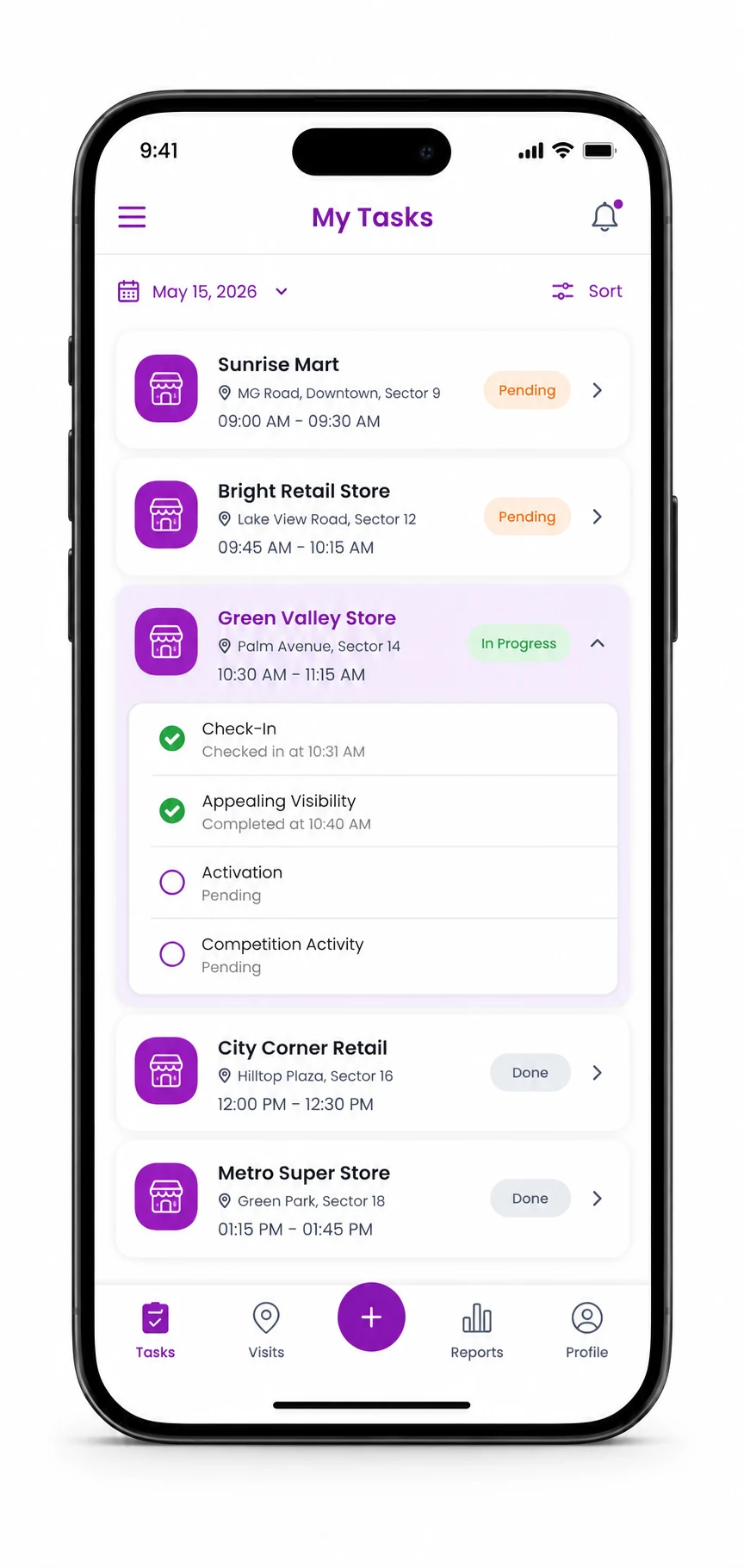
Every store visit opens with a clear task list, so the rep knows exactly which shelf checks and activation reviews are due at that outlet before they even start.
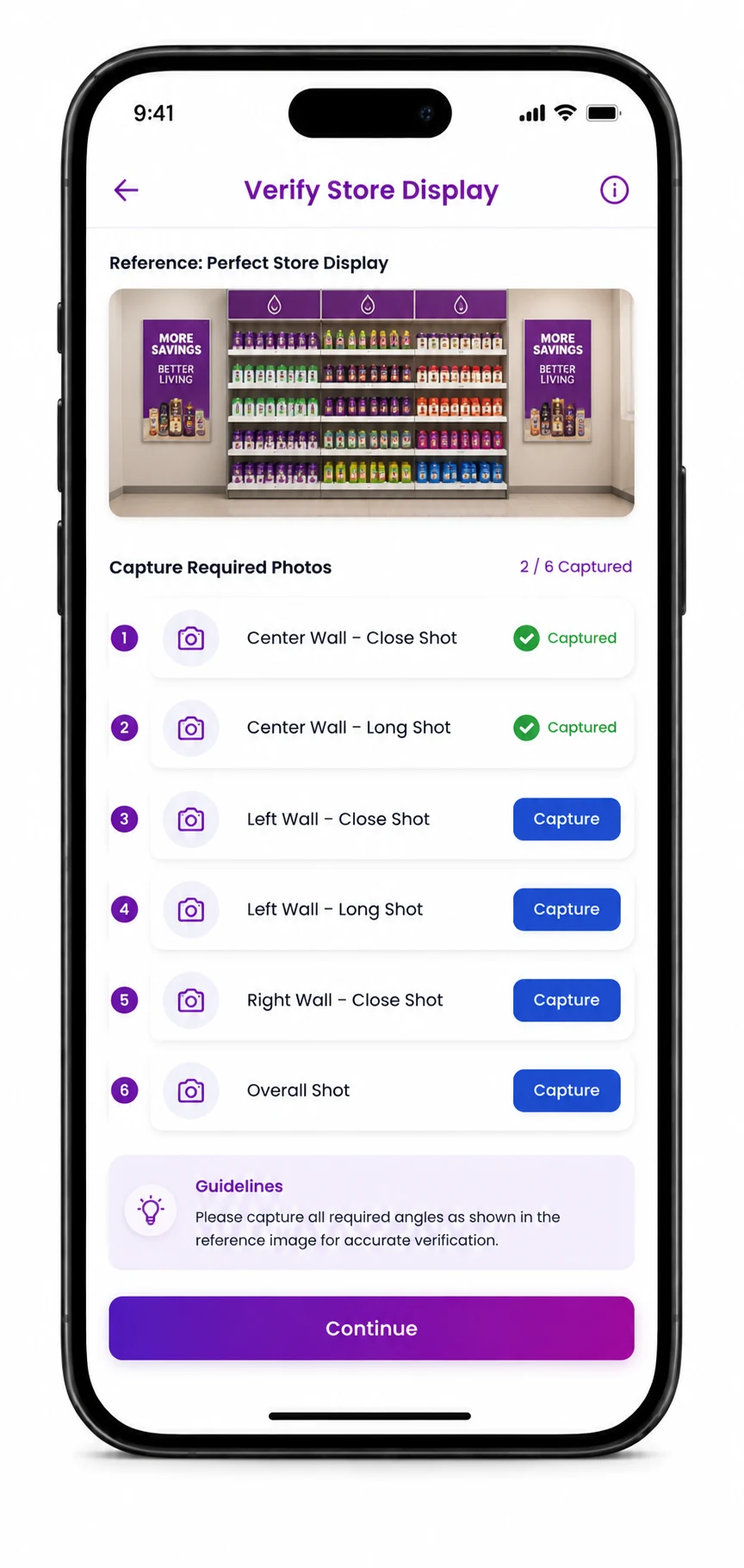
Before capturing anything, the rep sees the approved display guideline and a guided checklist of exact angles to shoot, removing ambiguity about what counts as a compliant photo.
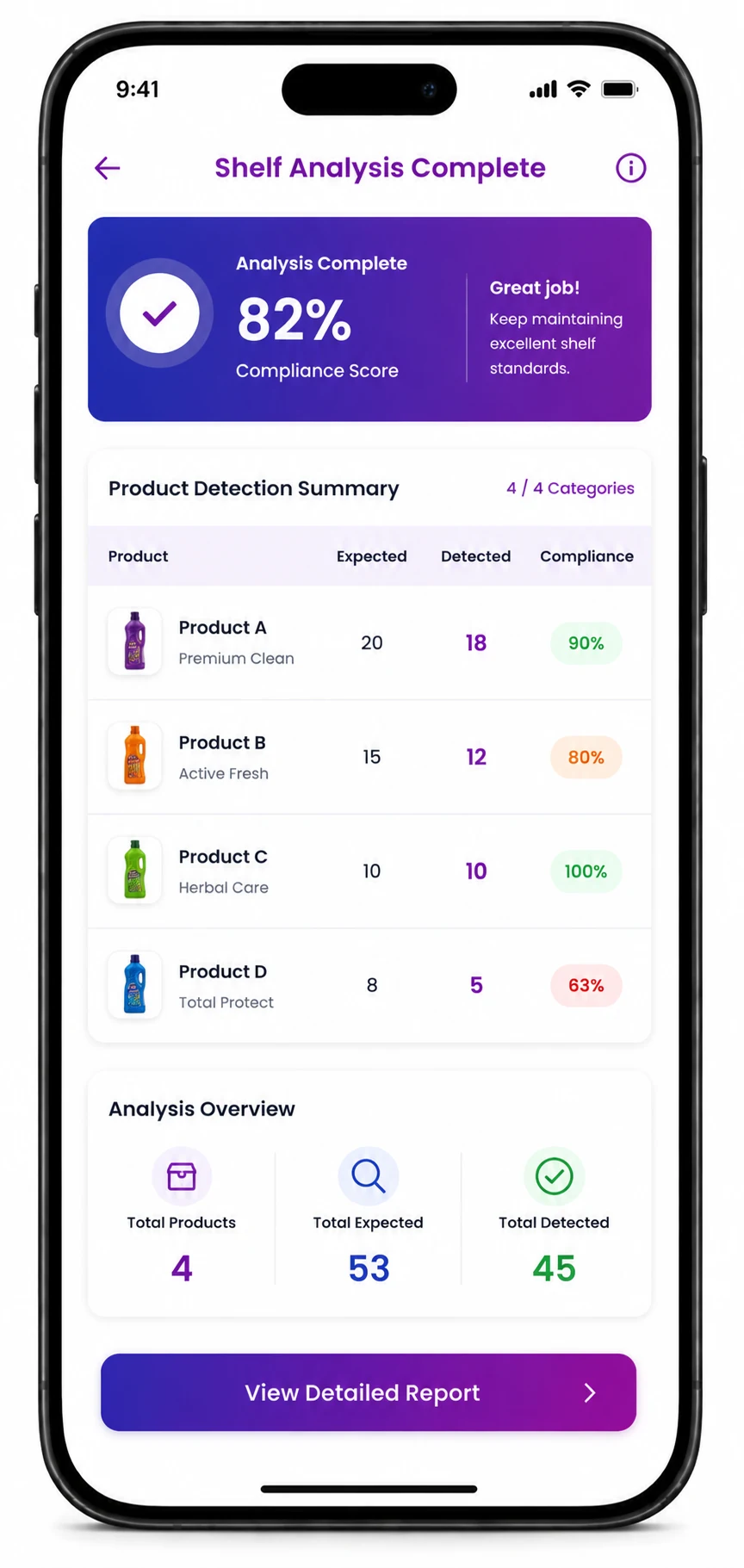
Once the photos are submitted, shelf image recognition compares the norm, what the display should show, against the actual count it sees in every shot, product by product.
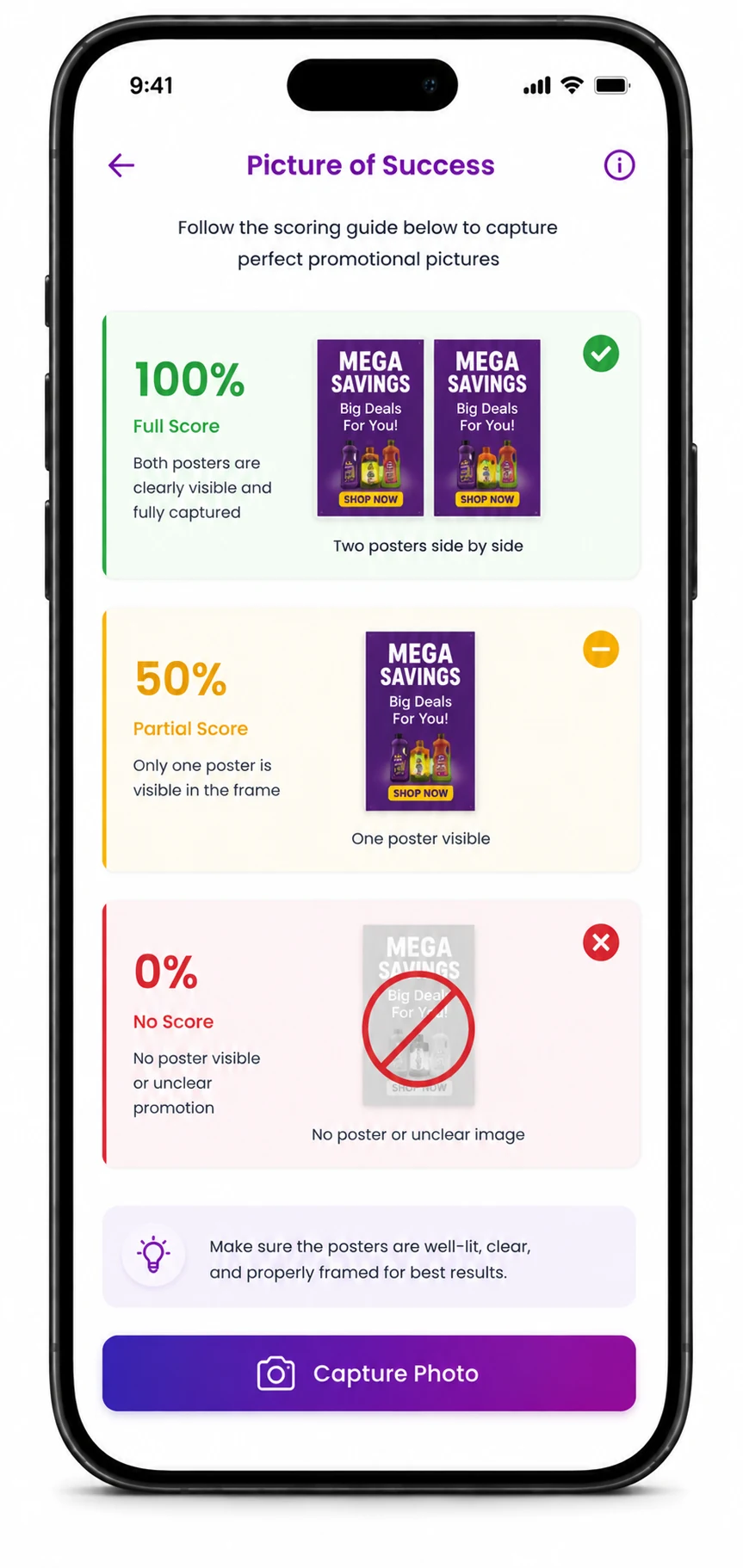
For campaigns and POSM, the rep sees a "Picture of Success" scoring guideline before shooting, so the difference between a full, partial, and missing activation is clear from the start.
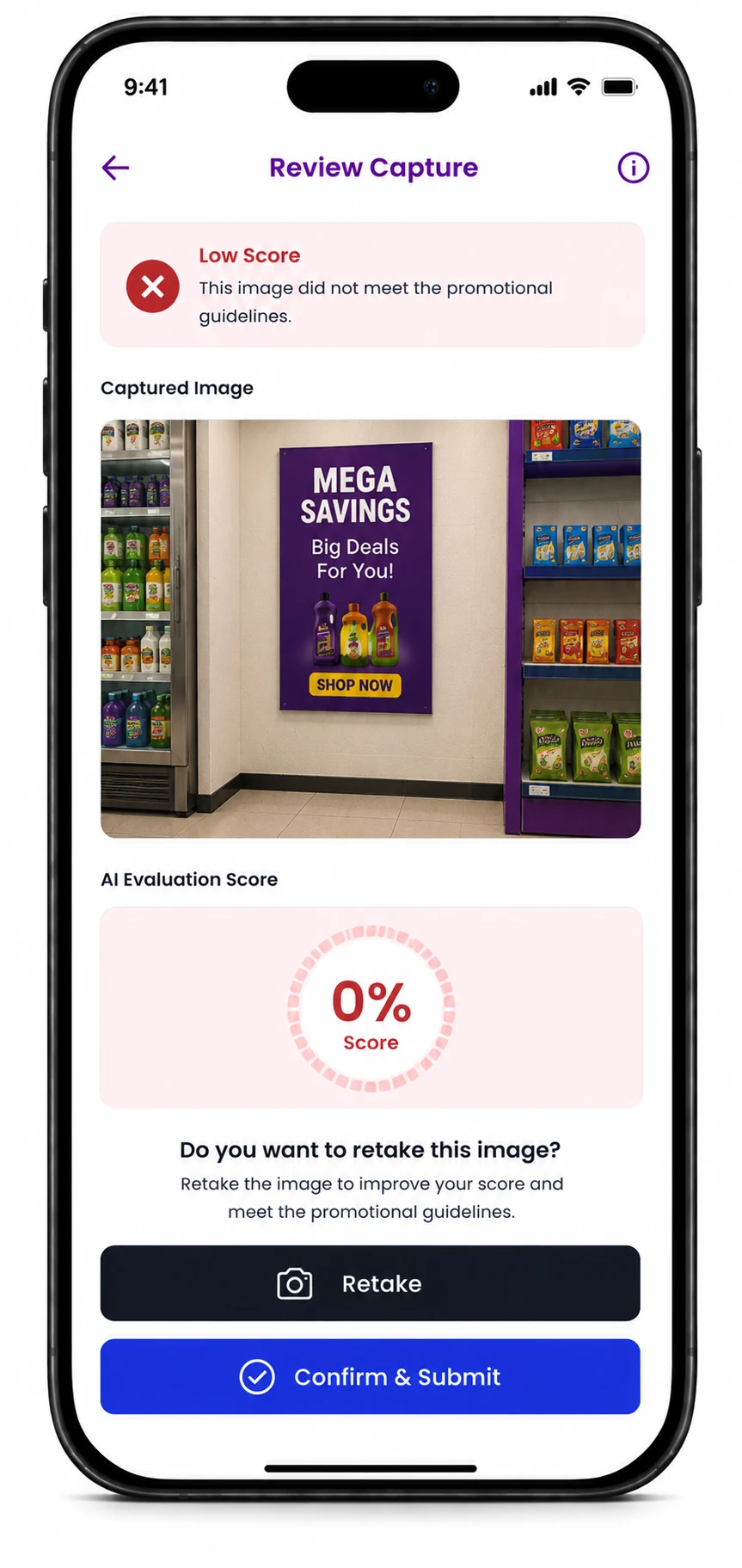
If visual recognition AI scores a photo poorly, the rep is prompted to retake it on the spot rather than leaving it for a reviewer to catch later. Once a shot clears, the task list updates itself.
The same AI capabilities are built into every core 1Channel module.
AI image recognition is built directly into the visit workflow. When a rep reaches a shelf or activation task, the app walks them through the required shots, then reads each photo automatically to confirm what's on display, without a separate audit app or a manual review step.
Every product on the approved display has a norm, the count it should have. Shelf image recognition reads each submitted photo and reports the actual count against that norm, product by product, so a business can see exactly where a display is under or over what was planned.
A rep glancing at a busy shelf can easily miss a single missing facing or a display that's slightly off-guideline. AI shelf monitoring checks every required angle against the reference standard every time, so gaps get caught consistently instead of depending on how closely each rep happens to look.
Yes, it's the same underlying computer vision engine applied to two different tasks. For shelves it counts product facings, and for campaigns it checks whether the approved posters or display units are actually visible, so a business gets one consistent standard across both.
Before a rep shoots a campaign photo, retail computer vision shows a scoring guideline, for example, full marks for two posters placed correctly, partial marks for one, and zero if none are visible, so the score a manager sees reflects what's physically live in the store, not just a task marked complete.
The rep is prompted to retake the shot immediately, right there in the store, instead of the photo sitting in a queue for a reviewer to reject later. Only once a photo clears does the task get marked complete, which keeps the audit trail reliable without slowing the rep down.