In this blog post, we're going to share a completely free, step-by-step manual method to set up a free lead management system for your business (ideally for small businesses).
We'll be using Google's free tools including Google Forms & Google Sheets along with some simple automation ideas that can help you track leads, follow-ups, and conversions effectively.
This setup is best suited for small businesses, freelancers, and startups with up to 10-15 leads per day.
Benefits of Free Lead Management Setup
- 100% free setup using Google tools
- Easy to manage and understand
- Real-time data collection and sharing
- Accessible on both desktop and mobile
- Ideal for small teams and startups
- Customizable as per your workflow
Step-by-Step Guide for Free Lead Management System Setup
Step 1: Create a Google Form for Lead Collection
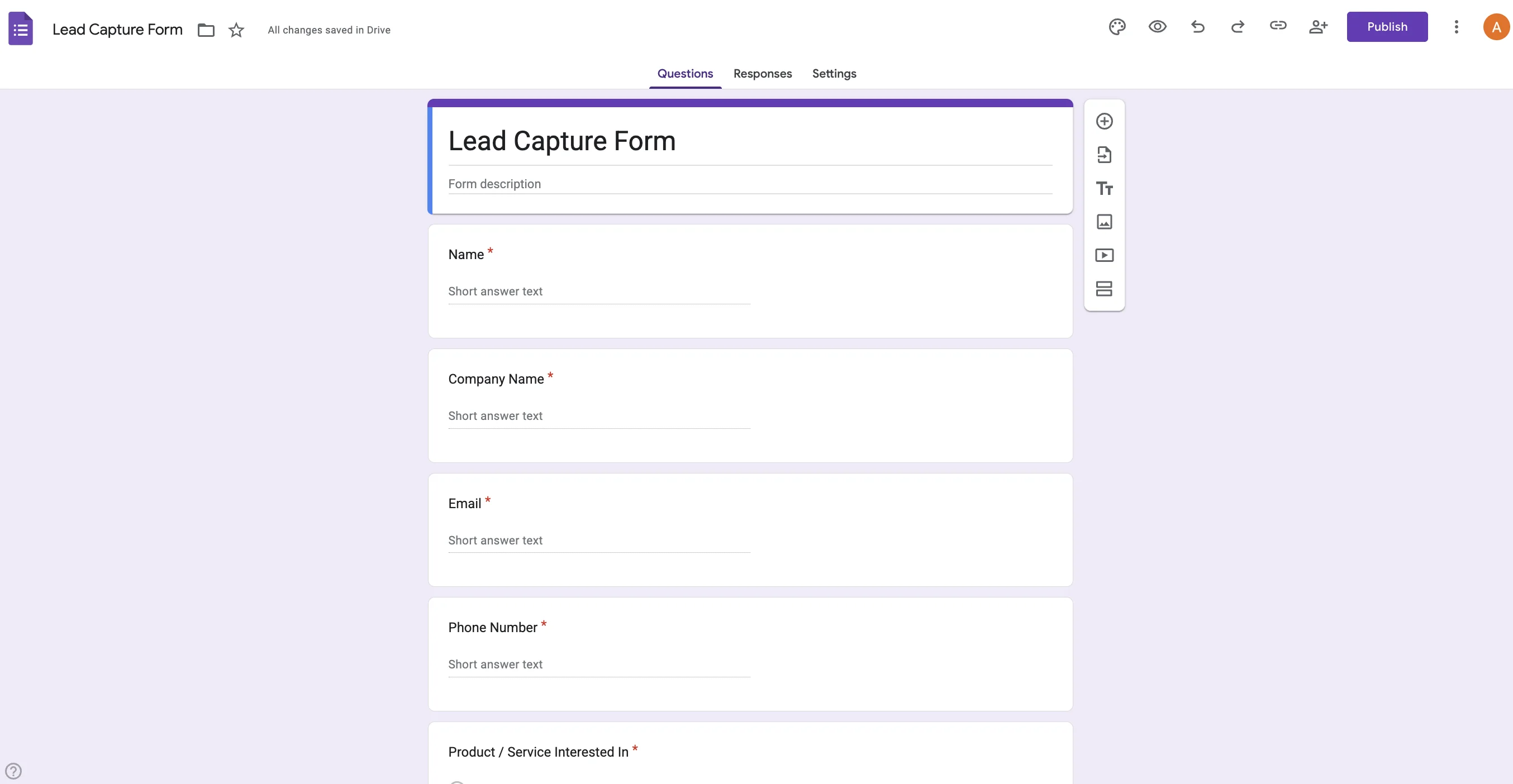
Visit Google Forms (https://docs.google.com/forms/) and create a new form titled "Lead Capture Form."
Add basic fields like: Name, Company Name, Email, Phone Number, Product / Service Interested In.
Step 2: Connect the Form to Google Sheets
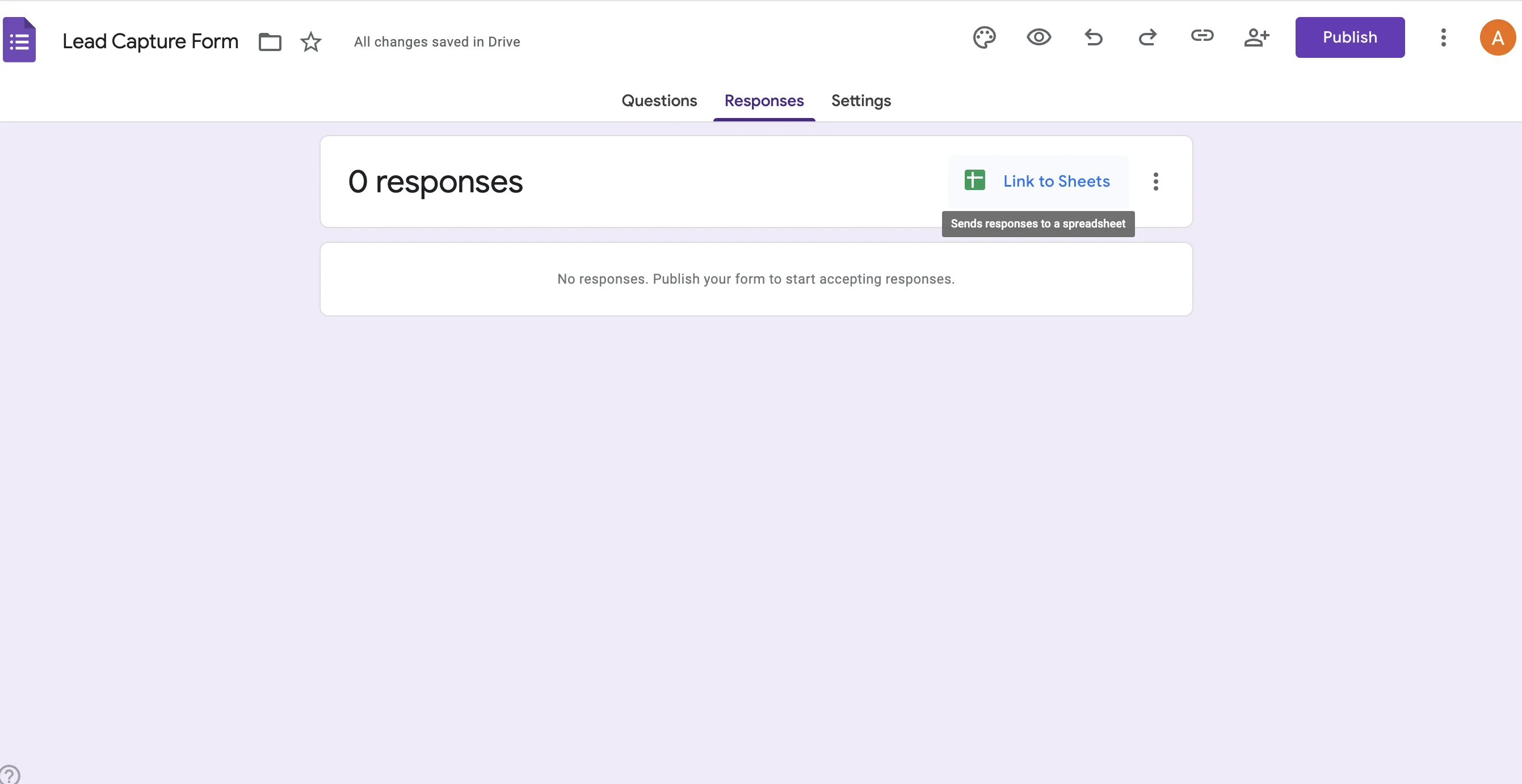
Click on the Responses tab and choose "Link to Sheets."
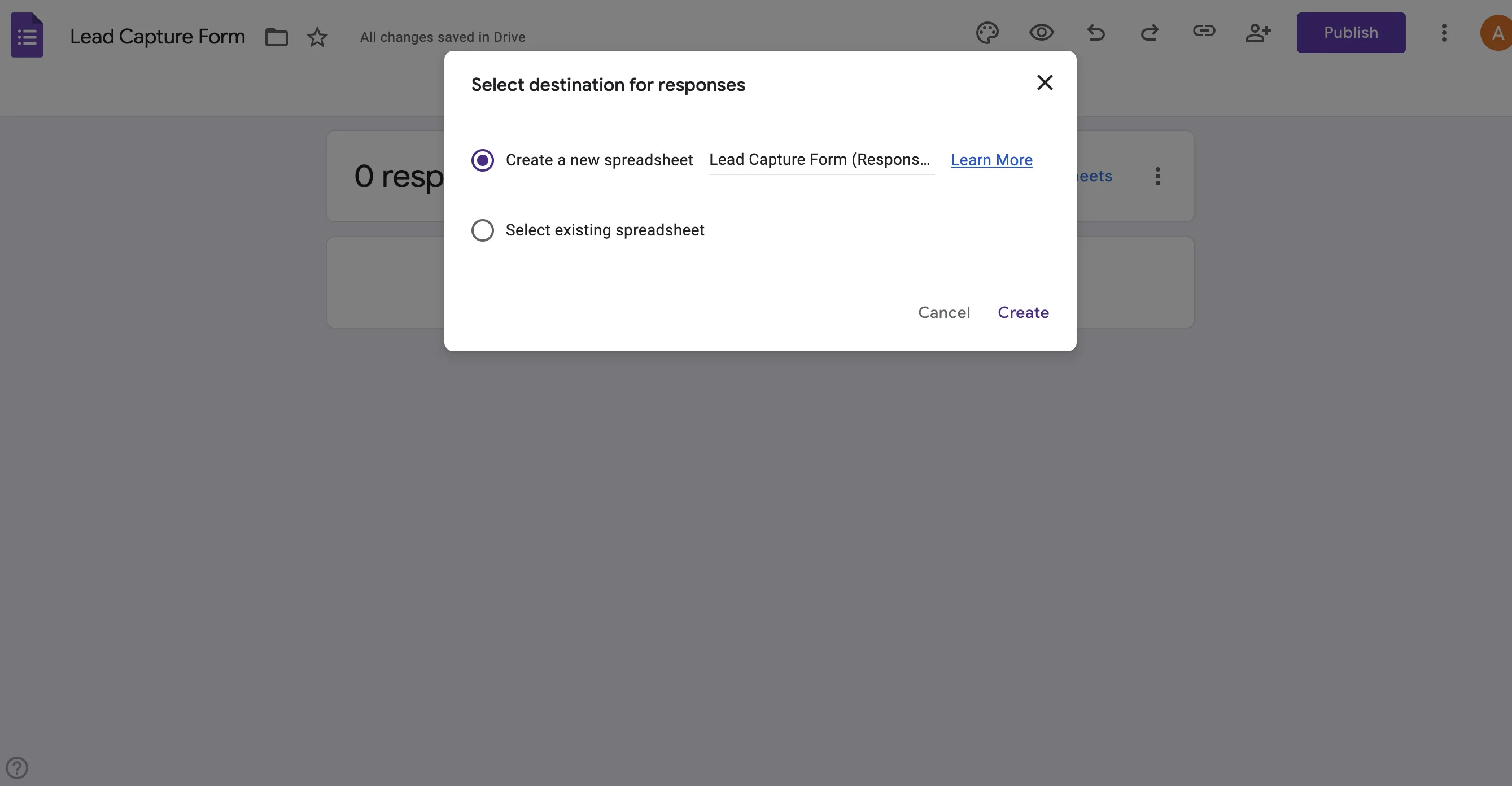
Select "Create a new spreadsheet" - this will store all your leads automatically in Google Sheets.
Step 3: Organize Columns in Google Sheets
Once your Sheet opens, you'll see columns for each form question.
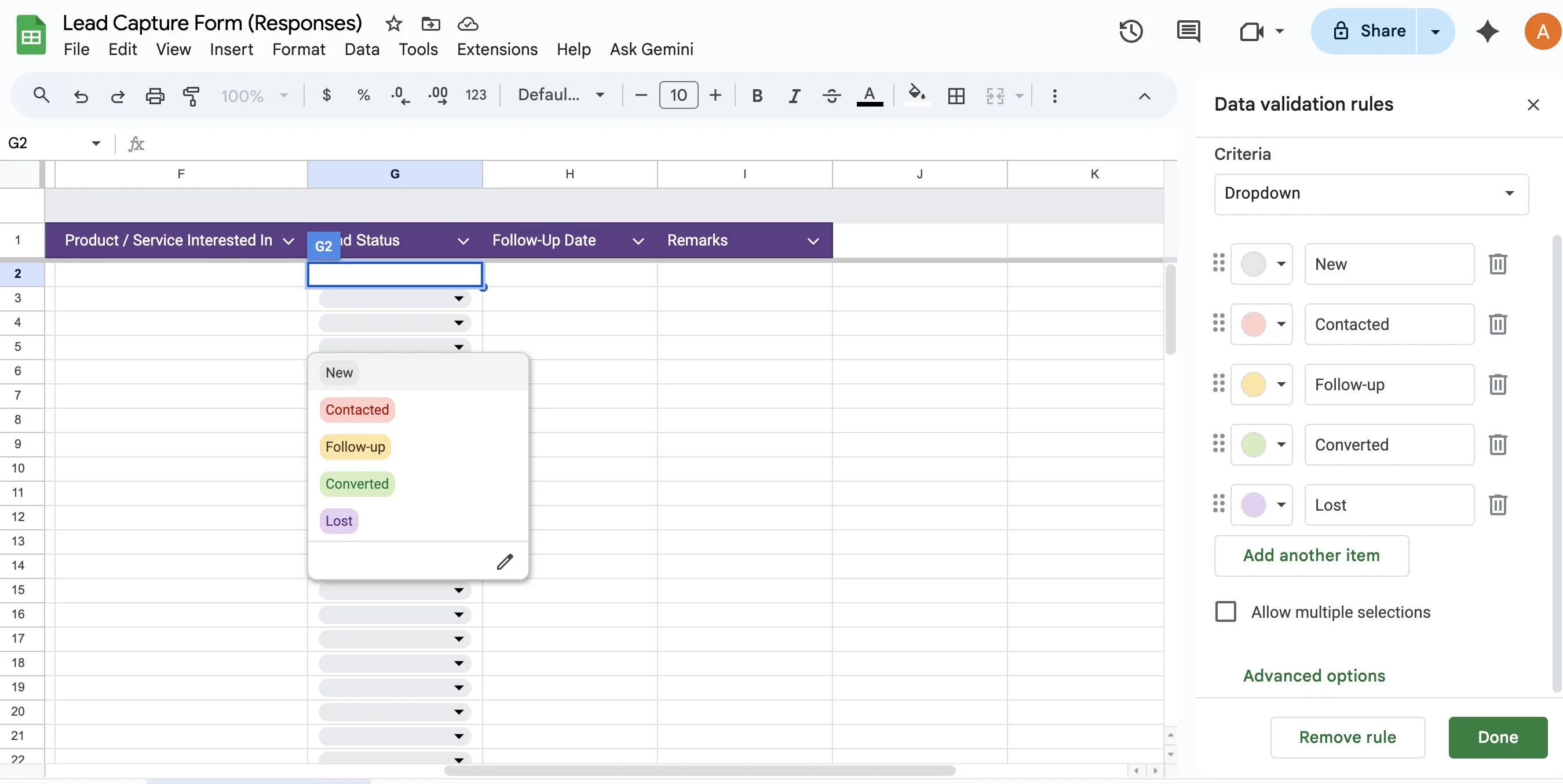
Add new columns: Lead Status (New / Contacted / Follow-up / Converted), Follow-Up Date, and Remarks

Step 4: Add Data Validation for Status Dropdown
Select the Lead Status column, go to Data → Data validation, and add these options: New, Contacted, Follow-up, Converted, Lost
This will help you track the stage of each lead easily.
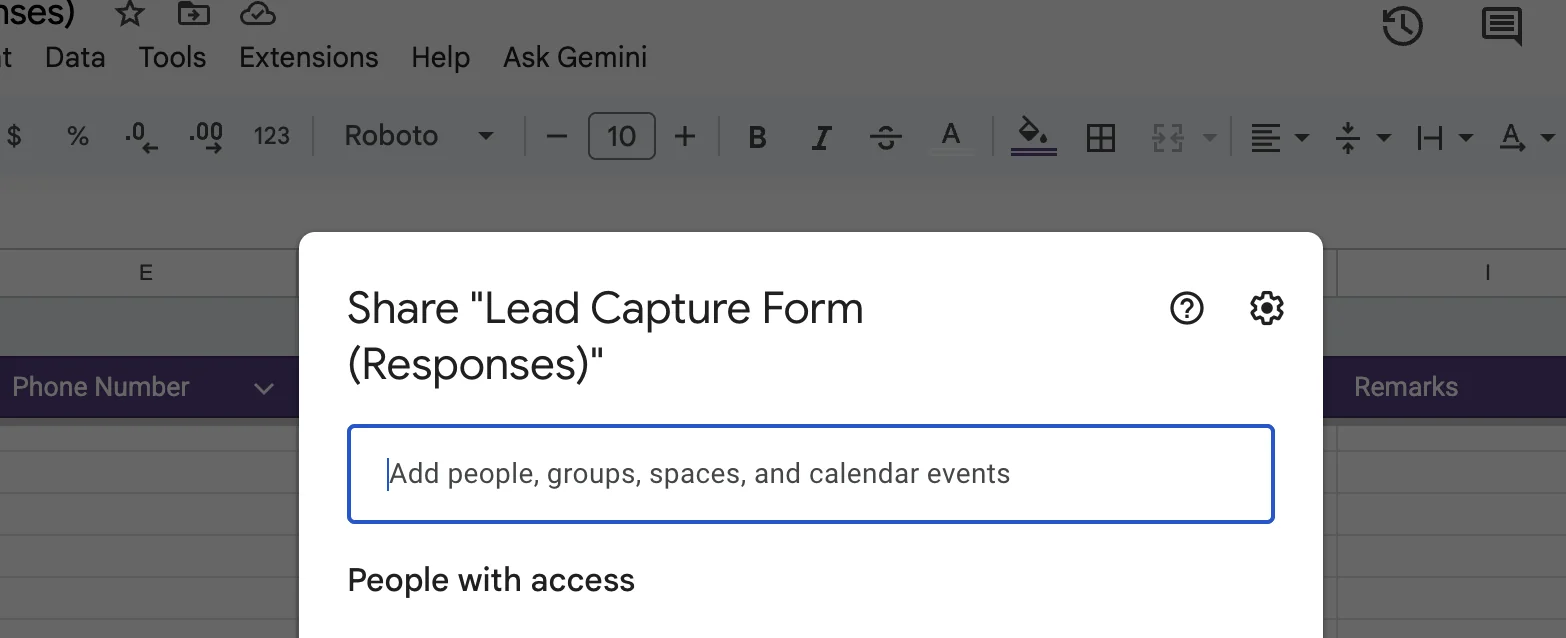
Step 5: Share the Sheet with Your Team
Click Share on the top-right of the sheet and give access to your team members (View or Edit as needed).
Now everyone can work collaboratively on the same lead tracker.
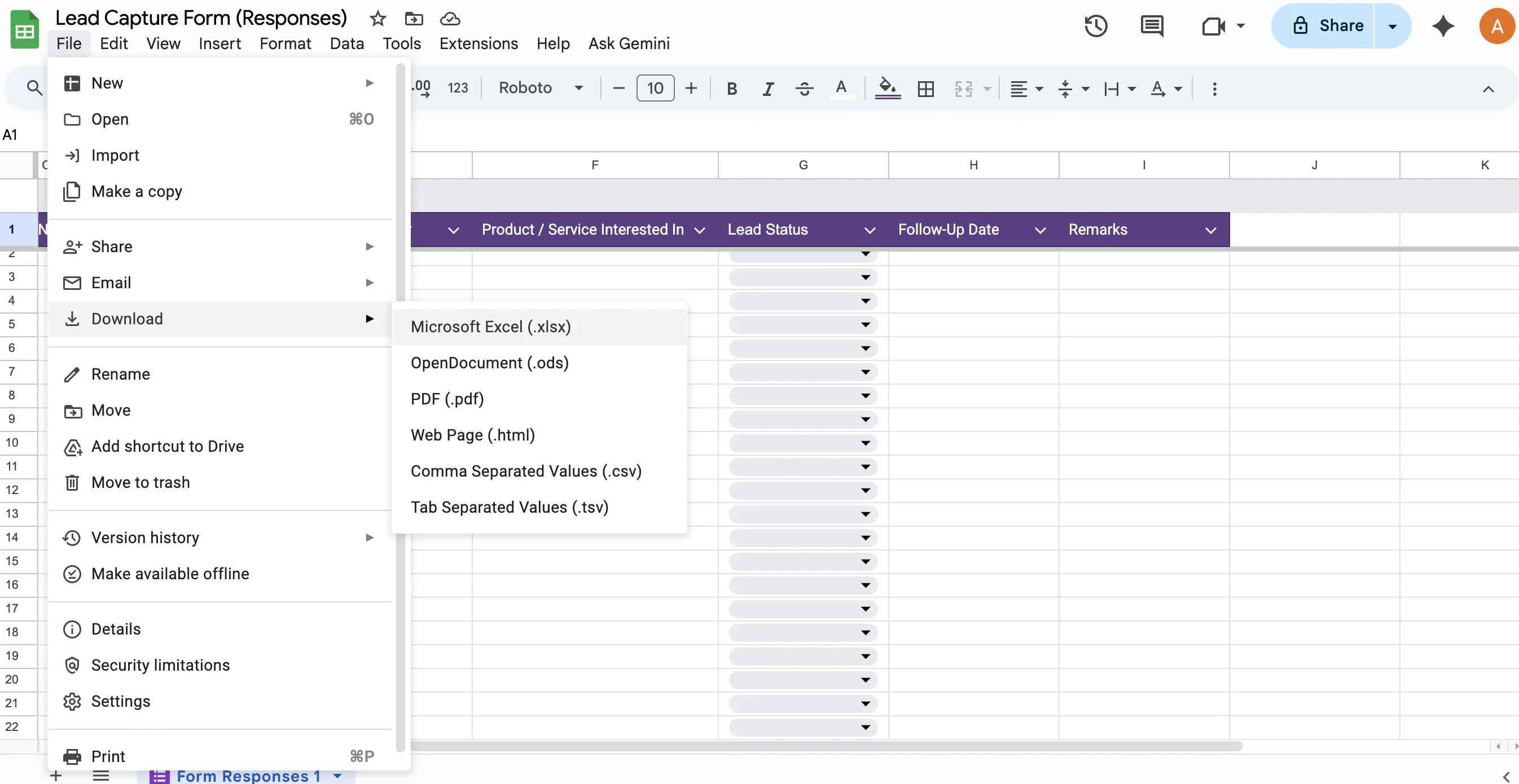
Step 6: Regularly Backup Your Data
Since this setup doesn't have auto-backup, download a copy of your lead sheet weekly as an Excel file or store it on Google Drive for safety.
Limitations of Free Lead Management Setup
- No dedicated CRM or automation
- No analytics or reminders
- Manual follow-up tracking
- Limited access control for users
- No integration with WhatsApp or calls
- Not ideal for large-scale lead volume
India's Best Automated Lead Management System - 1Channel SFA
If you want a fully automated, mobile-friendly, and configurable lead management system, explore 1Channel SFA, India's most reliable sales automation and field force tracking solution.
Built for all small, medium, & large enterprises, 1Channel helps teams:
- Capture and assign leads automatically
- Track field sales in real time
- Manage follow-ups and status changes effortlessly
- Integrate with CRM, ERP, and email tools seamlessly
Explore Sales Force Automation
Empower your field teams with 1Channel's AI-powered SFA platform. Drive efficiency, boost sales, and gain real-time visibility across your entire sales operations.
Explore SFA Solutions →1Channel's Trusted Customers Across Industries
- Royal Enfield - Automobile
- Kala Genset - Power & Energy
- Essentia Homes - Real Estate & Interiors
- Craftsmith - Manufacturing
- HDFC Bank - Banking & Financial Services
- JSW Steel - Industrial & Construction
- Petronas - Oil & Energy
- ACC Cement - Construction & Materials
- Sharp Sight - Healthcare & Hospitals
Explore Customer Relationship Management
Build stronger customer relationships with 1Channel's CRM. Track leads, manage pipelines, and close deals faster with intelligent automation.
Explore CRM Solutions →FAQs - Manual Lead Management Using Google Tools
How to create a lead management program for free?
To create a free lead management program:
- Create a Google Form to collect lead information
- Connect the form to Google Sheets
- Organize columns for tracking (Lead Status, Follow-Up Date, Remarks)
- Add data validation for lead status dropdown
- Share the sheet with your team for collaboration
- Regularly backup your data
This free setup works well for small businesses handling 10-15 leads per day.
Is this setup free?
Yes, all Google apps used, Forms, Sheets, and Gmail, are completely free.
Can this handle large volumes of leads?
No, this is ideal for up to 500-1000 leads per month. For higher volumes, a CRM or SFA solution is recommended.
Can I track follow-ups automatically?
Not automatically. You can use conditional formatting or reminders manually in Google Calendar.
Can multiple team members access this file?
Yes, you can share the Sheet with your sales team members and control permissions.
Is there mobile access?
Yes, both the form and sheet can be used via mobile browsers or the Google Sheets app.