Across India, brands place chillers, ice boxes, display racks, glow signs and standees in outlets they don't run. Each one costs money, and once it's installed, head office rarely sees it again.
For FMCG, beverage, dairy and consumer durables brands, these assets carry the brand at the point of sale. Whether they are still in place, and still working, is usually a guess.
Why Outlet Assets Go Missing on Paper
A chiller gets moved to the back of the shop. A rack is damaged and stays that way. A glow sign stops lighting up.
None of it shows in a sales report. The asset register still lists every item as installed, so problems surface late, if at all.
When a rep does spot a problem, there's often no set way to report it against that specific asset.
1. Give Every Asset a Code and a QR Sticker
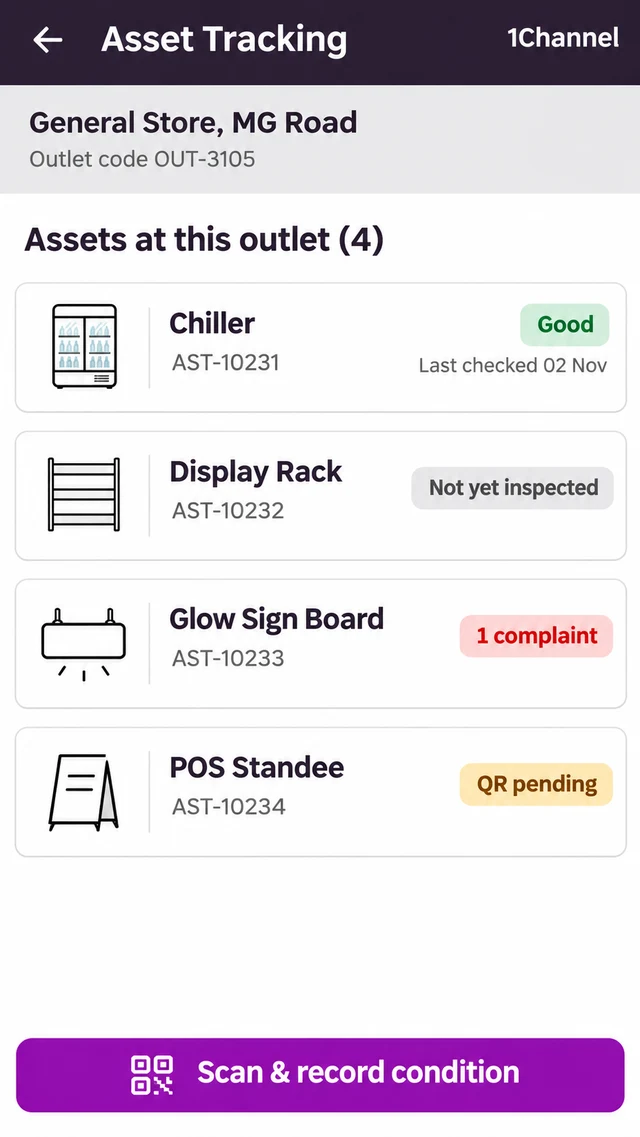
In the store visit, the rep opens Asset Tracking and sees every asset placed at that outlet: display racks, ice boxes, glow sign boards, POS standees and chillers, each with its own asset code.
Status chips show what needs attention: the last recorded condition, “Not yet inspected”, open complaints, “QR pending” or “Attach sticker”.
2. Scan the Sticker Before Recording Condition
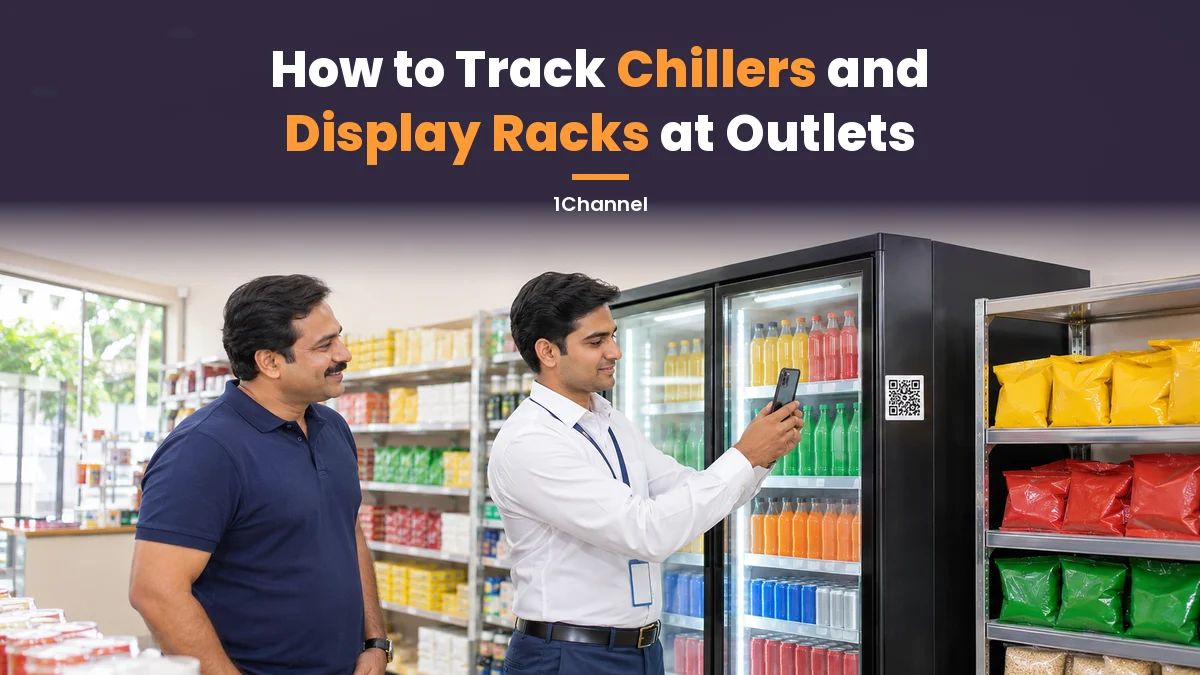
The condition form opens only after the rep scans the QR sticker on the asset. The record is tied to the physical asset, not to a name on a list.
The rep marks the asset Good, Average or Bad and takes a photo with the in-app camera. The photo is mandatory; remarks are optional. Once saved, the app confirms the condition is recorded.
3. Raise One Complaint per Asset
If something is wrong, the rep raises a complaint against that asset. Each complaint gets an ID and a status, such as Open.
Only one complaint can be open on an asset at a time, so the same fault isn't logged again on every visit.
The asset's detail screen shows its installed date, last condition and the complaints raised against it.
4. Flag Assets That Aren't There
Sometimes the asset is simply gone. Instead of skipping it, the rep marks “This asset is not at the outlet”, so the gap is on record from that visit.
Over time, the outlet's asset list matches what is actually in the shop, not what was installed months ago.
Every Asset Checked on Every Visit
1Channel lists every asset at an outlet, opens the condition form only after a QR scan, requires a photo with every condition check and tracks complaints against each asset.
Explore 1Channel's Retail Merchandising Software →5. Check What's Inside the Chiller
A chiller can be in good condition and still not be stocked the way the brand expects.
Chiller Purity is a separate activity in the store visit. Its score is added to the outlet's Perfect Store score to give a total.
Perfect Store is scored by AI from shelf photos, on facings, adjacency and eye level. Together, the two give one view of how the outlet looks on that visit.
Where an outlet has no cooler, the app says so and no score is given. Chiller Purity can also count as an execution point on the rep's incentive dashboard.
Before an Asset Reaches the Outlet
Tracking starts before installation. Warehouse and custody records assets as they are received, allocated, deployed and returned, along with the stock each person holds.
In Practice
On a typical visit, the rep checks in and a visit timer starts. The rep then opens the Asset Tracking tile, scans each asset, records its condition with a photo and raises a complaint where needed. Chiller Purity comes next, then check-out.
Each activity tile turns green with a tick once it's done, so the rep can see at a glance what's left at that outlet.
Frequently Asked Questions
1. Which outlet assets can be tracked?
Assets such as display racks, ice boxes, glow sign boards, POS standees and chillers, each listed against the outlet with its own asset code.
2. Can a rep record an asset's condition without scanning it?
No. The condition form opens only after the asset's QR sticker is scanned.
3. What if an asset already has an open complaint?
A second one cannot be raised. The app shows that a complaint is already open on that asset.
Note: Software screens may vary based on your business structure and configured workflows.