The Users section of the LMS for Sales Teams is designed to help you add, manage, and organize all types of users in one centralized system. This section ensures smooth onboarding, role-based access, and accurate tracking across the entire learning platform.
In the Users module, you can add and manage Admin, Trainers, and Employees. These are the standard user types available in the software, and they can also be customized as per the company's requirements.

Why the Users Feature Matters
The Users module ensures that:
- Every user is added with the correct role and level
- Access to training, modules, and sessions remains role-based
- User data stays organized, searchable, and exportable
- Admins can manage users efficiently without complexity
By keeping all user management activities in one place, the LMS for Sales Teams enables better control, smoother operations, and a scalable training structure.
Add Users with Complete Control
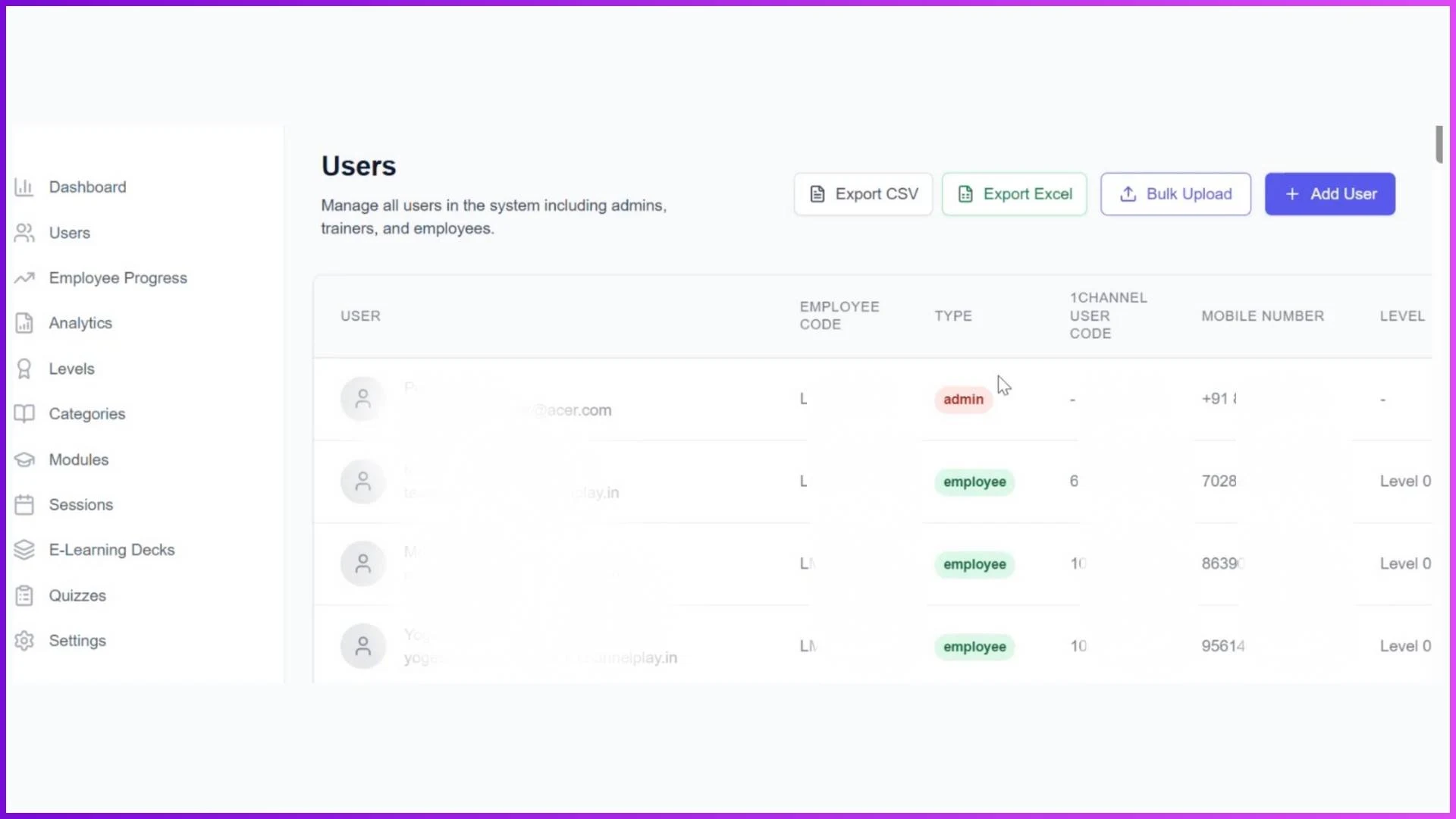
The Users screen provides simple and clear buttons to manage all user-related activities, including:
- Add User
- Bulk Upload
- Export Users
When you click on Add User, the system displays three options under the User Type section:
- Employee
- Trainer
- Admin
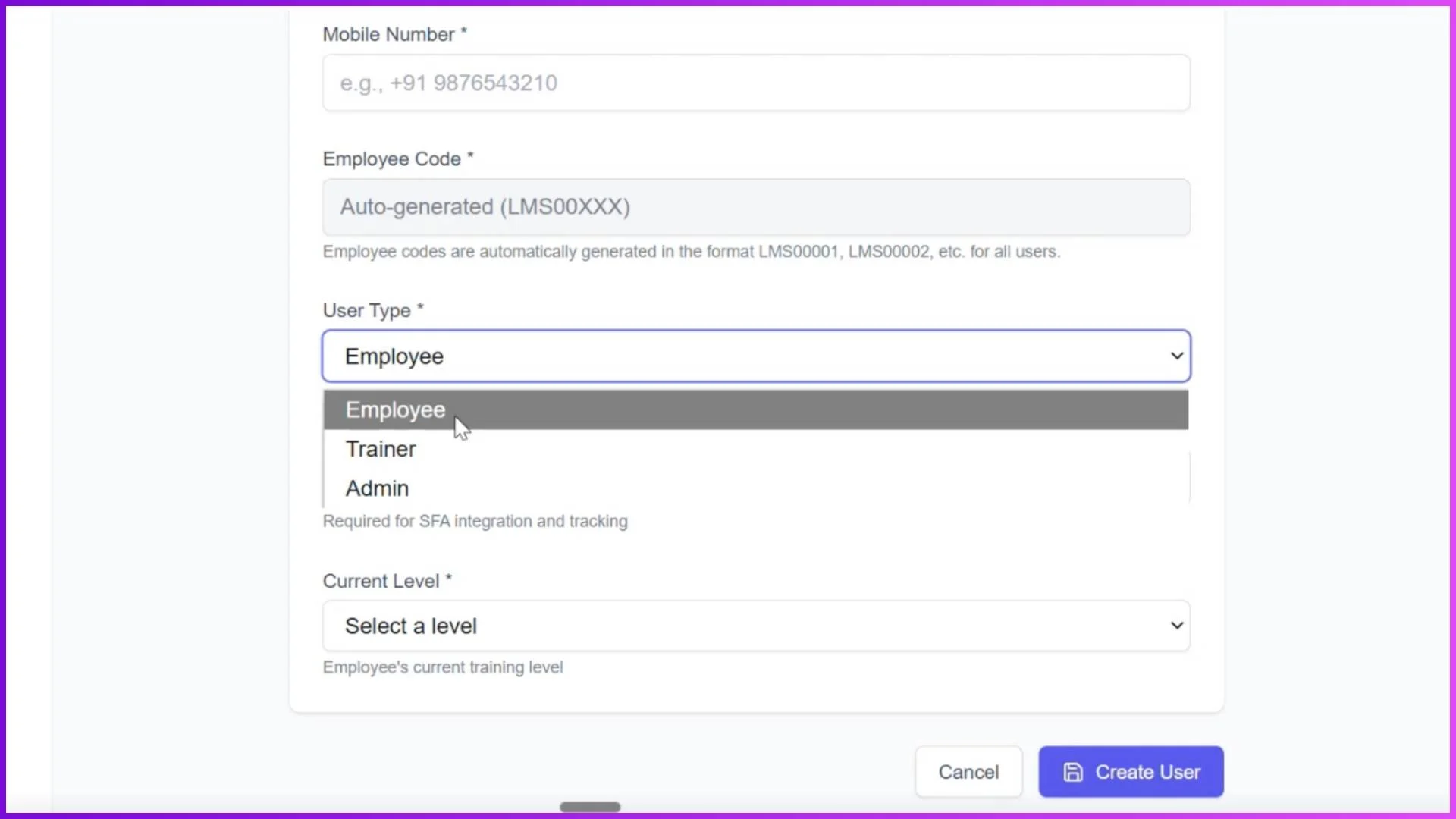
This role-based selection ensures that each user gets access only to the functionality relevant to their role.
Add New User Details
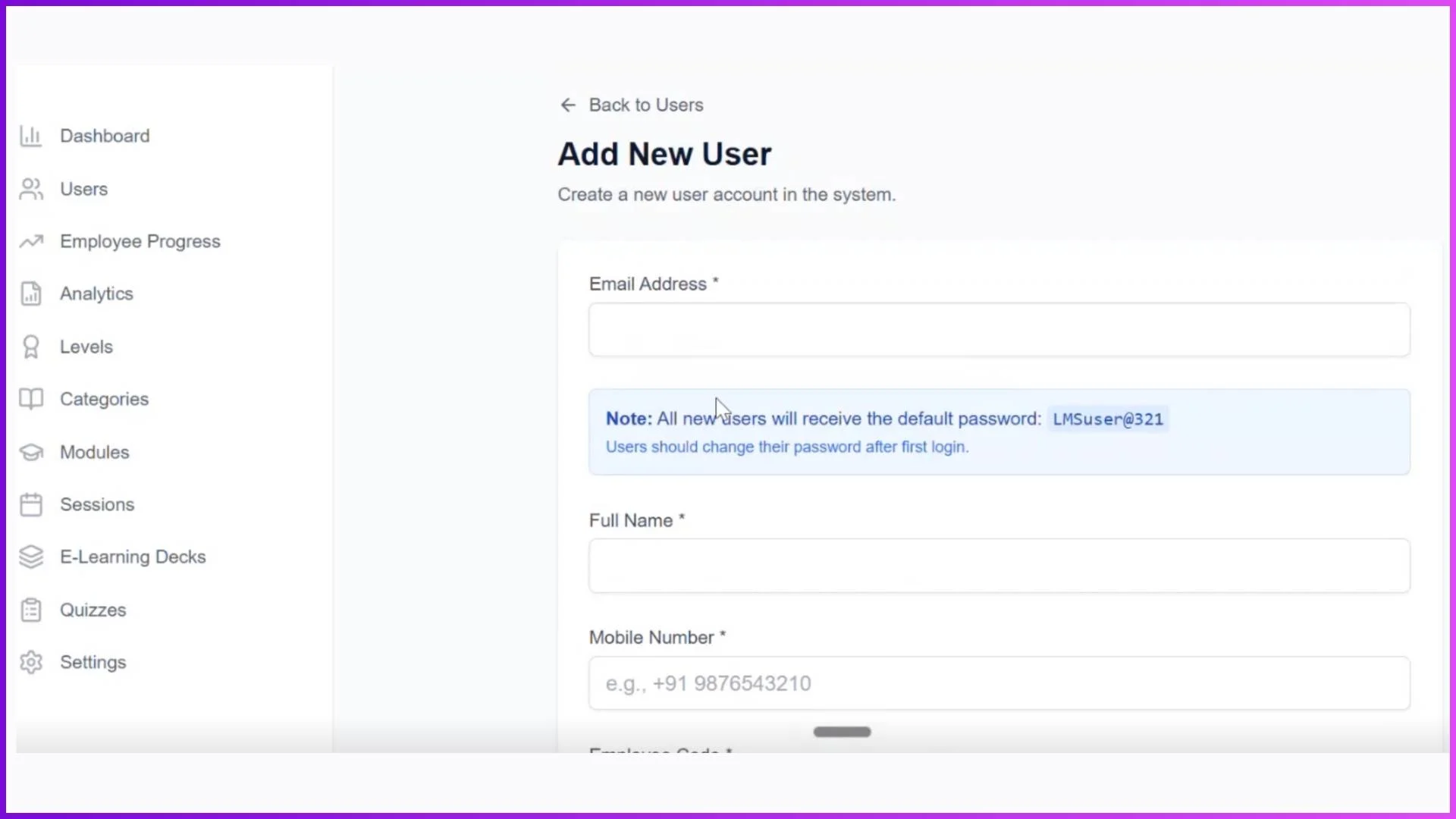
On the Add New User screen, you are required to enter essential user information, including:
- Email Address
- Full Name
- Mobile Number
- Employee Code
- User Type
- Current Level
Once these details are filled, clicking the Create User button adds the user directly to the LMS software database. This process ensures quick onboarding and accurate user mapping within the system.
Explore Learning Management System
Transform your sales team training with 1Channel's comprehensive LMS platform. Add and manage users with role-based access, bulk upload capabilities, and powerful export features for complete control.
Explore Learning Management System →Bulk Upload for Faster Onboarding
For organizations managing large sales teams, the Bulk Upload option allows admins to upload a complete list of users at once. This feature supports adding employees, trainers, and admins together, saving time and reducing manual effort during onboarding.
Export Users for Easy Review
The Users section also includes Export options to review and manage user data externally. Admins can export user details in two formats:
- Export CSV
- Export Excel
These export options make it easy to audit users, maintain records, or share data across internal teams.
Frequently Asked Questions (FAQs)
1. What is the Users feature in an LMS for Sales Teams?
The Users feature allows admins to add and manage different user types such as Admins, Trainers, and Employees. It ensures role-based access and structured learning within the best LMS for sales team training.
2. How can I add users in the LMS for Sales Teams?
You can add users individually using the Add User option or upload multiple users at once using the Bulk Upload feature. This makes onboarding faster and more efficient for large sales teams.
3. What user types are supported in the LMS?
The LMS supports three standard user types: Admin, Trainer, and Employee. These roles can also be customized based on your organization's requirements, making it suitable for the best LMS for sales team environments.
4. Can I assign levels to users while adding them?
Yes. While adding a new user, admins can assign the current level to the employee. This helps control which modules and training sessions are visible to the user.
5. Does the LMS support bulk user management?
Yes. The LMS includes bulk upload functionality for adding multiple users at once and export options to download user data in CSV or Excel formats for easy review and management.
6. Why is user management important in the best LMS for sales team?
User management ensures that the right people get the right access at the right level. In the best LMS for sales team training, this leads to better control, organized learning paths, and accurate progress tracking.
7. Can I export user data from the LMS?
Yes. Admins can export user details using Export CSV or Export Excel, making it easy to audit users or maintain internal records.
8. How does role-based access improve sales training?
Role-based access ensures that admins, trainers, and employees see only the features relevant to them. This improves usability, reduces confusion, and makes the LMS more effective for sales team training.