Most field sales promotions are decided in a manager's head, based on whoever was most visible last quarter.
Across Nigeria's distribution landscape, the same gap shows up in FMCG, pharma, consumer durables, and cosmetics and personal care sales teams.
This post shows how a field learning system turns promotion into a rule the whole team can see.
It covers building a level ladder, setting promotion criteria, what reps see on the app, and where coaching fits in.
Why Promotion by Memory Backfires
A rep who sells well in Surulere but rarely sees the manager can wait years for a step up.
Another who is always in the office gets promoted before finishing basic product training.
Both outcomes cost the business, one through attrition and one through a weak new supervisor.
Build the Ladder Before Anyone Climbs It
On 1Channel's learning platform, an admin first defines every level in order, for example Level 0 to Level 4.
Each employee holds exactly one level at a time and moves up one step at a time.
Every training module is tagged to one level, so a rep only sees the content meant for their current stage.
| Level | Example Display Name | Sequence |
|---|---|---|
| Level 0 | Beginner | #1 |
| Level 1 | Intermediate | #2 |
| Level 2 | Proficient | #3 |
| Level 3 | Advanced | #4 |
| Level 4 | Expert | #5 |
Three Criteria Decide Each Step
For each level, the admin picks promotion criteria from a fixed set of three and gives each one a target.
| Criterion | What It Measures | Example Target |
|---|---|---|
| Certificate received (%) | Share of required certificates the rep holds | 100% |
| Avg. Productivity Units | Average output over a chosen period | 30 units over the last 3 months |
| Tenure (in days) | Days spent at the current level | 120 days |
Once a rep meets every criterion for their level, the promotion happens automatically, with no form to chase.
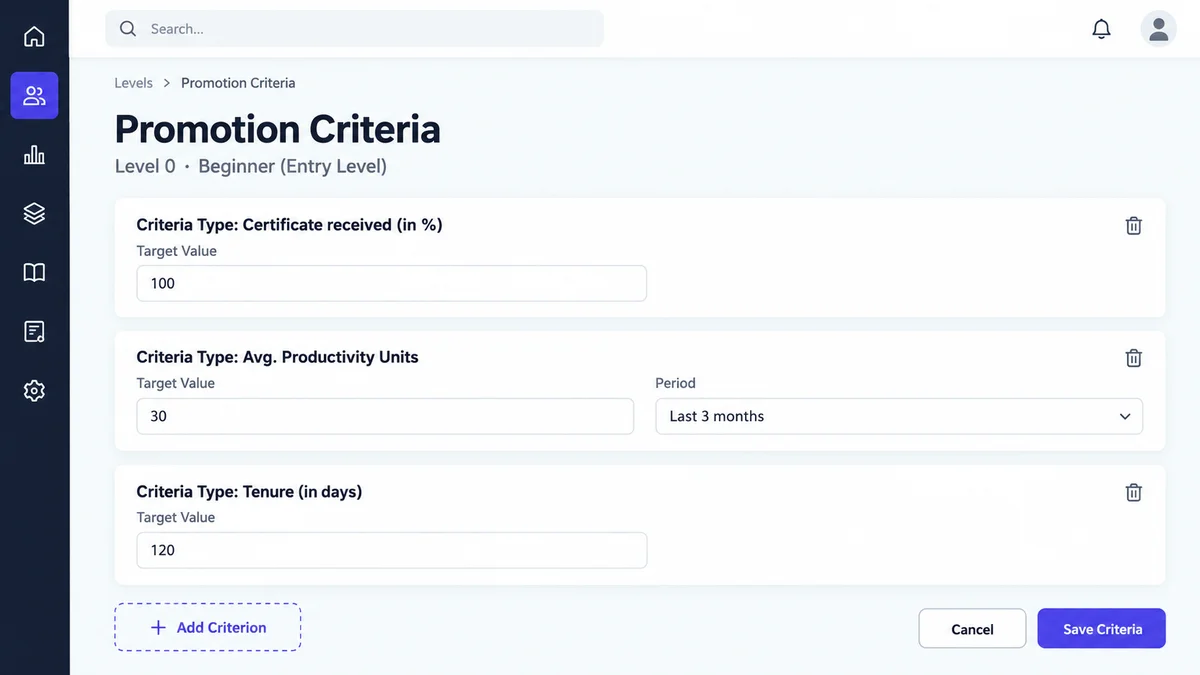
Say a beverage distributor in Lagos sets exactly those three targets for Level 0.
Chinedu Okafor holds every certificate and averages 34 units, but has spent only 96 days at Level 0.
The system simply waits. When the tenure target is met, Chinedu moves to Level 1 without anyone filing a request.
What the Rep Sees on the App
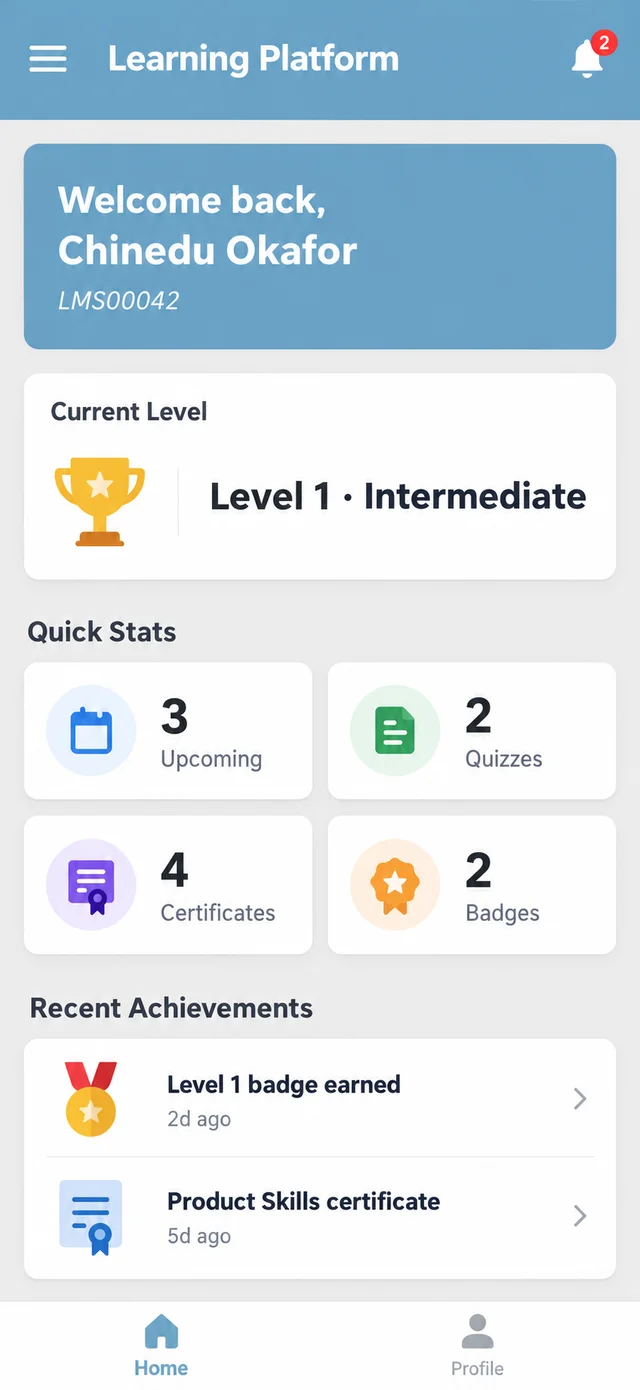
On the mobile app, the home screen shows the rep's current level and counts of upcoming trainings, quizzes, certificates and badges.
Each level carries its own badge, so progress is visible to the rep, not only to head office.
Quizzes follow equally clear rules. Each one has its own pass mark and a fixed number of attempts.
Take a pharma sales team in Kano running a product quiz with a 70% pass mark and three attempts.
Aisha Bello scores 62% and then 66%, passes with 74% on the third try and earns the module certificate.
A colleague who misses on all three attempts sees the quiz locked as "Max Attempts Reached".
That lock tells the manager exactly where coaching is needed before the next level.
Coaching Before the Next Step
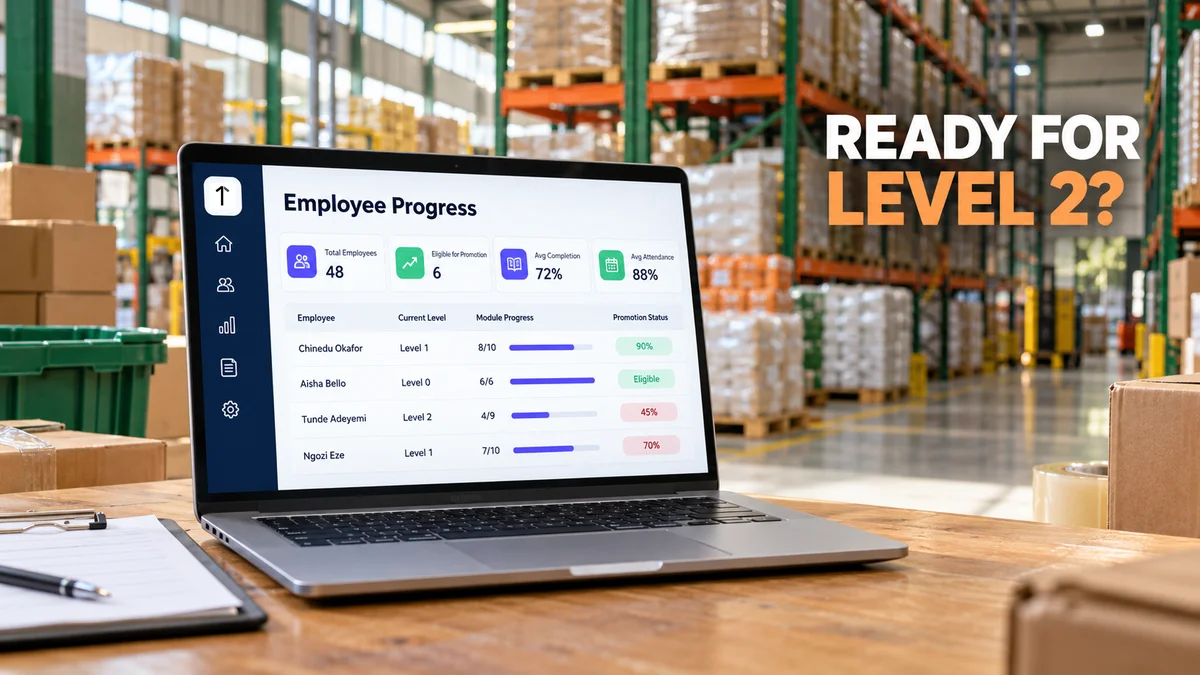
The Employee Progress screen lists every rep's current level, module progress and a promotion status percentage.
A manager can filter by level and see who is close to eligible and who has stalled.
Pitch AI adds one more signal. Video pitches are scored by AI against your rubric, and AI roleplay lets reps practise the sale.
Coaching then goes to the reps who need it before their next step, not after a missed target.
How 1Channel Turns Training Records Into Promotion Decisions
1Channel keeps levels, modules, quiz results, certificates and promotion criteria in one learning system.
Reps follow it on the mobile app, managers watch it on the web portal, and promotions follow the rules you set.
Promote Reps on Evidence, Not Memory
Set up your levels, attach promotion criteria and let every rep track their own path to the next step.
Explore Sales Team LMS →Final Suggestions
- Define every level up front, even if most reps sit at Level 0 today.
- Start with modest targets on the three criteria, then raise them once real data comes in.
- Tag each module to one level so new reps are not buried in advanced content.
- Check the Eligible for Promotion count every month, not only at appraisal time.
- Treat a locked quiz as a coaching list, not a final verdict.
Note: Software screens may vary based on your business structure and configured workflows.