A store that is missing from the outlet list never gets a planned visit, an order line or a target. In reports, it simply does not exist.
That gap widens as the store count climbs across the Philippines. Philippine Seven, which runs 7-Eleven, had about 4,575 stores at the end of March 2026.
It is aiming for 5,000 by year-end, with the Visayas and Mindanao central to the push. Every new door is one more record somebody has to add.
The problem is sharpest for FMCG and Retail & Modern Trade field teams, and Cosmetics & Personal Care and Consumer Durables brands run into it too.
Below are three gaps, the fix for each, and worked examples from Cebu and Davao.
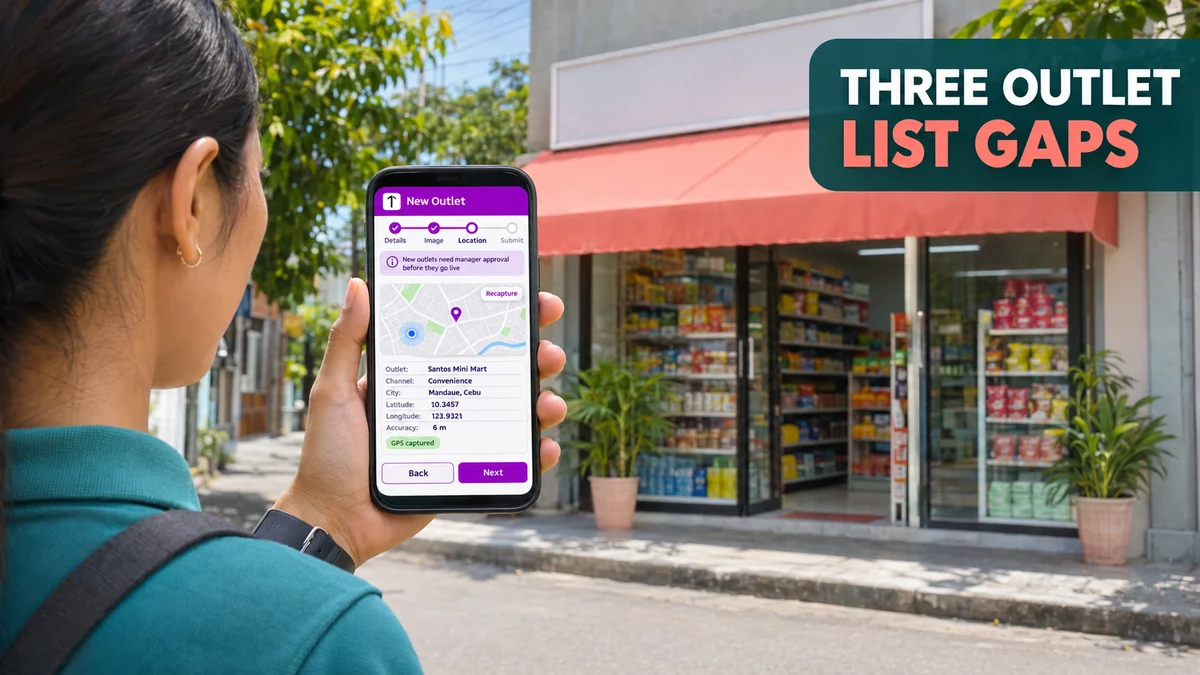
Gap 1: New Stores That Never Reach the List
Reps usually spot new outlets first: a convenience store near a new terminal, or a sari-sari store that has started carrying the brand.
If adding it means an email to head office and a spreadsheet update, the store waits. Until then, visits there are unplanned and coverage reports leave it out.
The Fix: Store Requests From the Field
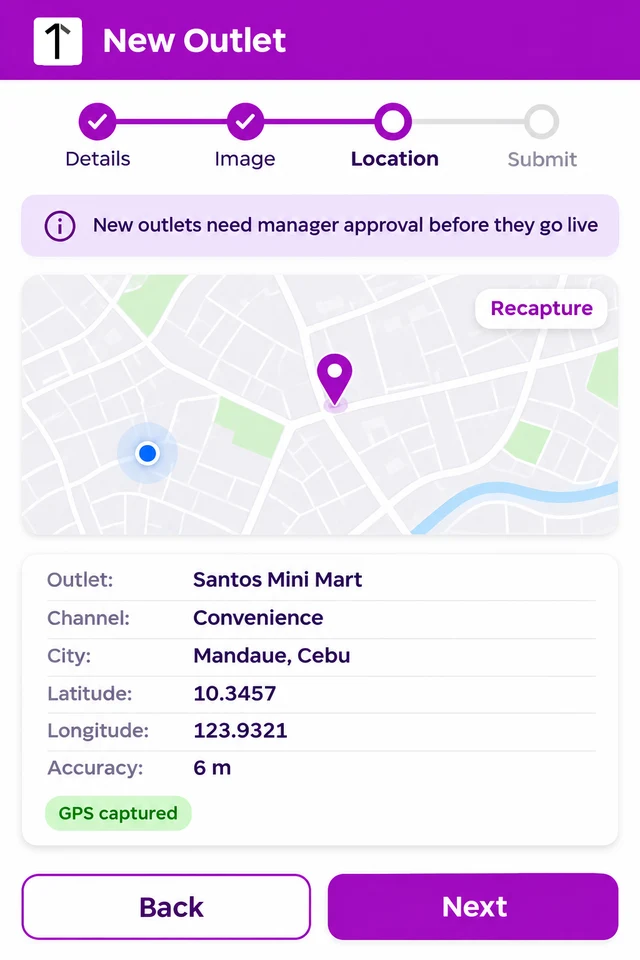
In 1Channel's field app, the rep adds the outlet in four steps: details, a signboard photo, a GPS capture at the store, and submit.
A first-step banner says the outlet needs manager approval. On the portal, the request waits in Approve Store until it is checked.
Once approved, Store Master holds the outlet with its channel, category, GPS location and an optional geofence, mapped to the one rep who services it.
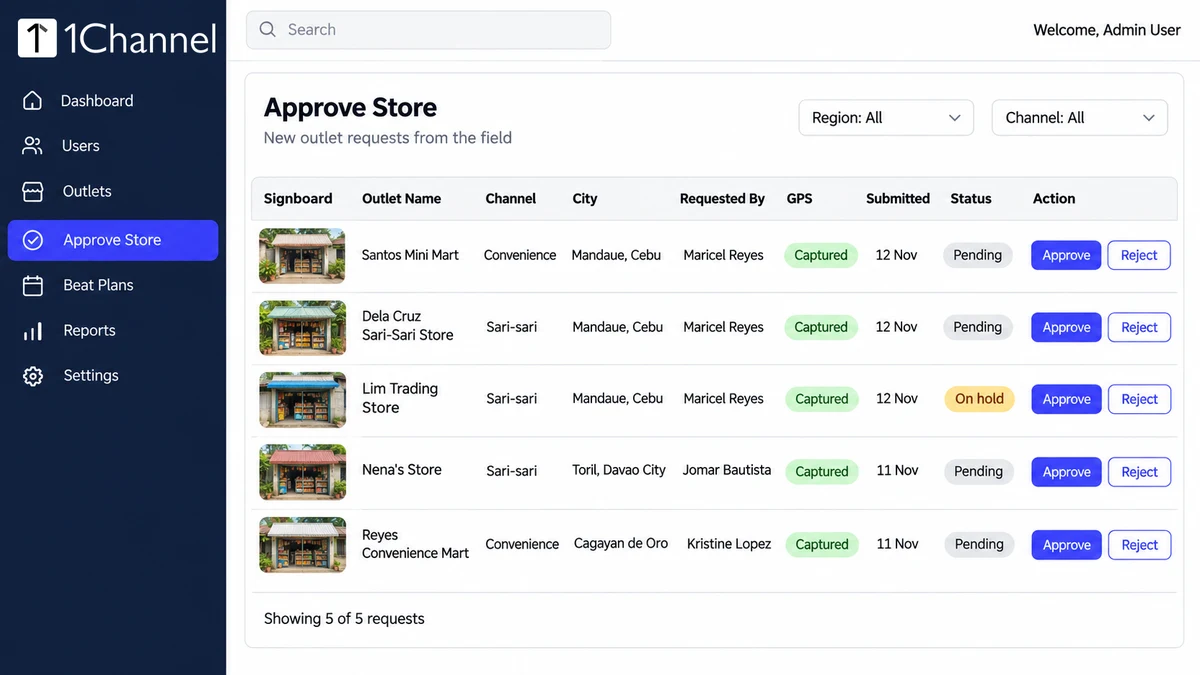
Worked example, Cebu: a rep covering Mandaue finds two new convenience stores and a sari-sari store now stocking the brand's snacks, all in one week.
She submits three requests from the outlets themselves. Her area manager approves two the same afternoon, and both are mapped to her, ready for her beat.
The third is held: the name typed in does not match the signboard in the photo.
Gap 2: The Same Store, Listed Twice
Two reps on neighbouring beats, a distributor's bulk upload and a field request can each create a record for the same store under a slightly different name.
Visits and orders then split across two records. Coverage looks higher than it is, and neither record holds the store's full history.
The Fix: Merge Duplicates and Check Signboards
The store universe in 1View, 1Channel's app for retail execution, people and rewards, includes duplicate detection and merge, so two records become one.
The platform can also be configured to read the signboard photo from the first visit, compare it with the outlet master, and flag mismatches for review.
Worked example, Davao: two reps in Toril each added the same family-run store, once under the owner's name and once under the name on its sign.
After the merge there is one record for the store, mapped to one rep, instead of one shop counted twice across two beats.
Gap 3: Pins That Point to the Wrong Place
A GPS pin can be captured across the road, left behind when a store moves two doors down, or set from an address in a bulk file.
Because the geofence lets a rep act only inside the store's mapped area, a wrong pin can block a genuine check-in at the real storefront.
The Fix: Controlled Pin Correction
GPS pin correction is part of the store universe, and admins can update store GPS from the portal when a location is reported wrong.
The business also decides which outlet fields reps may edit from the app, such as Outlet Image & Location, Outlet Name, Owner Name or Channel.
So reps can fix a location on the spot while names and channels stay locked to head office.
| Gap | What goes wrong | The fix |
|---|---|---|
| New stores missing | No planned visits, orders or targets | Field requests with photo, GPS and approval |
| Same store twice | History split, coverage overstated | Duplicate merge and a signboard check |
| Wrong GPS pin | Genuine check-ins blocked | Pin correction and field edit permissions |
Where 1Channel Fits as the Outlet Count Climbs
1Channel keeps new store requests, approvals, duplicate merges and pin fixes in one store master, the same list that beats, targets and reports read from.
A new door then reaches the right rep once approved, with its photo and location already on file.
Grow the Outlet List Without Losing Control of It
Add stores from the field, approve them before they go live, merge duplicates and fix pins, all on one clean outlet list.
Explore Outlet & Store Management Software →What This Looks Like in Practice
- At the store — the rep submits the outlet with its signboard photo and GPS.
- Same day — the area manager approves or holds each request in Approve Store.
- Each month — sales operations reviews flagged duplicates and merges them before targets are set.
- When a pin is wrong — the rep corrects it, if allowed, or an admin fixes it from the portal.
Note: Software screens may vary based on your business structure and configured workflows.