Managing employee leave manually can be time-consuming and error-prone, especially as organizations grow. Automatic Leave Allocation simplifies this process by ensuring that leave balances are assigned, tracked, and approved through a structured system. This blog explains how Automatic Leave Allocation works, its key components, and how each aspect functions in practice.
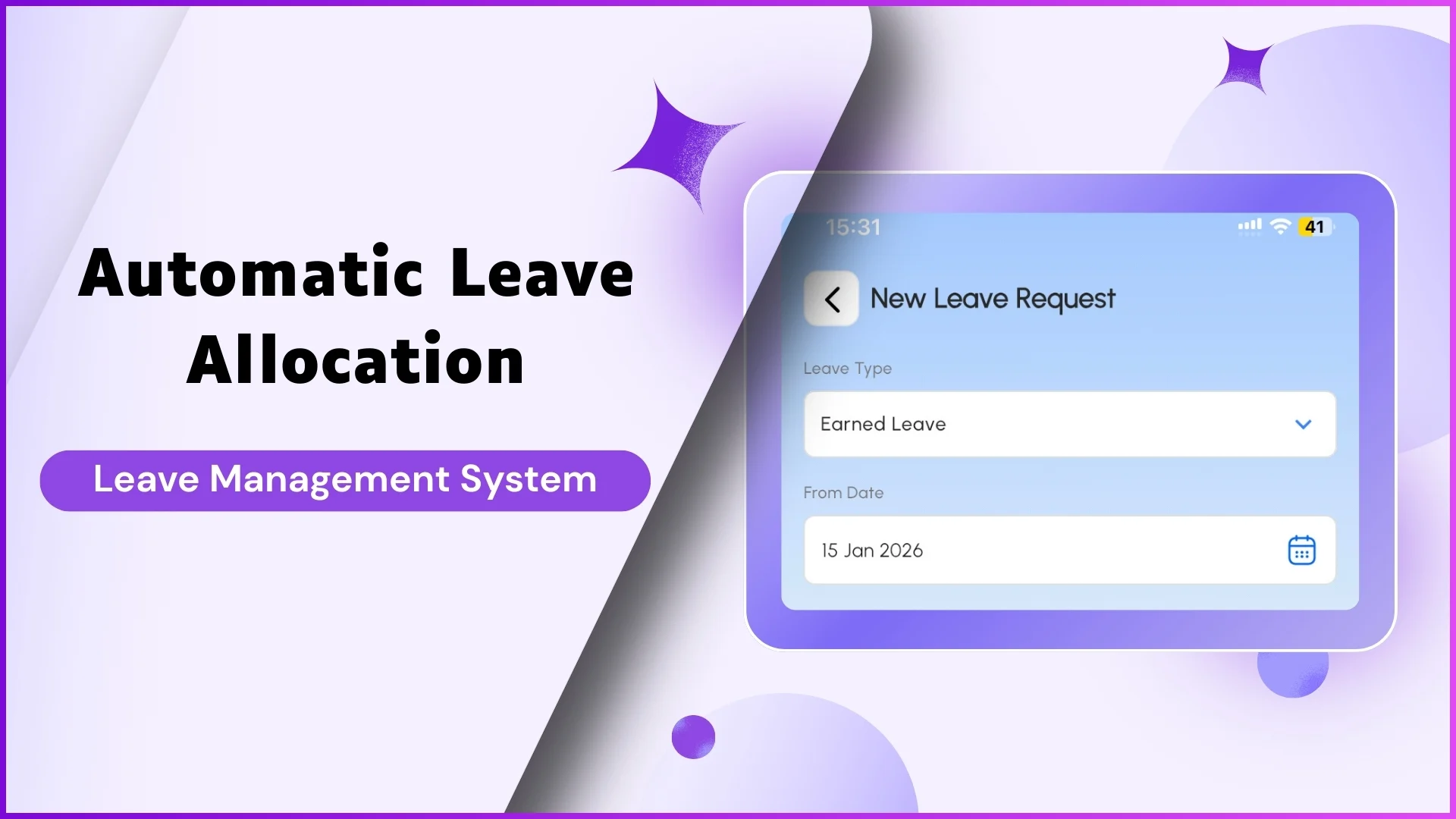
What Is Automatic Leave Allocation?
Automatic Leave Allocation refers to the system-driven process of assigning leave balances to employees based on predefined rules and policies. Instead of manually updating leave records, administrators configure leave policies once, and the system ensures employees receive the correct leave entitlements.
This approach ensures consistency, reduces manual intervention, and improves transparency in leave management.
Key Components of Automatic Leave Allocation
1. Leave Types Configuration
The foundation of automatic leave allocation is defining different leave types in the system. Each leave type represents a specific category of leave an employee can apply for.
Examples:
- Casual Leave
- Sick Leave
- Earned Leave
Each leave type is configured separately, allowing the organization to control how leaves are assigned and used.
Explore Leave Management Software
Streamline leave applications, approvals, and attendance integration for your field sales teams with automated workflows and real-time tracking.
Explore Leave Management →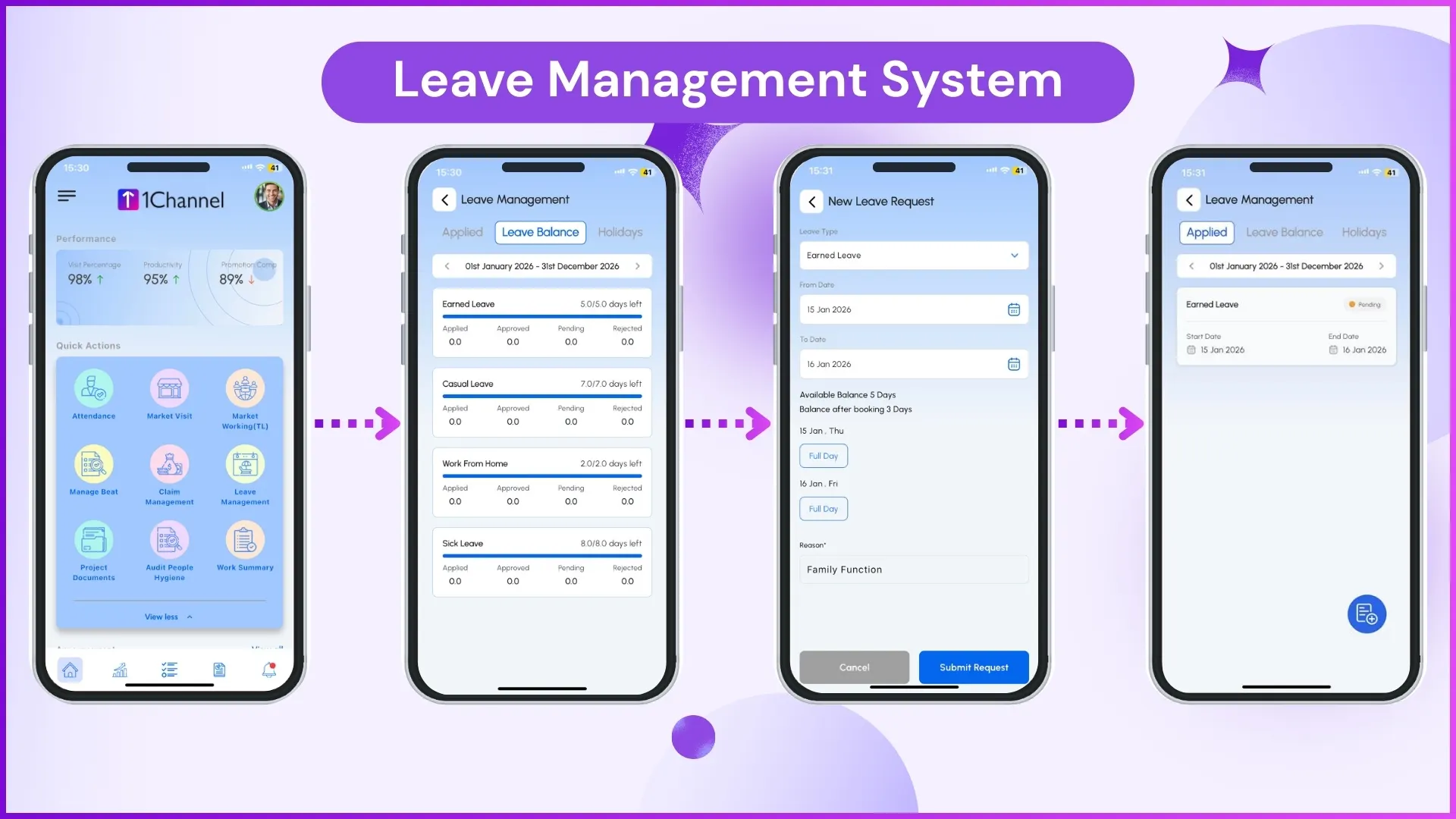
2. Leave Balance Allocation
Once leave types are defined, the system allocates leave balances automatically to employees. This allocation is based on the configuration done by the administrator.
Examples:
- An employee is assigned a fixed number of Casual Leave days at the start of the year.
- Sick Leave balances are added automatically without manual entry.
This ensures every eligible employee starts with the correct leave balance.
3. Uploading Leave Balances
The system also allows administrators to upload leave balances in bulk. This is especially useful during initial setup or when migrating from another system.
Examples:
- Uploading existing leave balances for all employees at once.
- Correcting leave balances after policy changes.
This avoids the need to update individual employee records manually.
4. Leave Approval Policy
Automatic Leave Allocation works alongside a leave approval policy, which defines how leave requests move through the approval process.
Examples:
- Leave requests are routed to the employee's reporting manager.
- Certain leave types may require higher-level approval.
The policy ensures that leave requests follow a structured approval workflow without confusion.
5. Leave Request and Approval Process
Once leave balances are allocated, employees can apply for leave directly in the system. The approval process is triggered automatically based on the defined policy.
Examples:
- An employee applies for Casual Leave, and the request is sent to the manager for approval.
- Approved leaves are automatically deducted from the employee's leave balance.
This keeps leave records accurate and up to date.
Benefits of Automatic Leave Allocation
Reduced Manual Effort
Automated allocation removes the need for repetitive manual updates.
Improved Accuracy
Leave balances and deductions are handled systematically, reducing errors.
Transparent Leave Tracking
Employees and managers can clearly view leave balances and approval status.
Consistent Policy Enforcement
All employees are governed by the same predefined leave rules.
Example Scenario: Automatic Leave Allocation in Action
- The administrator defines Sick Leave and Casual Leave in the system.
- Leave balances are uploaded or automatically assigned to employees.
- An employee applies for Sick Leave.
- The system forwards the request to the reporting manager based on the approval policy.
- Once approved, the leave balance is updated automatically.
This entire process occurs without manual calculations or record updates.
How 1Channel Supports Automatic Leave Allocation
1Channel enables organizations to configure leave types, allocate balances, upload leave data, and manage approvals through a unified platform. With built-in leave approval workflows and balance tracking, 1Channel helps ensure that Automatic Leave Allocation operates smoothly and consistently across the organization.
Explore Sales Force Automation
Manage your entire field sales operation with integrated leave management, attendance tracking, visit planning, and performance analytics in one platform.
Explore SFA Solutions →Conclusion
Automatic Leave Allocation simplifies how organizations manage employee leave by automating balance assignment, approvals, and tracking. By defining leave types, setting approval policies, and leveraging automated workflows, businesses can reduce administrative effort while maintaining accuracy and transparency. Implementing a structured leave allocation system ensures employees and managers experience a seamless and reliable leave management process.