In this blog post, we are going to share a free, step-by-step manual method to set up a route planning system for employees.
We'll be using Google's free apps such as Google Forms, Sheets, and Maps along with other freely available tools that can be easily integrated into your workflow.
Before you start, please note that this method involves a few technical steps with Google Sheets and Forms.
It is best suited for small teams (up to 10 members) and works perfectly for startups, freelancers, or small field teams.
Benefits of Free Setup Route Planning Method
- Completely free for all users and for all industries
- Built using Google's globally trusted apps
- Easy to understand for existing Google app users
- Suitable for startups or small businesses (teams up to 10)
- Easily accessible by both managers and team members
Step by Step Guide for Free Route Planning System Setup
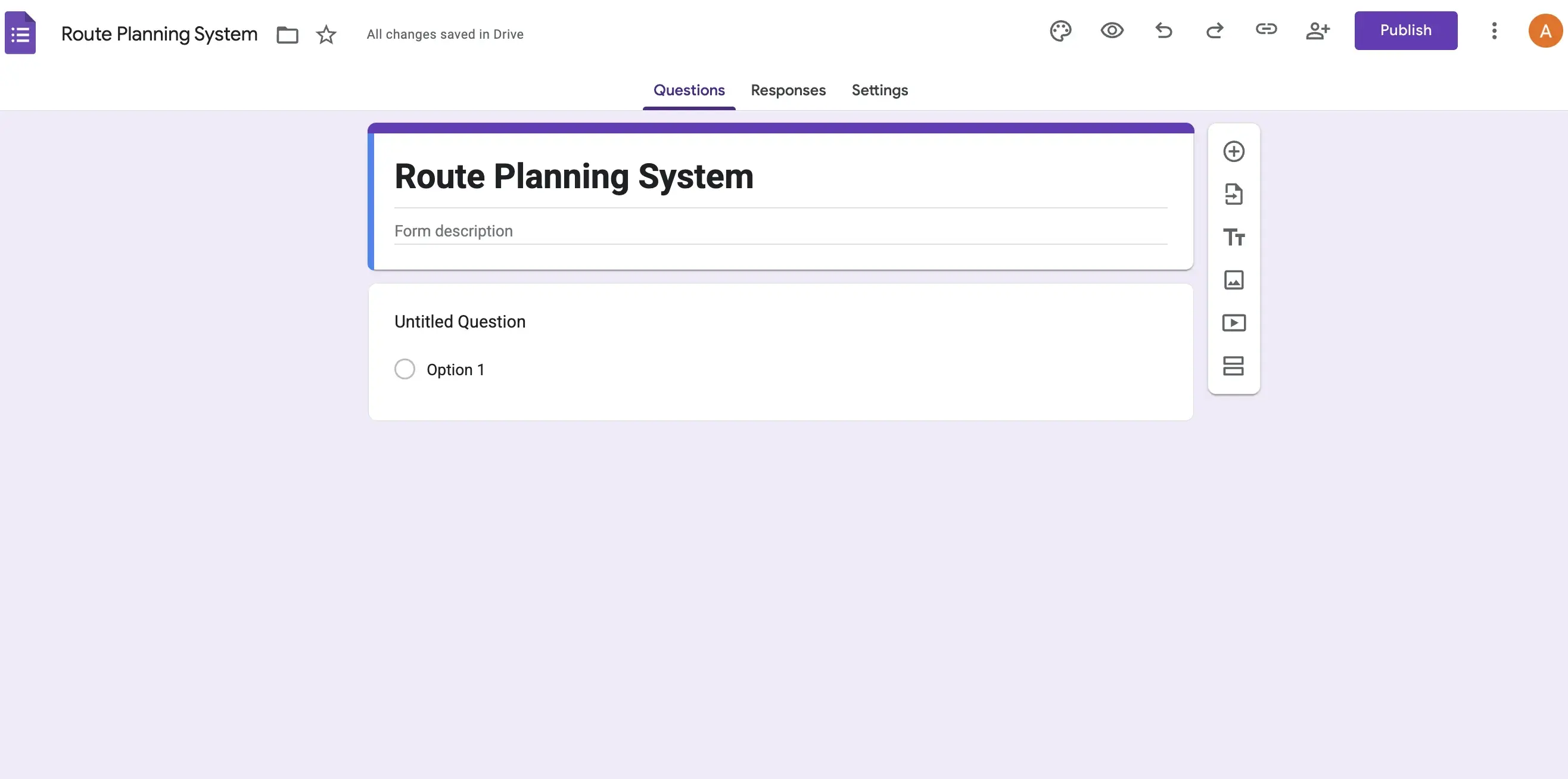
Step 1. Open Google Forms (https://docs.google.com/forms/) and create a new Google Form for Route Planning to start setting up your free route planning system.
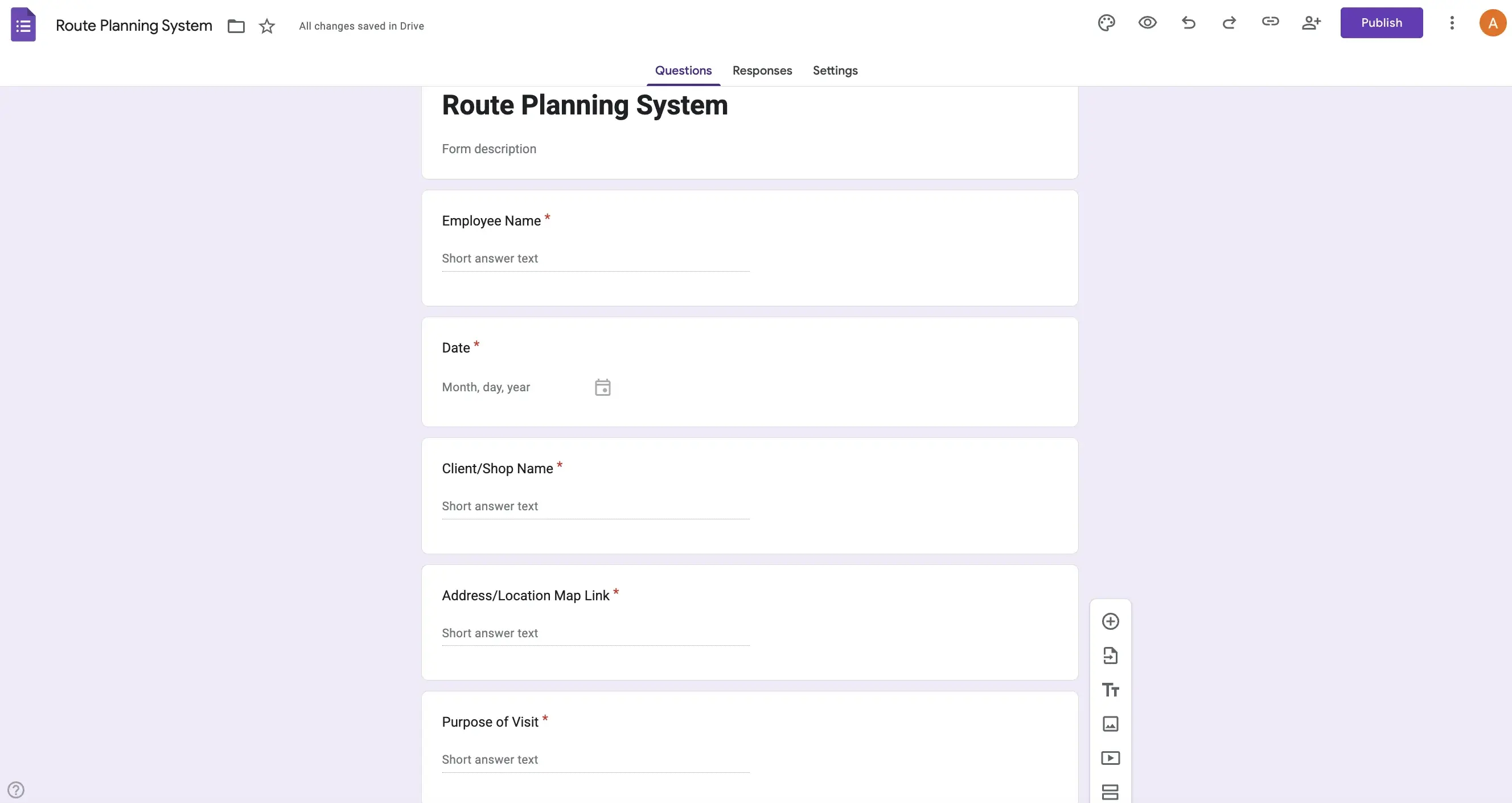
Step 2. Add form fields Employee Name, Date, Client Shop Name, Address Location Link, and Purpose of Visit to collect all required data for your employee visit route planner.
Step 3. Go to the Responses section of the Google Form and click on the Link to Sheets button to connect it with Google Sheets for automatic data collection.

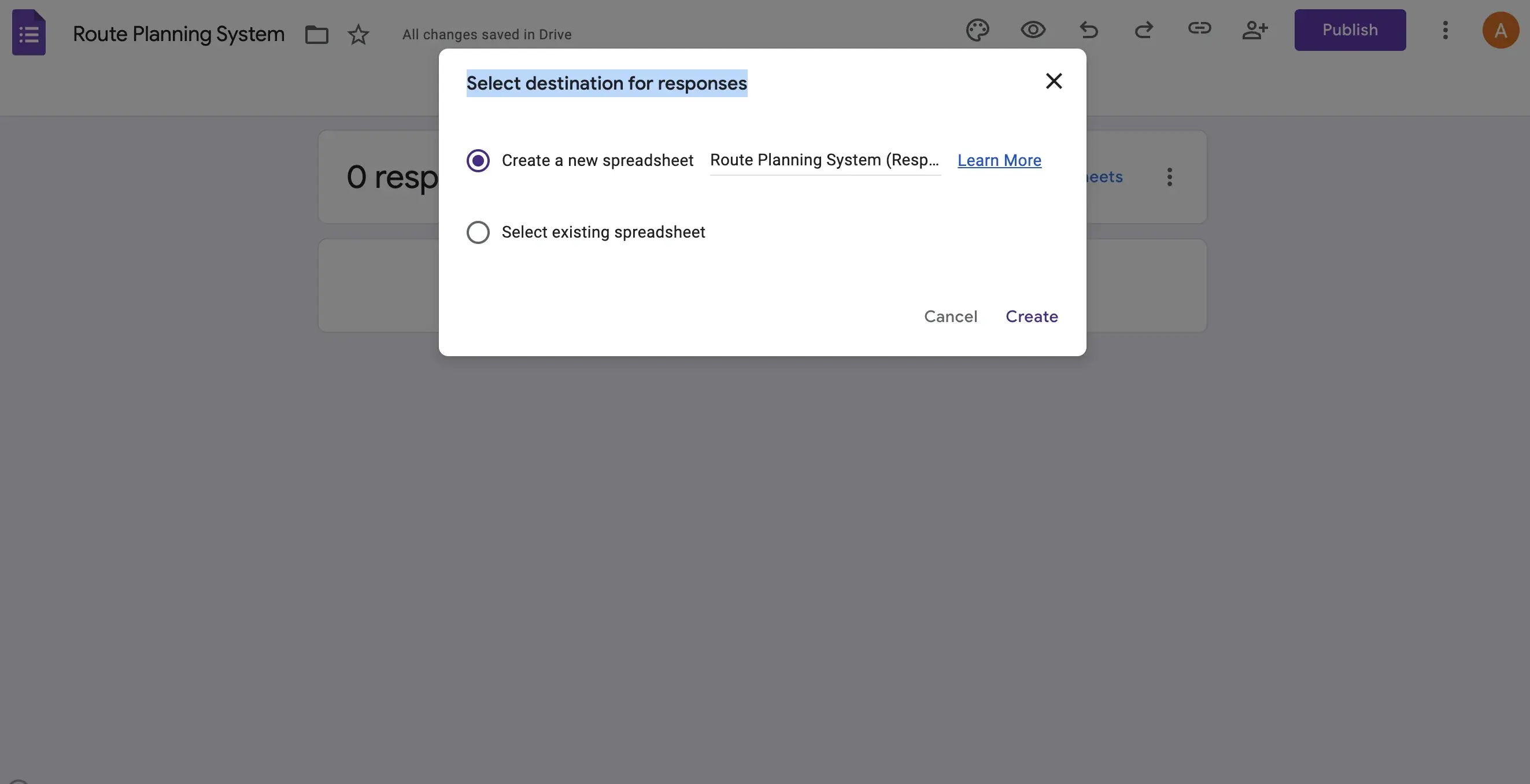
Step 4. Now, a Select destination for responses popup screen will appear. Select Create a New Spreadsheet with the default name recommended, and then click on the Create button. This will generate your connected Google Sheets route planner.
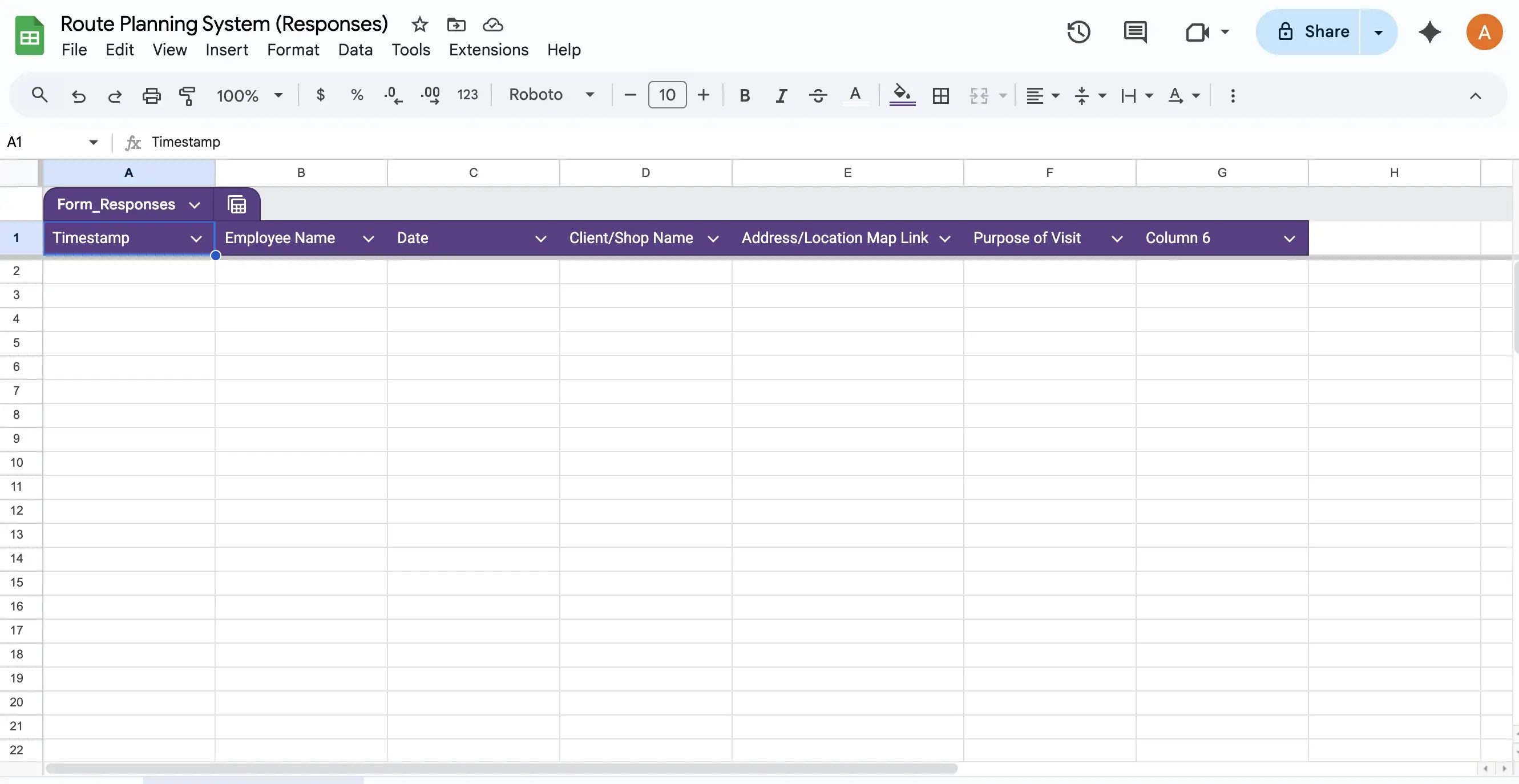
Step 5. The Google Sheet will open in a new browser tab with columns named as per the fields you added in Step 2. Each form submission will automatically populate in your Google-based route planning sheet.
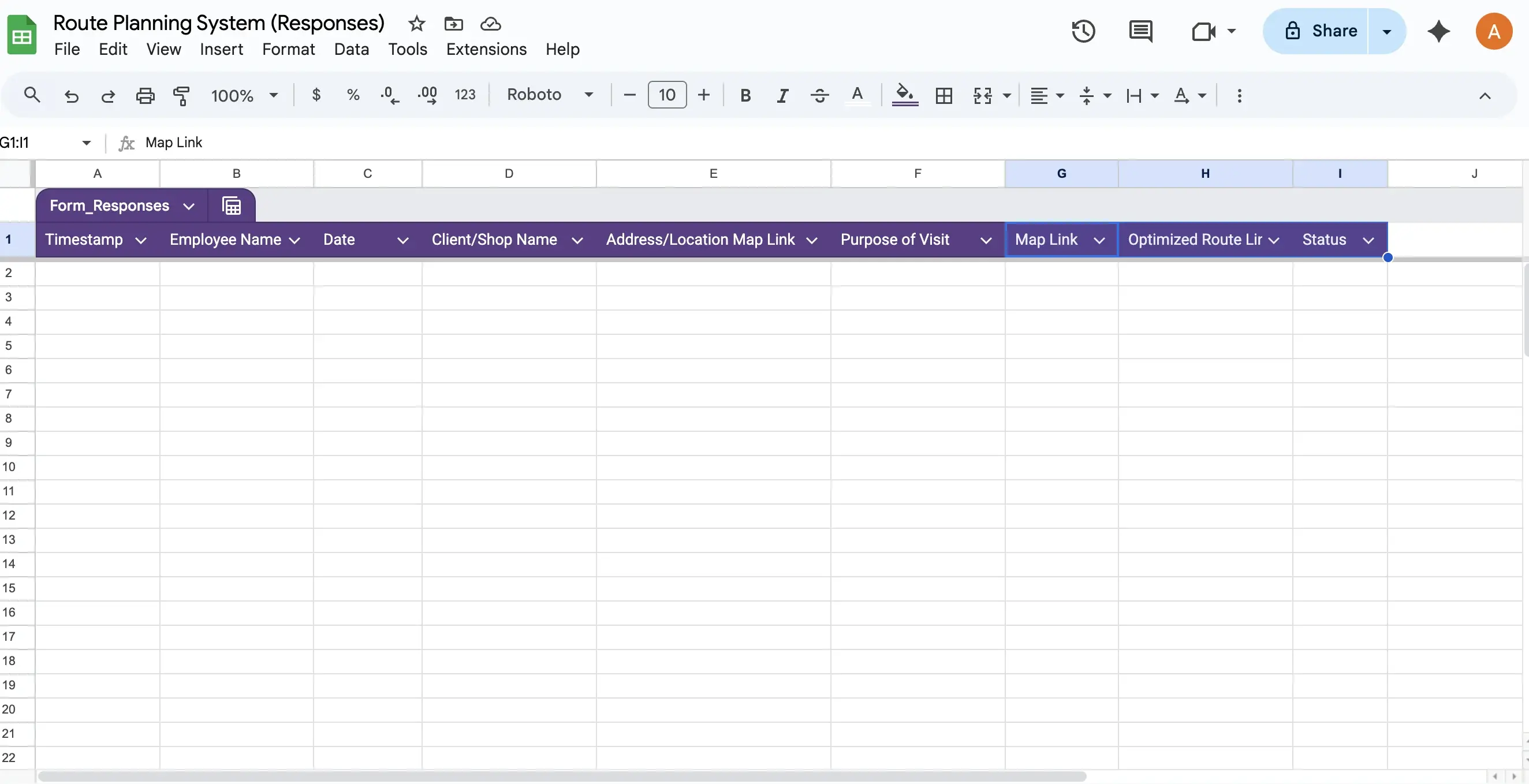
Step 6. Now, add 3 more columns named Map Link, Optimized Route Link, and Status to make your sheet a complete Google Maps route optimization tool.
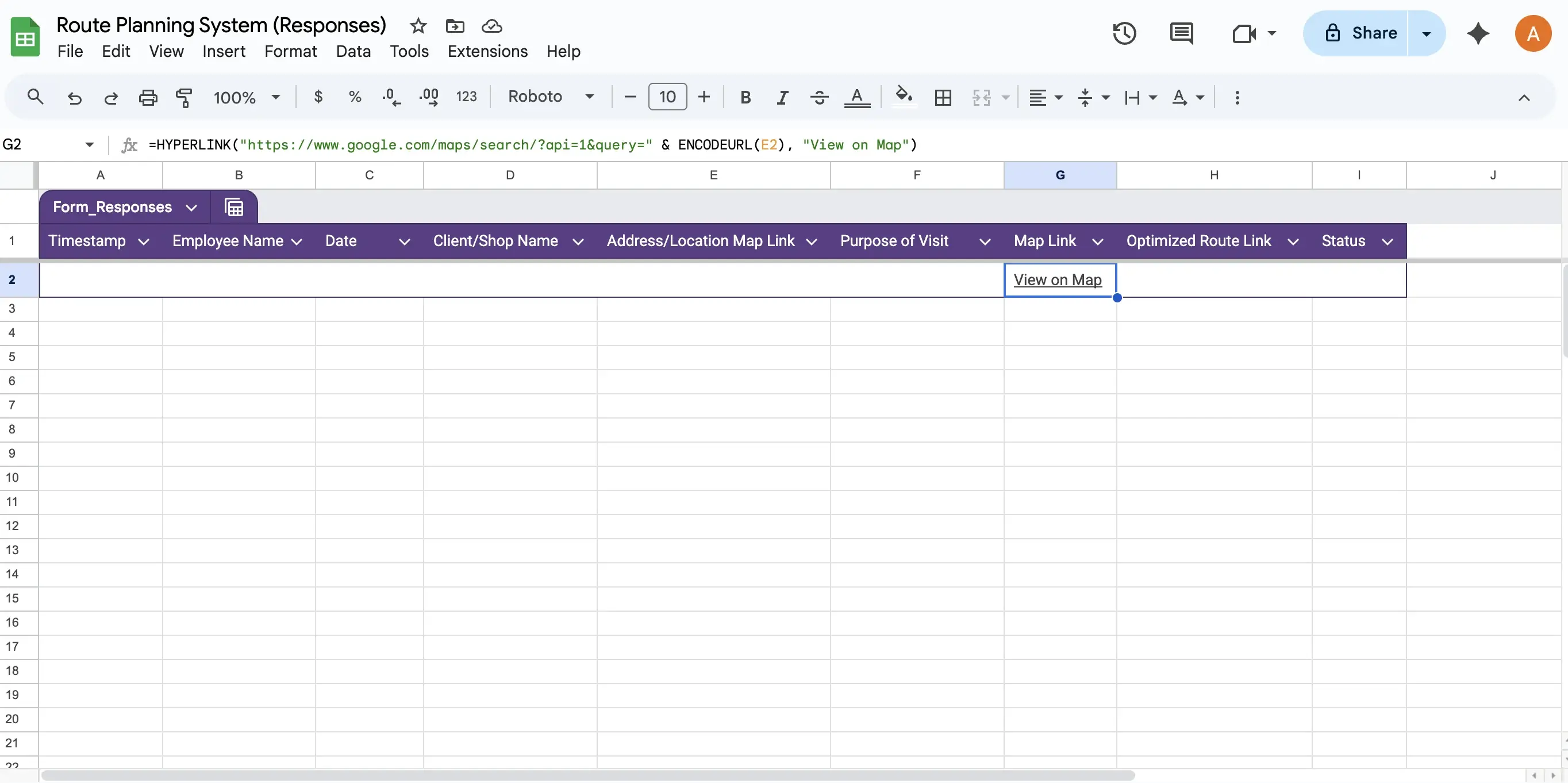
Step 7. Add the formula in the G2 cell Map Link Column to make clickable map links for each location. This allows users to instantly open each client location on Google Maps.

Step 8. Then, add the formula in H2 Cell Optimized Route Link to automatically generate a Google Maps optimized route for each employee by date.


Step 9. Add a dropdown menu in the Status column Column I using Data Validation. This helps managers and employees update task completion status directly in the sheet. Select To Do, In Progress, and Completed as the dropdown options.
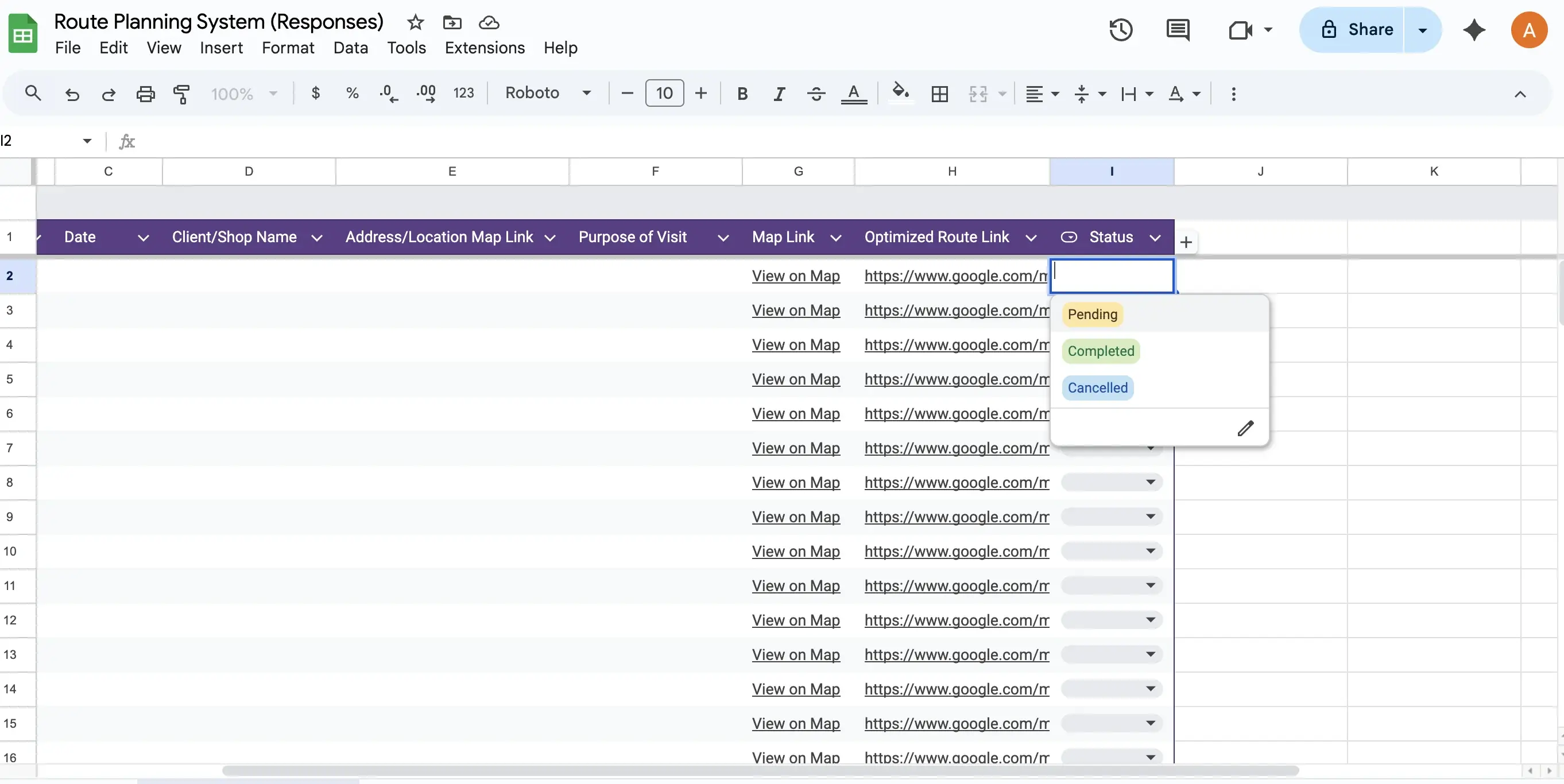
Step 10. Finally, test your route planning system by submitting a test entry via the Google Form. Check if the data appears in Google Sheets, and verify if the Map Link and Optimized Route Link formulas are working correctly.

Limitations of Free Route Planning
While this manual method is cost-effective, it has notable limitations:
- Manual data entry and formula setup required
- No real-time GPS tracking
- Limited scalability works best for up to 10 members
- No automated notifications or alerts
- Route optimization depends on manual formula accuracy
- No analytics or reporting dashboards
- Prone to human error in data entry and formula copying
India's Best Automated Route Planning System
If you want to move from a manual setup to a smart, automated route planning system with real-time tracking, explore 1Channel SFA, India's most trusted sales and field automation platform.
1Channel offers:
- Automated route optimization based on real-time traffic and distance
- Live GPS tracking of field employees
- Visit scheduling and task assignment
- Geo-fencing and attendance tracking
- Intelligent dashboards with route analytics
It's fully configurable for sales, distribution, and field operations teams of any size.
1Channel Customers Across Industries:
- Royal Enfield
- Kala Genset Power and Energy
- Essentia Homes Real Estate and Interiors
- Craftsmith Manufacturing
- Blackshort Fashion and Apparel
- Indian Bank Banking and Financial Services
- JSW Steel Industrial and Construction
- HDFC Bank Banking and Financial Services
- Mosaic FMCG and Retail
- Hindustan Unilever Limited FMCG
- Petronas Oil and Energy
- Parijat Agrochemical
- ACC Cement Construction and Materials
- Sharp Sight Healthcare and Hospitals
Explore Sales Force Automation
Empower your field teams with 1Channel's AI-powered SFA platform. Drive efficiency, boost sales, and gain real-time visibility across your entire sales operations.
Explore SFA Solutions →FAQs Manual Route Planning Google Apps Method
Is this method completely free?
Yes, all Google tools used Forms, Sheets, and Maps are free to use.
Can this handle large field teams?
It's best suited for small teams up to 10 members. Larger teams may face performance or manual maintenance issues.
Can I track real-time locations of employees?
No, this manual setup doesn't support live GPS tracking. For that, an automated route management system like 1Channel is recommended.
Can I access this on mobile?
Yes, employees can open the Google Form and route links via mobile browsers.
What happens if data is deleted accidentally?
There's no automated backup or recovery once deleted, data cannot be restored unless manually backed up.