Sales training becomes effective only when organizations can clearly see how employees are learning, progressing, and performing.
An LMS for Sales Training with employee progress and reporting features gives admins complete visibility into training activities, achievements, and readiness for promotion all from a centralized system.
This blog explains how the LMS for Sales Team tracks employee progress and generates reports by using its existing dashboards, analytics, levels, modules, sessions, quizzes, and mobile applications exactly as defined in the software.
Role-Based Access for Accurate Progress Tracking
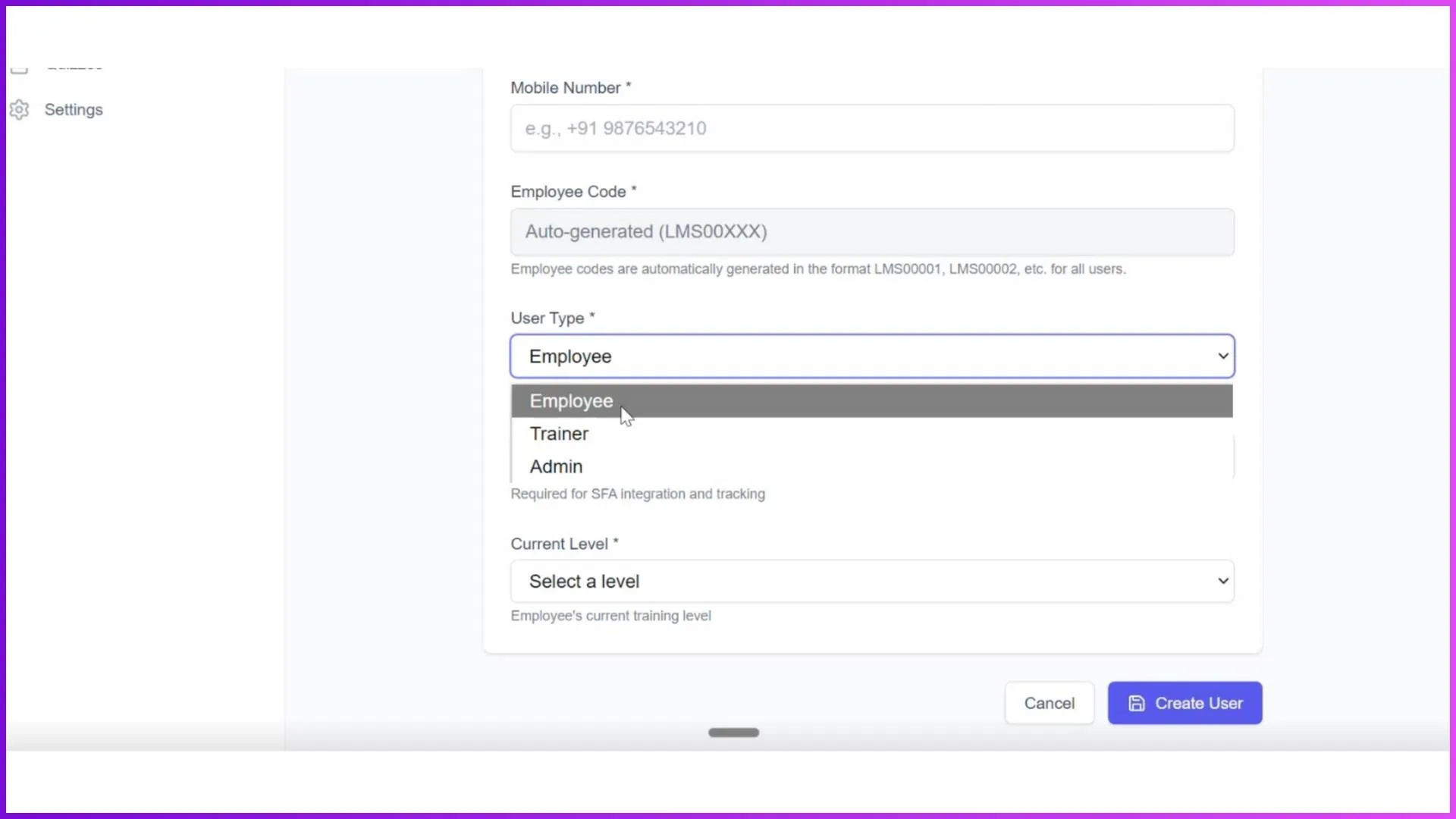
The LMS works on 3 interfaces for 3 types of users: Admin, Trainer, and Employee. Progress tracking and reporting are primarily managed through the Admin portal, which is accessible on desktop and provides full control over the system.
The Admin Portal acts as the command centre of the LMS. It is designed to manage users, learning structures, training sessions, assessments, and organizational learning analytics while staying fully synced with the mobile application used by Trainers and Employees.
Admin Dashboard: The Starting Point of Employee Progress Tracking
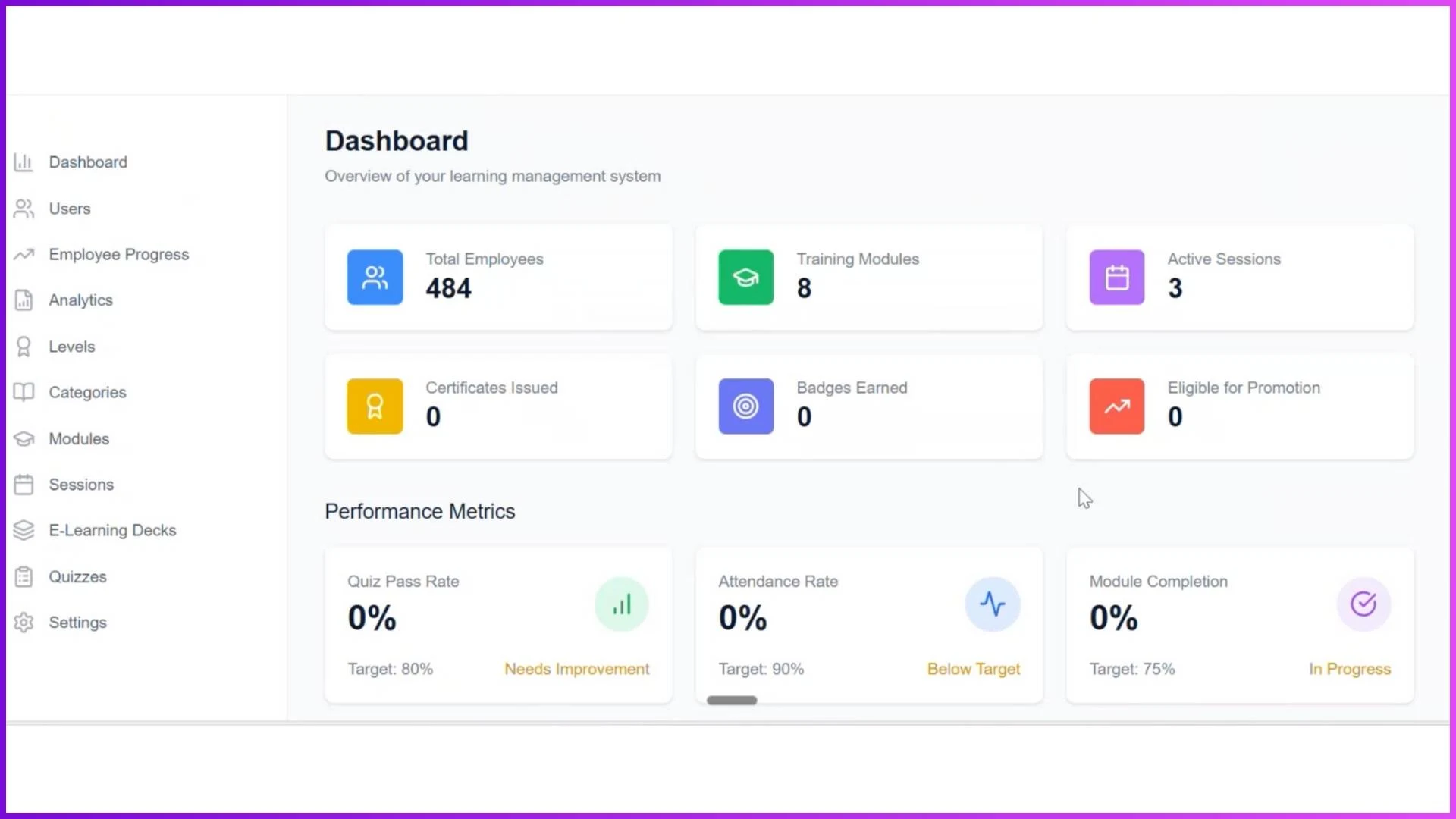
The Dashboard is the landing screen for Admin users and provides an instant snapshot of training and employee progress across the organization.
Key data visible on the dashboard includes:
- Total Employees
- Training Modules (number of modules created)
- Active Sessions
- Certifications Issued
- Badges Earned
- Employees Eligible for Promotion
Under the Performance Matrix, admins can directly view:
- Quiz Pass Rate
- Attendance Rate
- Module Completion
The dashboard also includes Quick Actions such as Manage Users, Track Progress, Training Modules, Sessions, and Quizzes, along with a Recent Activities section that highlights all recent learning actions performed in the system.
Employee Progress Section: Centralized Progress Reporting
The Employee Progress section is the core area for tracking individual and overall learning performance.
This screen includes cards and metrics such as:
- Total Employees
- Eligible for Promotions
- Average Completion Rate
- Average Attendance
A search bar allows admins to directly search for a specific employee and view detailed progress information.
The progress table provides structured visibility through the following fields:
- Employee Name
- Current Level
- Module Progress
- Achievements (Certificates, Badges, Attendance)
- Promotion Status
This setup enables admins to quickly understand where each employee stands in their learning journey.

Levels: Measuring Growth and Promotion Readiness
Levels play a critical role in employee progress tracking. Admins can create multiple levels from Level 0 to n number of levels and define promotion criteria based on predefined metrics:
- Certificates Received (in percentage)
- Tenure (in days)
- Average Productivity Units
An employee must complete all defined criteria to unlock the next level. Once promoted, new modules and sessions automatically become visible to the employee. This level-based structure ensures progress is measurable, structured, and aligned with learning goals.

Modules & Categories: Structured Learning Visibility
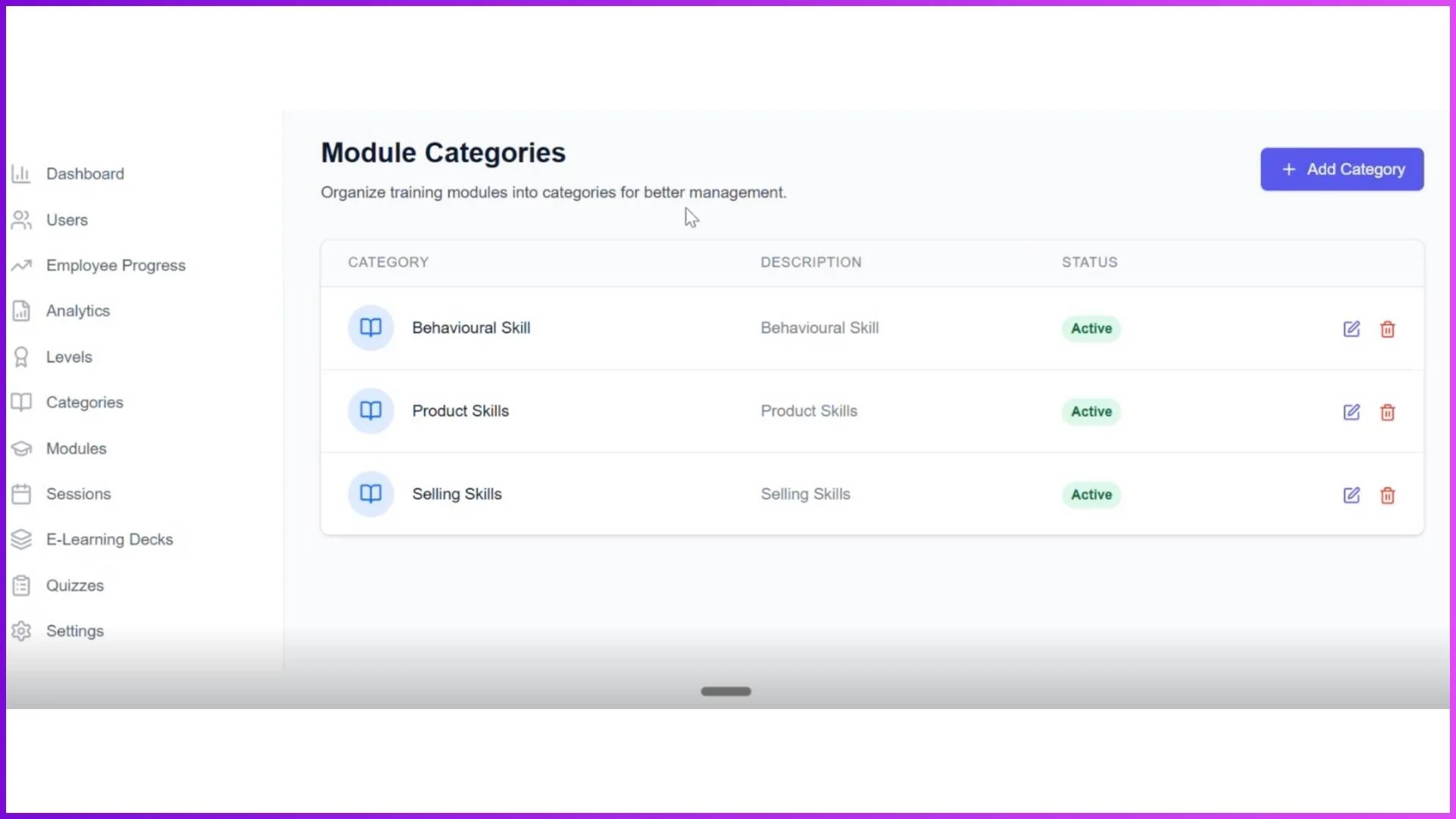
Categories act as super sets such as Behavioural Skills, Product Skills, and Selling Skills. Under each category, admins create modules, which are then mapped to specific levels.
For example, a module like "Gaming Notebook" can be assigned to Level 0. Only employees at that level can view the module. As employees progress through levels, they gain access to new modules and sessions, making progress tracking level-specific and highly organized.
Sessions: Attendance and Participation Tracking
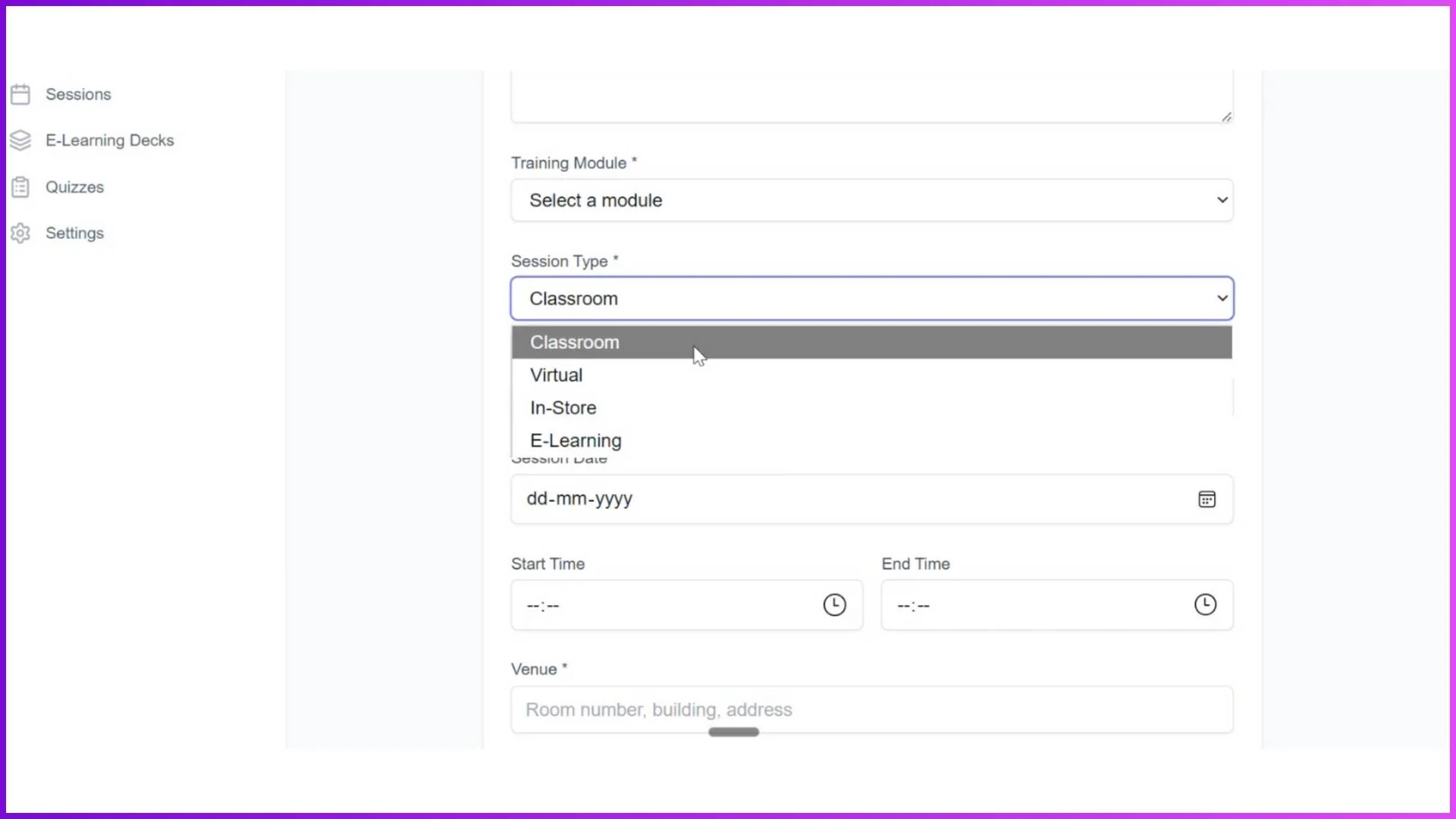
Sessions represent actual training classes and are directly linked to progress and reporting. The LMS supports four types of sessions:
- Classroom Sessions
- Virtual Sessions
- In-Store Sessions
- E-Learning Sessions
Attendance tracking differs by session type but is always recorded within the system. Classroom and In-Store sessions include photo-based and geo-tagged attendance, while Virtual sessions allow attendance marking before joining meeting links. E-Learning sessions can be configured with time-based completion criteria, such as reading a document for 30 seconds to mark attendance.
Quizzes: Performance-Based Progress Measurement
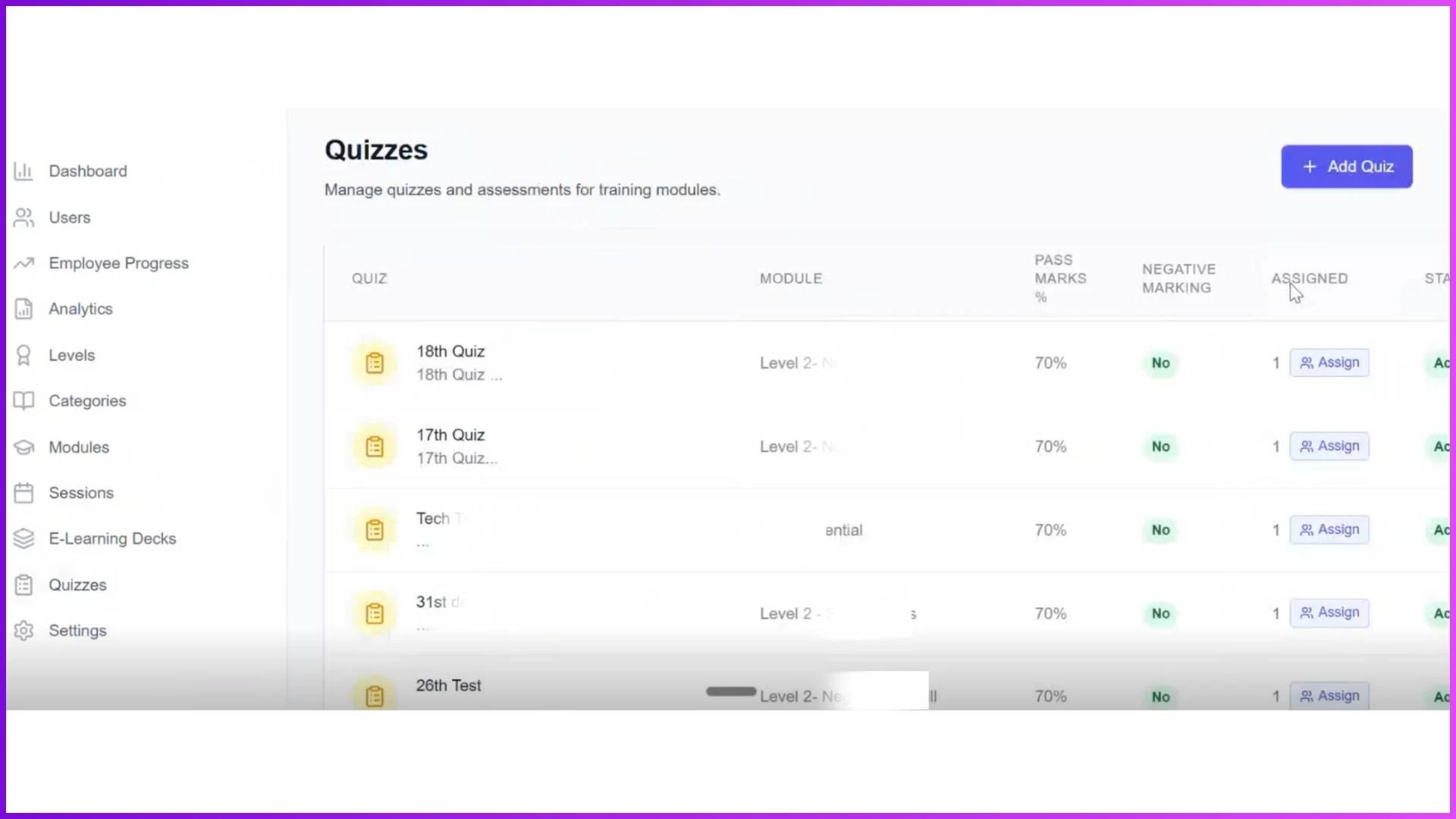
The Quizzes section allows admins to create and assign quizzes directly from the portal. Admins can configure:
- Passing percentage
- Negative marking (Yes or No)
- Maximum attempts
- Time limits
- Completion timeframe
Quizzes can be assigned to individual employees, bulk uploaded, or assigned by employee level. Quiz results contribute to module completion, level progression, and achievements.
The LMS also supports Gamification Quizzes, where questions are embedded in images, making assessments interactive while issuing badges or certificates upon completion.
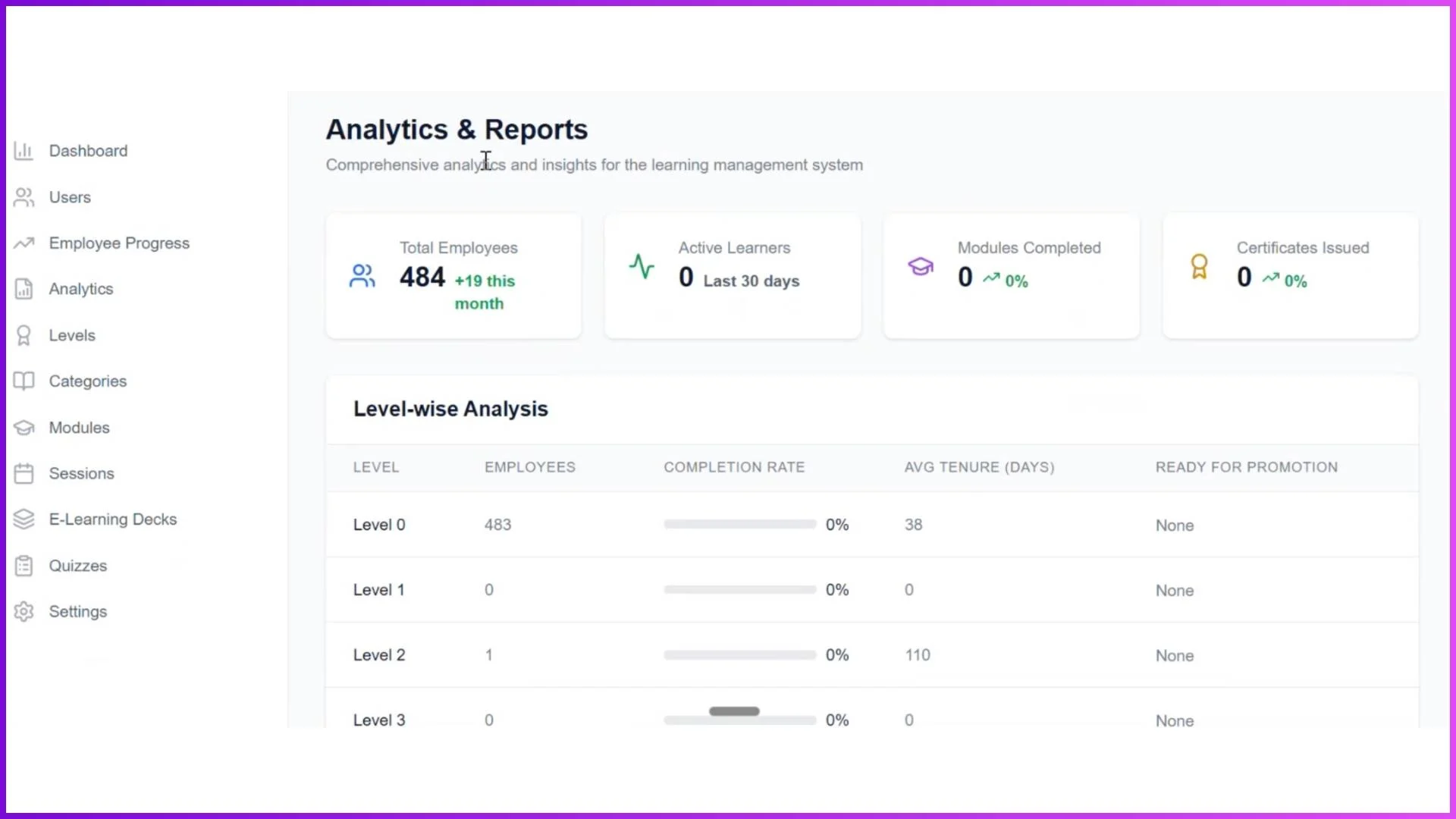
Analytics & Reports: Deep Visibility into Employee Progress
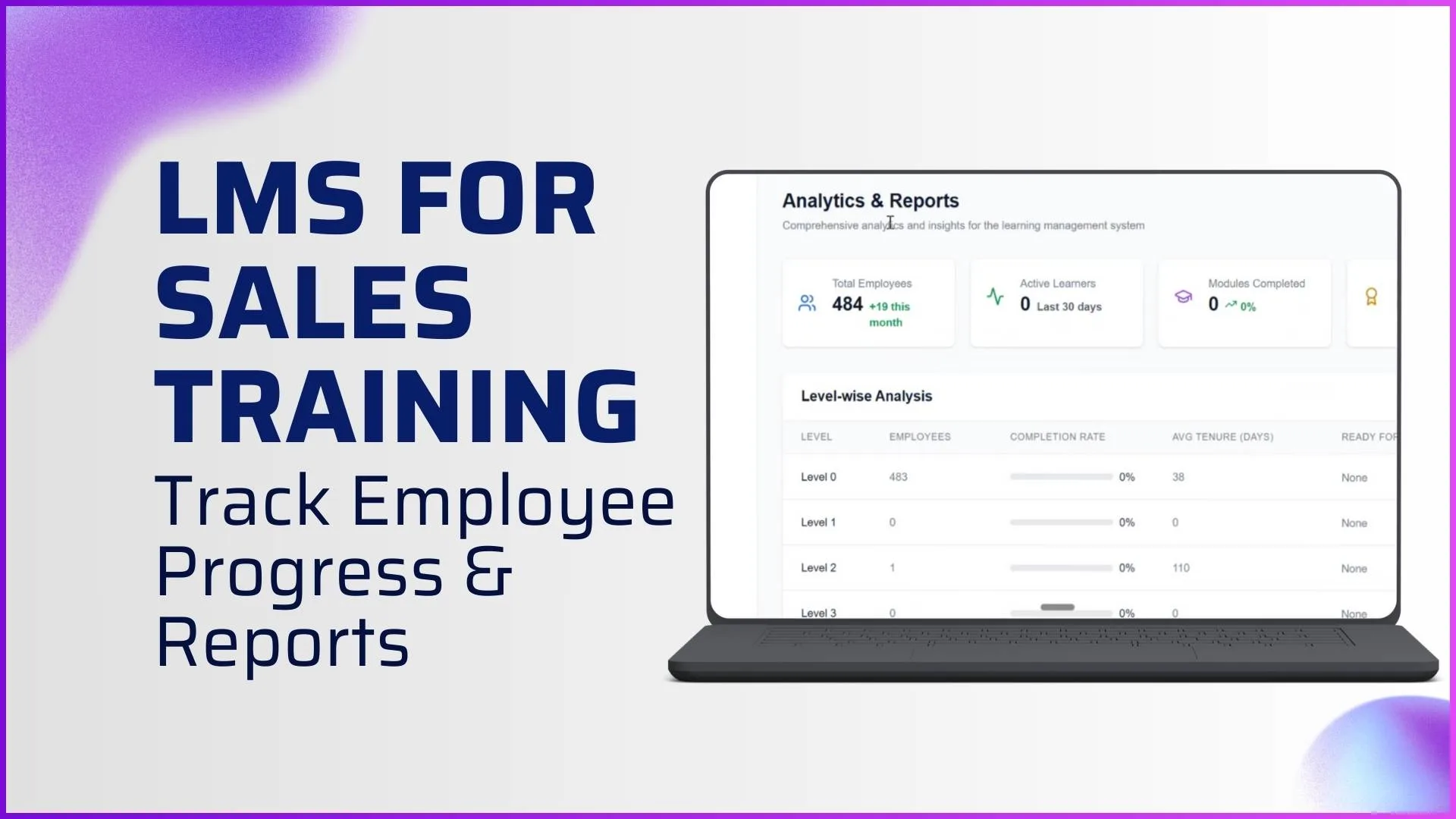
The Analytics & Reports screen provides advanced reporting for admins, including:
- Total Employees
- Active Learners
- Modules Completed
- Certificates Issued
Key analytical views include:
Level-Wise Analysis
- Level
- Employees
- Completion Rate
- Average Tenure (Days)
- Ready for Promotion
Module Performance
- Module Name
- Level
- Enrolled / Completed
- Completion Rate
- Average Days to Complete
Quiz Analytics
- Quiz Name
- Module
- Attempts
- Pass Rate
- Average Score
- Average Attempts to Pass
Trainer Performance
- Sessions Conducted
- Students Taught
- Average Attendance
- Certificates Issued
- Completion Date
These reports help organizations track learning effectiveness and identify improvement areas.
Mobile App: Real-Time Progress for Employees and Trainers
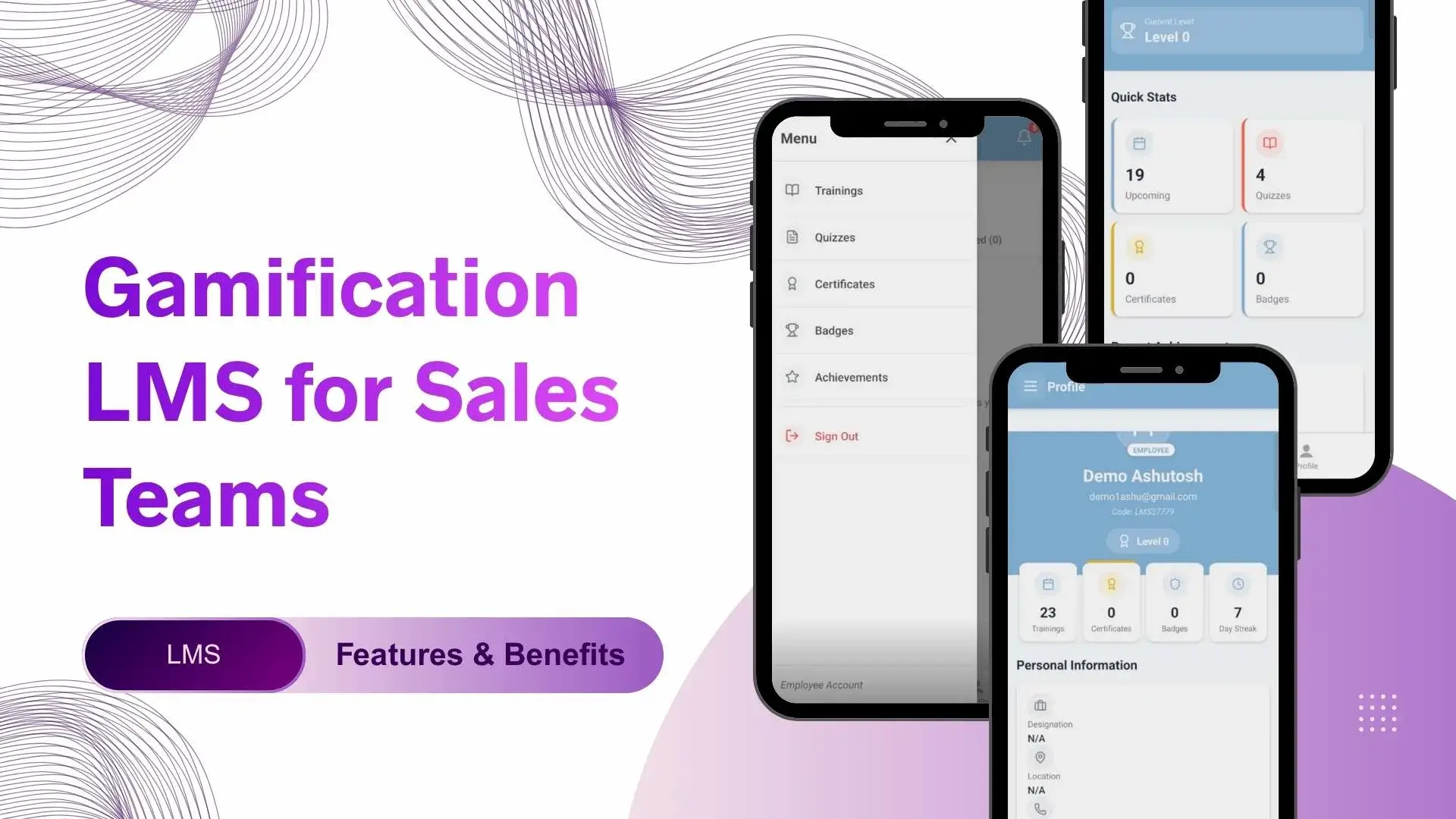
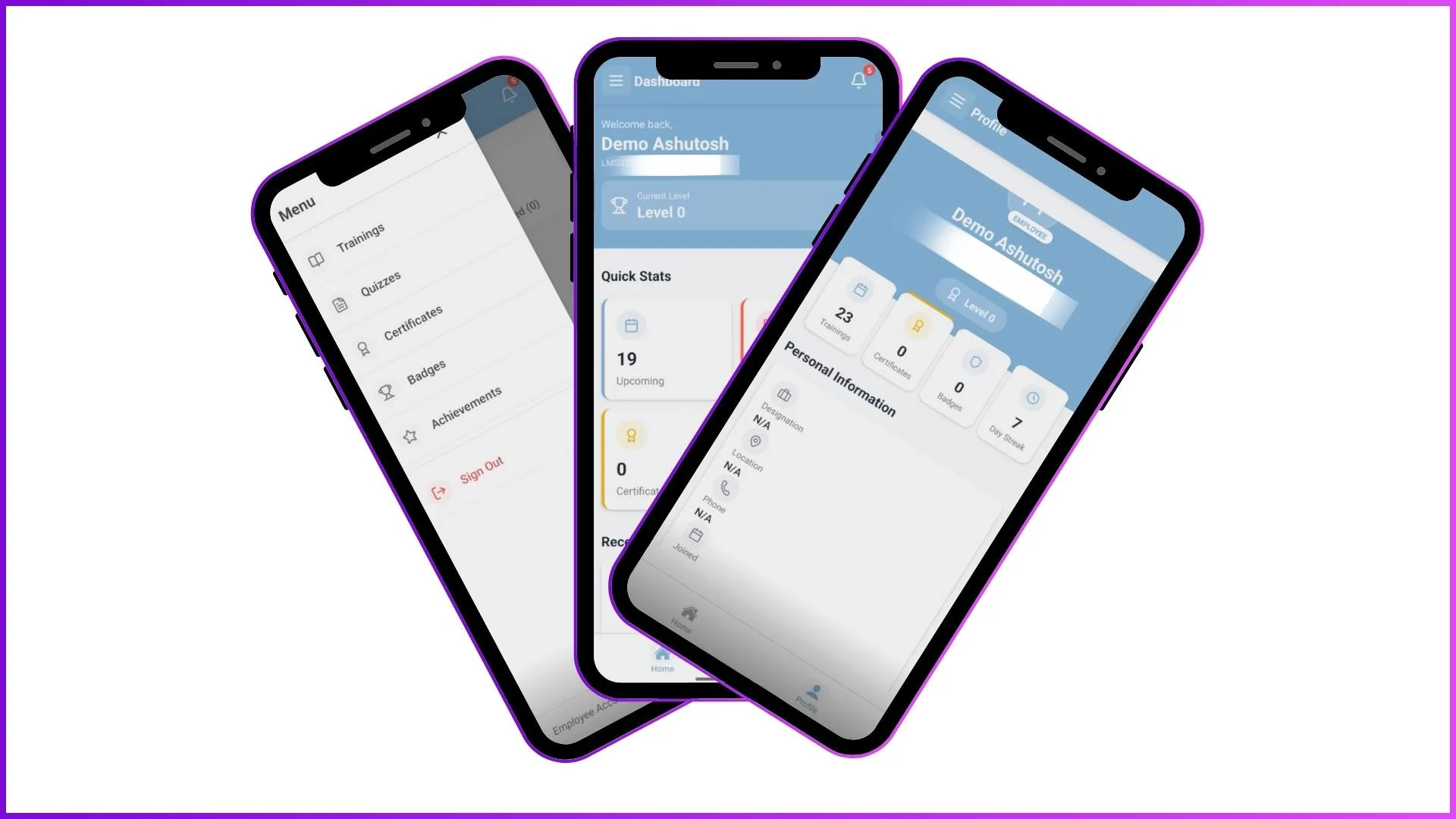
The Mobile Application serves as the operational front end for Employees and Trainers. Employees can view achievements, certificates, badges, completed modules, and learning streaks directly from their dashboard.
Trainers can track attendance, manage sessions, and review assigned employees, ensuring that progress data is captured in real time and synced with the Admin portal.
Why Progress Reports Matter in LMS for Sales Training?
The combination of dashboards, employee progress tracking, levels, quizzes, sessions, analytics, and mobile apps ensures that progress reporting is accurate, transparent, and actionable.
This structured approach helps organizations:
- Track learning completion
- Identify promotion-ready employees
- Improve training effectiveness
- Maintain consistent engagement across sales teams
Final Thoughts
An LMS for Sales Training with employee progress and reporting features is not just about data it is about clarity, control, and continuous improvement. By using the built-in Employee Progress, Analytics, Levels, and Reporting tools, organizations can scale sales training while maintaining complete visibility into employee performance and growth.
Transform Your Sales Training with 1Channel LMS
Track employee progress, generate detailed reports, and improve learning outcomes with our comprehensive LMS platform.
Explore Sales Team LMS →