A sales team that grows from 20 promoters in Klang Valley to 80 across Selangor, Penang, Johor, and Sabah cannot train the same way it did when everyone fit in one room. The informal approach of WhatsApp-shared PDFs, occasional classroom sessions, and verbal knowledge transfer breaks down as scale increases. Training becomes inconsistent, completion is unverified, and the manager has no data on who actually learned what.
A Sales Training LMS solves this by providing a single platform where training content is created, delivered through multiple formats, tracked with verified attendance, assessed through quizzes, and organised into level-based progression paths that scale regardless of team size or geography.
This guide explains the complete architecture of a modern Sales Training LMS and how each component contributes to a training system that Malaysian businesses can rely on as their field teams grow.
Table of Contents
What a Sales Training LMS Is and Is Not
A Sales Training LMS is not a generic e-learning platform repurposed for sales. It is a system built specifically for the operational realities of field sales training, where employees work across multiple locations, training formats range from physical classroom sessions to self-paced mobile content, and verification of attendance and knowledge retention is essential.
The system operates through two connected interfaces: an admin portal accessed on desktop where all training management happens, and a mobile application used by employees and trainers in the field. Everything syncs in real time, so when a promoter in Kota Kinabalu completes a quiz at 3 PM, the admin in KL sees the result immediately.
The Admin Portal
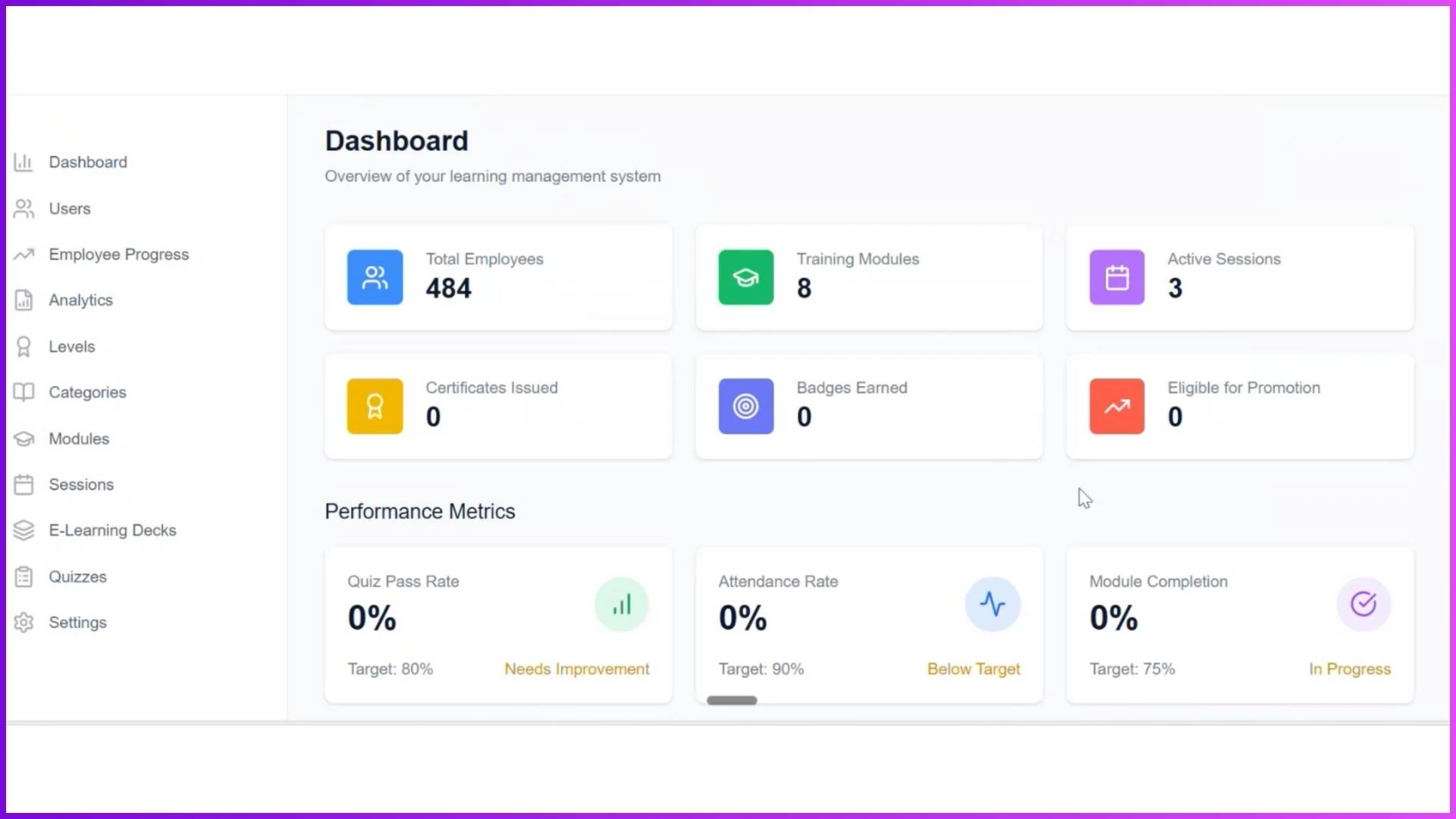
The admin portal is the control centre. The dashboard provides a snapshot of the entire training operation: total employees, active modules, running sessions, certifications issued, badges earned, quiz pass rates, attendance rates, and module completion percentages. Quick action buttons allow the admin to navigate directly to user management, progress tracking, modules, sessions, or quizzes.
Beyond the dashboard, the admin manages the complete learning architecture: creating categories to organise training by skill type, building modules within those categories, scheduling sessions in four different formats, designing quizzes with configurable rules, defining levels with promotion criteria, and monitoring analytics that show how the entire training programme is performing.
Three User Types Working in Sync
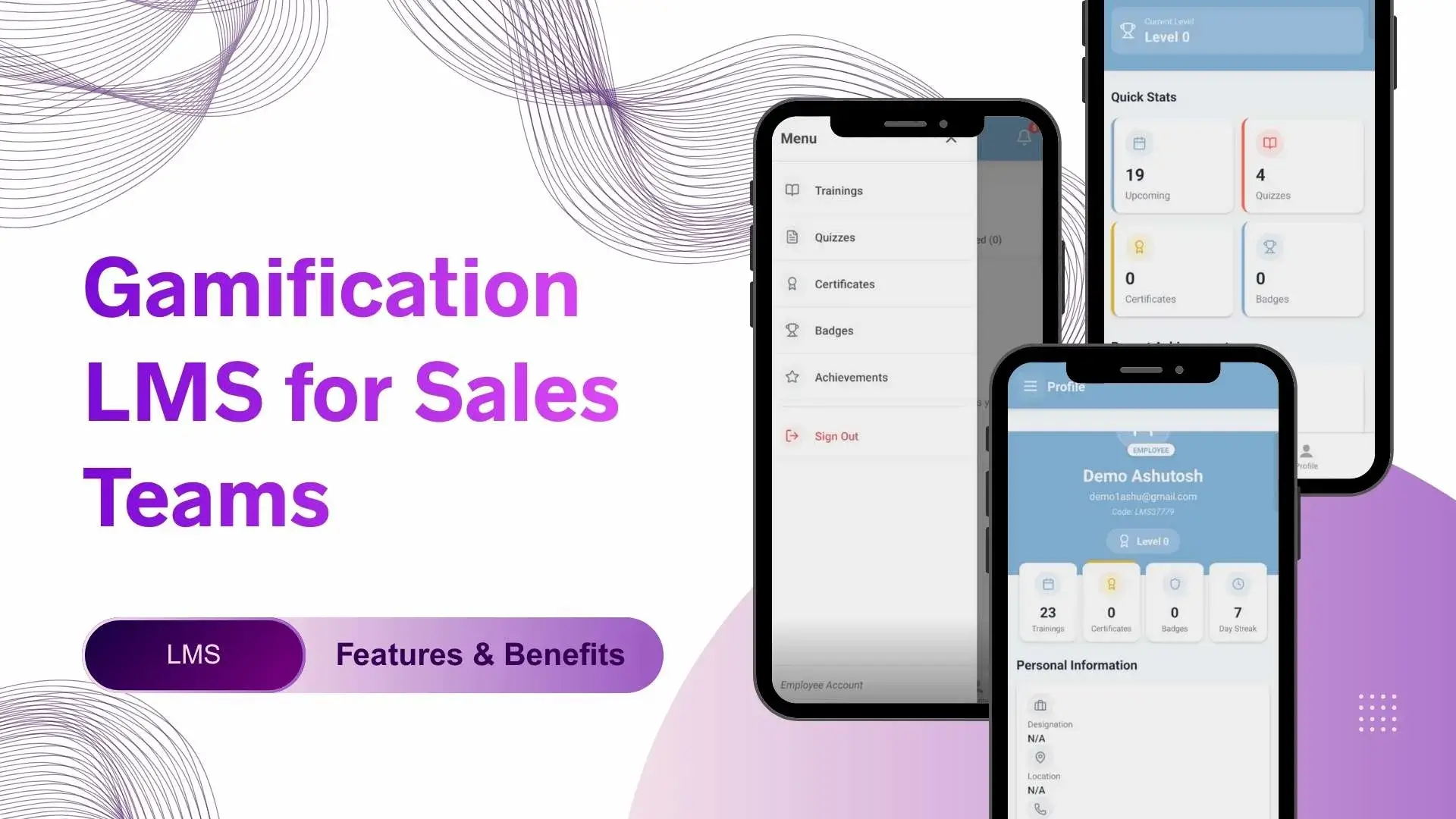
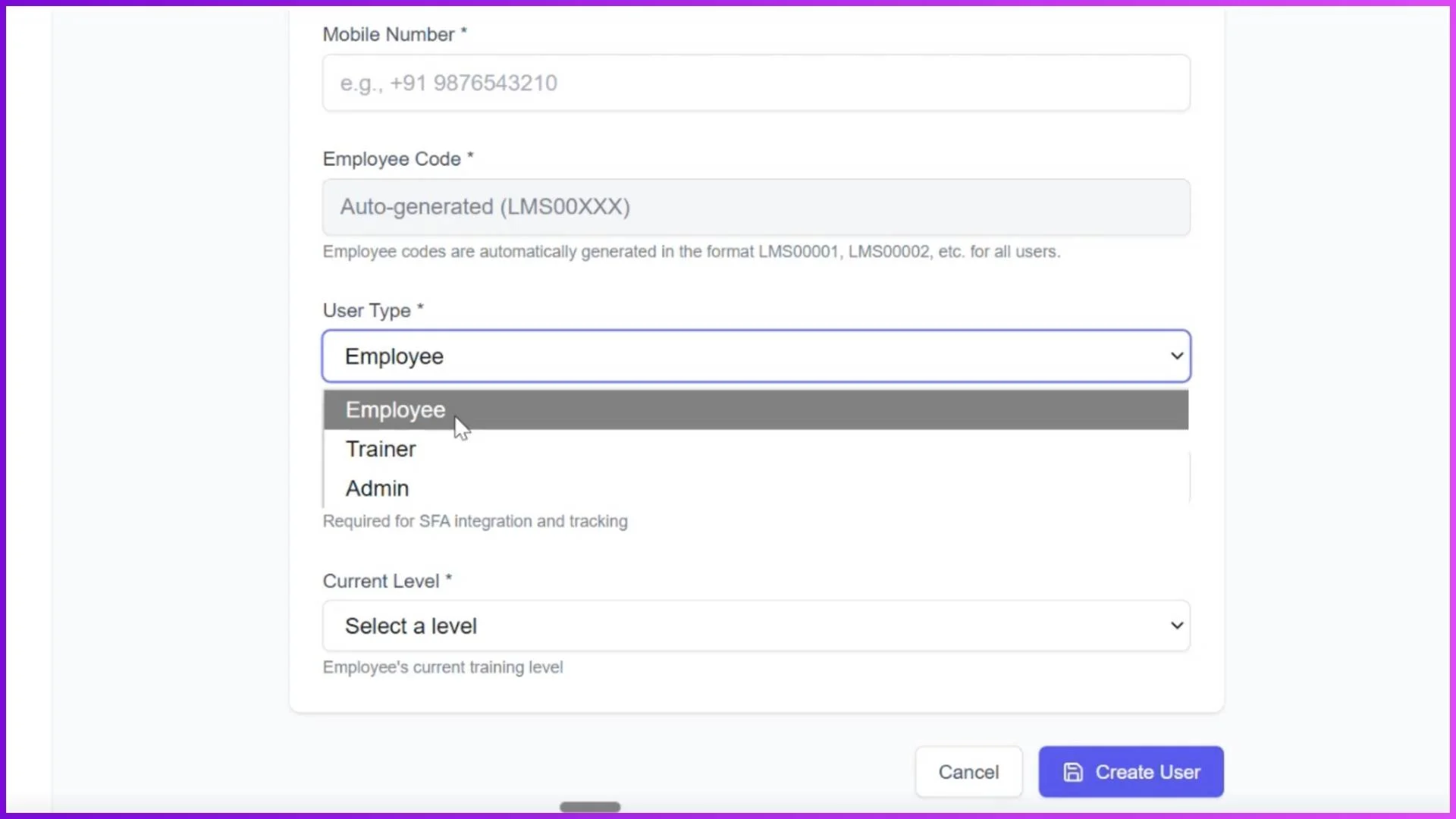
The LMS supports three user roles with distinct access levels. Admins have full control over the portal. Trainers access their assigned sessions, mark attendance with geo-tagged photos during in-store visits, and view their session schedules through the mobile app. Employees see only their assigned modules, sessions, and quizzes based on their current level. They mark attendance, complete training content, take quizzes, and view their own progress including earned badges and certificates.
Users are added individually or through bulk Excel upload. Each user is assigned an employee code, user type, and current level at creation. This ensures that from the moment a new promoter is onboarded, they see exactly the right training content for their role and experience stage.
The Learning Structure
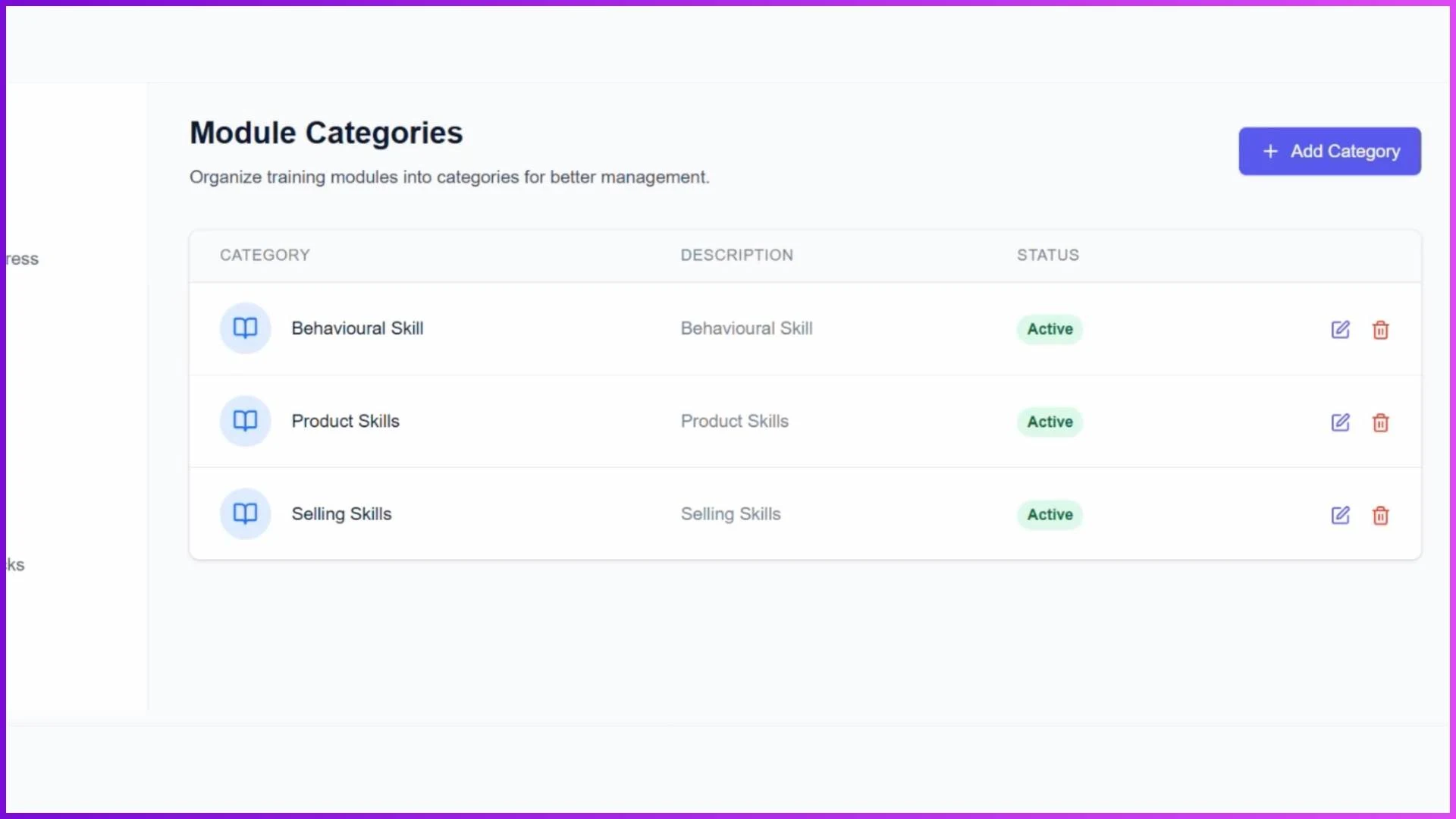
Training content is organised in a three-tier hierarchy: Categories at the top (such as Product Knowledge, Selling Techniques, Professional Conduct), Modules within each category (specific training topics mapped to employee levels), and Sessions within each module (the actual training delivery). This structure ensures that training is organised logically, each module is visible only to the appropriate level, and new content slots naturally into the existing framework without disruption.
Four Training Formats
The LMS supports classroom sessions for physical group training with photo-based attendance, virtual sessions conducted through Google Meet, Teams, or Zoom with meeting links embedded directly in the system, in-store sessions where trainers visit outlets and mark geo-tagged attendance for trainees, and e-learning sessions where employees access PDFs, images, and videos at their own pace through the app.
For a Malaysian FMCG company with promoters across 15 states, this flexibility means a product launch module can be delivered as a classroom session in KL, a virtual session for Penang and Johor reps, and e-learning content for the smaller teams in East Malaysia, all tracked under the same module with consistent completion data.
Level-Based Learning with Automated Promotions
The level system structures learning into progressive stages. The admin defines promotion criteria for each level based on certificates earned (as a percentage), tenure (in days), and average productivity units. When an employee meets all three criteria, the system automatically promotes them to the next level. New modules, sessions, and quizzes assigned to that level become visible in the employee's app immediately.
This creates transparent, data-driven career progression. A promoter does not need to wait for a quarterly review or a manager's subjective assessment. The system tracks their progress continuously and promotes them the moment they qualify.
Quizzes, Gamification, and Certifications
The quiz system includes configurable passing percentages, negative marking options, maximum attempts, time limits, and individual or level-based assignment. Standard quizzes present four options per question. Gamified quizzes embed questions within images and interactive content for higher engagement.
On completion of quizzes, modules, or levels, employees earn badges and certificates visible in their app profiles. Leaderboards create visibility into who is progressing fastest across the team. For a competitive sales force, these gamification elements turn training completion from a requirement into an achievement that employees actively pursue.
Analytics and Mobile Applications
The analytics module provides level-wise analysis (employee count, completion rate, promotion readiness per level), module performance (enrolled vs completed, average days to complete), quiz analytics (pass rates, average scores, attempts to pass), and trainer performance (sessions conducted, students taught, average attendance).
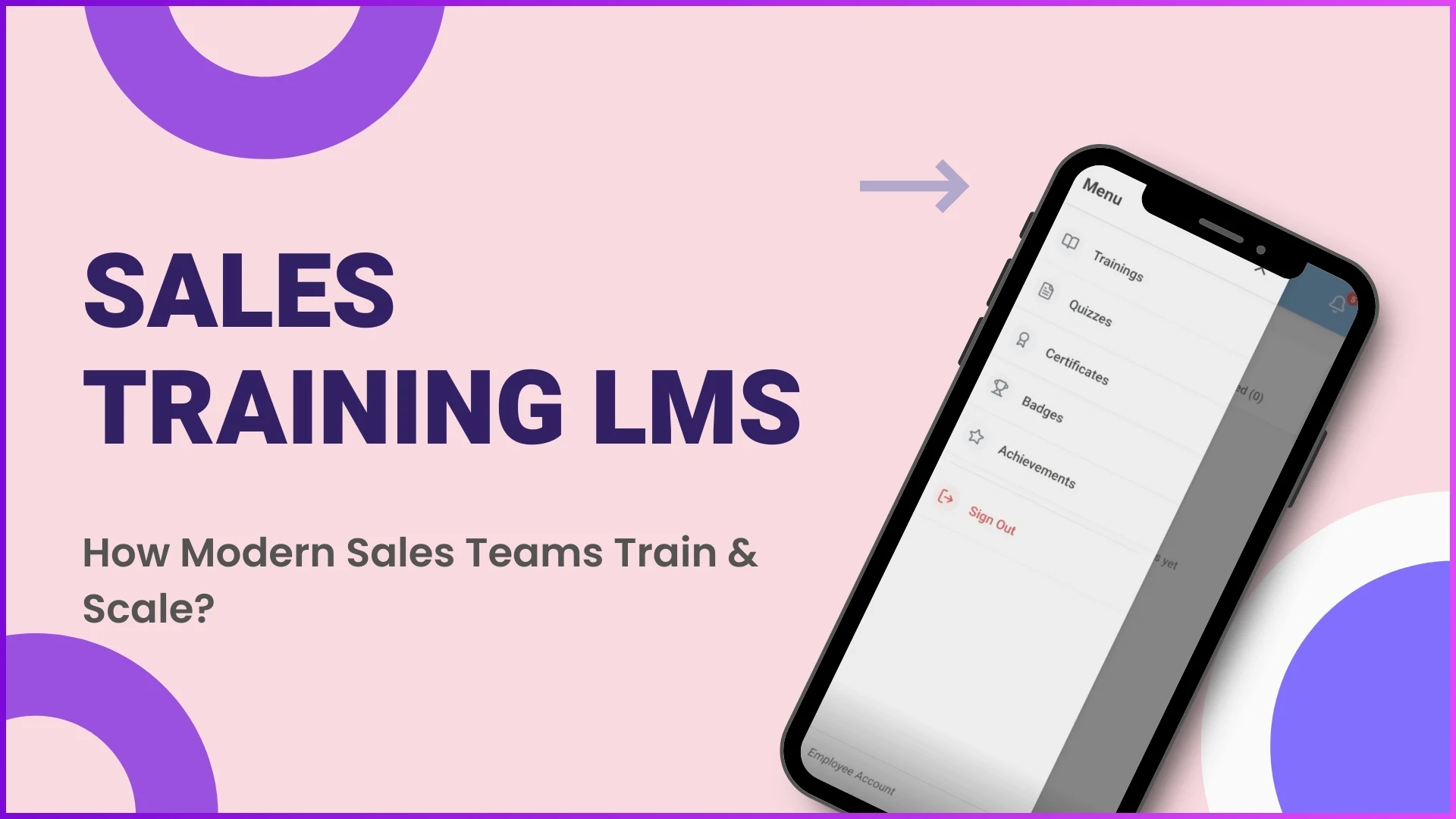
The mobile application serves as the operational front end for employees and trainers. Employees see their personalised dashboard, assigned content, quiz notifications, and earned achievements. Trainers manage their session schedules, mark attendance, and capture training photos. Both apps sync with the admin portal in real time.
Explore Each Component in Detail
Each component of the Sales Training LMS is covered in depth in dedicated articles:
How LMS Improves Sales Team Training Efficiency Training Sessions in LMS for Sales Teams How Categories Organise Sales Training in LMS LMS Modules for Level-Wise Sales Team Training Level-Based LMS with Automated Promotions How Quizzes in LMS Boost Sales Team Engagement Gamification LMS for Sales Teams User Management in LMS for Sales Teams LMS Progress Tracking and ReportsExplore Sales Team LMS
1Channel's LMS platform delivers the complete architecture described in this guide: admin portal, mobile apps, level-based learning, four session types, gamified quizzes, automated promotions, and comprehensive analytics.
Explore LMS Software →A Sales Training LMS is not a single feature or a content library. It is an operational system that connects how training is created, how it is delivered, how it is verified, and how it drives measurable career progression. For Malaysian businesses scaling field sales teams across multiple states, this system ensures that every promoter, merchandiser, or medical rep receives consistent, tracked, and progressively challenging training regardless of where they work or when they joined. Get in touch to explore how it fits your training operation.