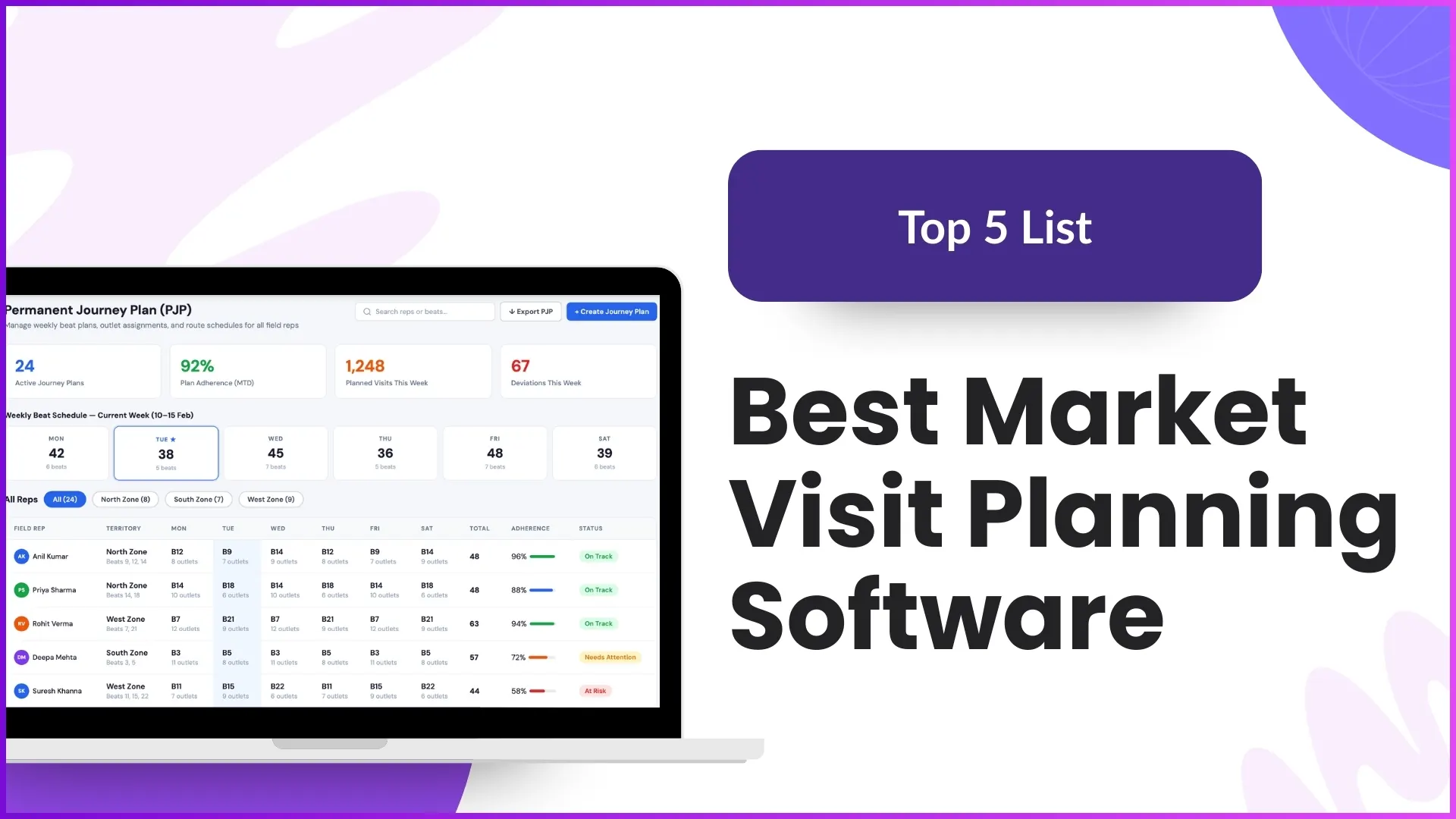
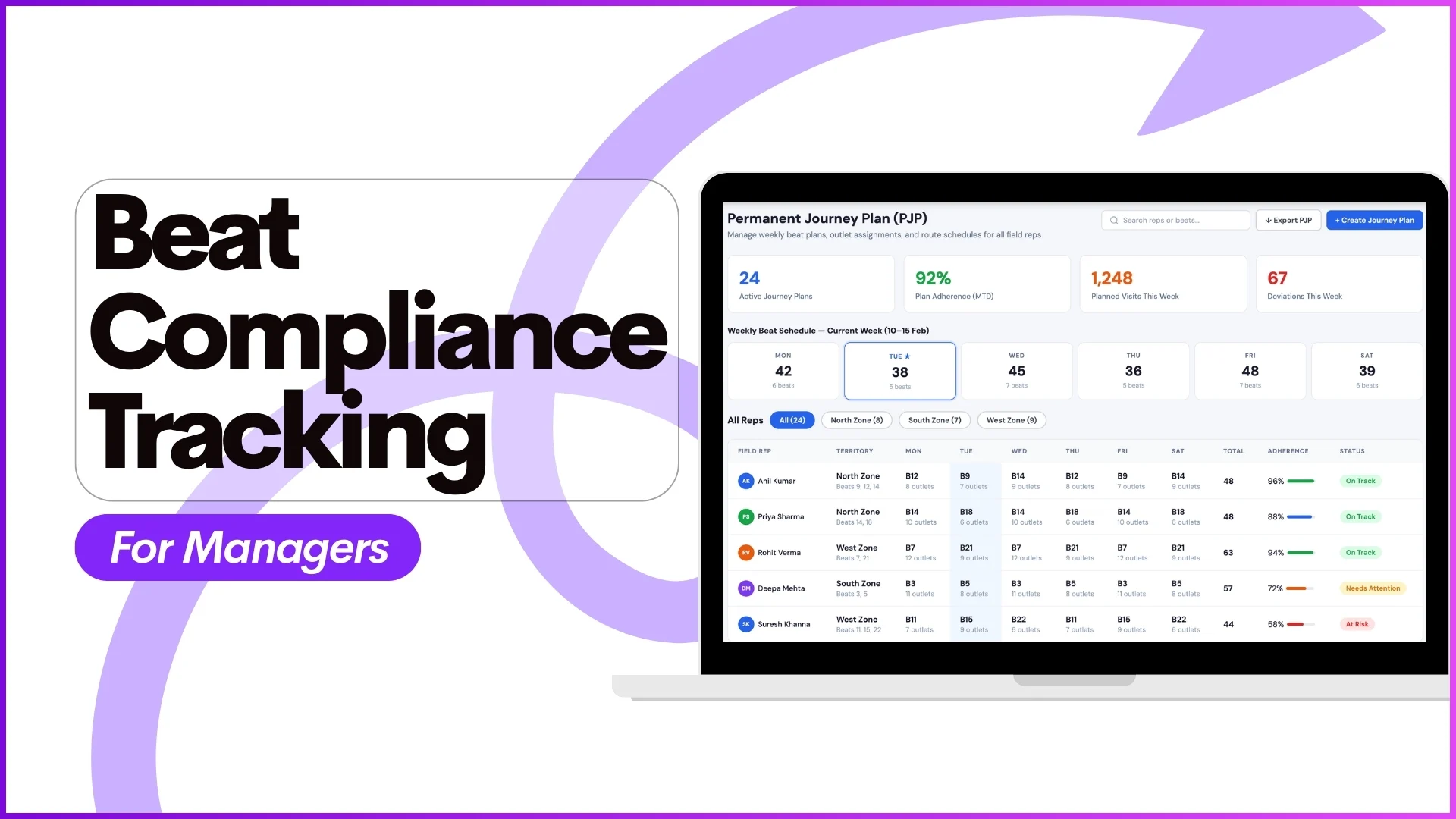
For managers handling large field teams, ensuring that employees follow assigned routes and visit the right number of stores every day is a constant challenge. Beat compliance tracking helps managers monitor whether field employees are adhering to their approved beat plans and market visit schedules.
With structured dashboards, analytics, and reporting capabilities, managers can track daily store coverage, identify gaps, and take corrective actions—without relying on manual follow-ups or assumptions.
This blog explains beat compliance tracking from a manager's perspective, using only the features and workflows outlined in the provided content.
What Is Beat Compliance?
Beat compliance measures how closely a field employee follows their predefined beat plan.
As defined in the system:
Beat Compliance of an employee is calculated as
Number of stores covered in a day ÷ Number of stores defined in the beat plan for that day
Example
- An employee's beat plan defines 10 stores for a day
- The employee visits 8 stores
- Beat Compliance = 8 ÷ 10 = 80%
This percentage helps managers quickly understand adherence to planned routes.
Explore Route Planning Software
Optimize your beat planning and route assignments with powerful route planning tools designed for field teams.
Explore Route Planning →Why Beat Compliance Tracking Matters for Managers
1. Ensures Planned Market Coverage
Beat plans are approved in advance through Beat Plan Approval under People Management. Tracking compliance ensures that employees are following these approved routes.
Example:
If a promoter is assigned specific stores on Monday through the Market Visit Plan, managers can confirm whether those exact stores were visited.
2. Improves Accountability Across Field Teams
Since attendance, market visits, and store activities are logged through the system, managers get verifiable data instead of verbal updates.
Example:
A manager can cross-check:
- Attendance marked for the day
- Stores actually visited
- Beat Compliance percentage from reports
This ensures attendance aligns with actual field activity.
3. Identifies Missed Stores and Route Deviations
Low beat compliance highlights issues such as missed visits or incomplete routes.
Example:
If the Beat Compliance Report shows 60% compliance for an employee, managers can investigate:
- Which stores were not covered
- Whether the employee checked in late
- Whether any visit was skipped due to store closure or other reasons
Beat Compliance Tracking Through Dashboards
Advanced Dashboard for Managers
When managers log into the portal, the Advanced Dashboard is displayed by default. It provides analytical visibility into field performance.
Relevant elements include:
- Attendance reporting percentage
- Market visit percentage
- Not Marked Defaulter percentage
- Detailed attendance compliance data
Example:
A regional manager can view:
- Total calendar days
- Attendance reporting days
- Missed attendance days
- Market visit percentage linked to beat execution
This helps managers correlate attendance with actual market activity.
Beat Compliance Report in Analytics
Under Analytics → Report Catalog, managers can access the Beat Compliance Report.
This report provides:
- Daily beat compliance for each employee
- Store coverage against defined beat plans
- Data for a selected date range
- Excel download for deeper analysis
Example:
A manager selects a weekly date range and downloads the Beat Compliance Report to:
- Compare compliance across team members
- Identify consistently low-performing routes
- Share data with senior leadership
Supporting Reports That Strengthen Beat Compliance Analysis
Beat compliance becomes more actionable when combined with other system reports.
Visit Productivity Report
Shows the daily count of stores visited by each employee.
Example:
If an employee shows low beat compliance but high visit productivity, it may indicate visits outside the assigned beat.
Detailed Visit Productivity Report
Displays:
- Stores visited each day
- Activities performed at each store
Example:
Managers can verify whether required activities were completed during store visits within the beat.
Market Visit Plan Report
Allows managers to download planned visits for a selected date range.
Example:
A manager compares:
- Planned stores from the Market Visit Plan Report
- Actual stores visited from productivity reports
This comparison directly validates beat compliance.
Role of People Management in Beat Compliance
Beat Plan Approval
Beat compliance begins with approved routes.
Managers approve daily or weekly beat plans under People Management.
Example:
An admin approves a weekly beat plan assigning different stores for each weekday. Employees are expected to follow this exact plan.
Market Visit Plan & Weekday Market Visit Plan
Managers can upload market visit plans in multiple formats:
- By store and user
- By distributor
- By weekday
Example:
A promoter may be assigned Store A and B on Monday and Store C and D on Tuesday, ensuring structured coverage.
Attendance and Beat Compliance Alignment
Attendance tracking supports beat compliance validation.
Attendance Reports
Managers can access:
- Attendance Summary
- Attendance Photo Report
- Attendance & Last Transaction Report
Example:
If attendance is marked but beat compliance is low, managers can check:
- Time of first and last transaction
- Location from which attendance was marked
This confirms whether time spent in the field aligns with planned visits.
Customizing Beat Compliance Insights with Report Builder
The Report Builder allows admins to create custom reports using selected dimensions.
Managers can define:
- Report title
- Dimensions like Attendance or Merchandising
- Location filters
- Prompt filters
Example:
A custom report combining attendance data and visit data can be created to analyze beat compliance for a specific city.
Using Beat Compliance Data for Managerial Decisions
Managers can use beat compliance insights to:
- Identify training needs
- Adjust beat plans
- Improve route efficiency
- Strengthen monitoring for low-performing regions
Example:
If multiple employees show low compliance in a particular city, managers can revisit store mapping or territory assignments.
How 1Channel Helps Managers Track Beat Compliance
1Channel provides an integrated SFA portal and mobile application that captures attendance, market visits, and store-level activities in real time.
With features like:
- Advanced Dashboards
- Beat Compliance Reports
- Market Visit Planning
- Attendance and productivity analytics
Managers gain complete visibility into field execution and can make data-driven decisions to improve compliance and performance.
Transform Your Field Operations Today
Discover how 1Channel Sales Force Automation helps you track beat compliance, monitor field teams, and improve operational efficiency with real-time visibility and analytics.
Explore Sales Force Automation →FAQs
What is beat compliance in field operations?
Beat compliance measures how well a field employee follows their assigned beat plan by comparing planned store visits with actual visits.
How can managers track beat compliance?
Managers can track beat compliance through the Beat Compliance Report available in the Analytics section, along with dashboards and visit productivity reports.
Can beat compliance be analyzed for a specific date range?
Yes, managers can generate beat compliance reports for any selected date range and download them in Excel format.
How does beat planning affect compliance?
Beat compliance is directly dependent on approved beat plans created and approved through People Management and Market Visit Plan modules.
Can beat compliance be customized based on business needs?
Yes, dashboards, reports, and even custom analytics can be configured or built using the Report Builder based on client requirements.
Conclusion
Beat compliance tracking enables managers to move from assumption-based monitoring to data-backed supervision. By combining beat plans, attendance, visit productivity, and analytics, managers gain clear visibility into field execution.
With structured dashboards and detailed reports, beat compliance becomes a powerful tool for improving coverage, accountability, and operational efficiency across field teams.